Unity AI workflow comparison: editing files versus controlling the Editor through MCP
Compare manual editing, file-based AI assistance, and an MCP bridge against one saved-scene objective, without invented performance results.
Last updated
Menus and supported features can change. Compare the source-check date below with your current app version.
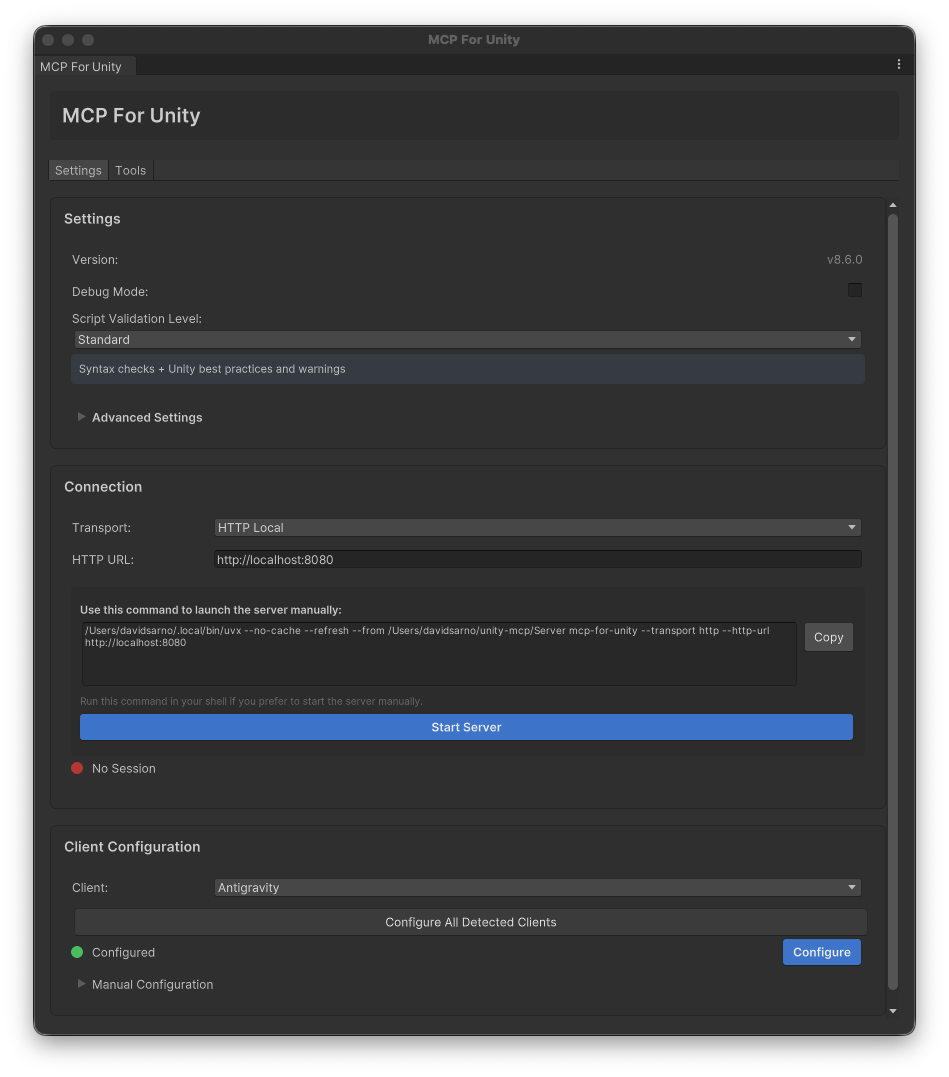
The cover is the repository’s developer example from v8.6, not our capture of the current 10.3.0 interface. MIT · Media credits
AI assistance in Unity is not one workflow. Receiving C# code, granting an agent file-editing access, and exposing live Editor tools through MCP create different verification tasks. This comparison uses one objective: a floor-and-cube scene that is saved and can be reopened. It is not a controlled timing or quality benchmark.
The exact integration covered here is CoplayDev’s MCP for Unity 10.3.0. Unity itself and unrelated AI extensions are different products. Check the repository, developer, and package identity before following setup instructions; another project’s Node.js configuration is not interchangeable with this product’s Python server.
Three routes to the same target
| Question | Manual Editor work | File-based AI assistance | MCP for Unity |
|---|---|---|---|
| Primary surface | Scene, Inspector, Project | Files the agent can access | Exposed Editor tools and resources |
| Placement | Menus and Transform values | Creation code still needs execution checks | Scene and GameObject operations |
| Live scene awareness | Human inspection | Requires additional information or integration | Queries the connected Editor |
| Saving | File and reopen checks | File edits are distinct from saving a scene | Save response, file, and reopening |
| Potential friction | Repeated human actions | Missing code-to-Editor connections | Server, session, and target selection |
| Time and quality | Not measured | Not measured | Editor task not measured |
This is an interpretation of workflow responsibilities, not evidence that a particular client or model is faster. A file-editing agent with additional Editor integration may have a different scope; inspect its actual capabilities and permissions.
A new code file is not a changed scene
Suppose an assistant creates a file named SpawnCube.cs. Saving it, compiling it, attaching it to the appropriate object, running it, and preserving the intended scene are distinct checks. The filename is an illustrative example, not a file discovered in a featured game or created during our probe.
An MCP bridge provides another way to inspect scene and object state, but responses still need interpretation. They may report failure, refer to a different project, or leave saving incomplete. In our server probe, tool discovery succeeded while scene inspection failed because no Editor was present. Having a tool available is not proof of an Editor result.
Choose a learning task you can inspect
If the Editor is unfamiliar, begin with the manual scene exercise to learn panels and persistence. Then connect MCP and read that project’s scene name. Knowing what a value represents makes an AI change easier to verify.
If you already edit C# with an assistant, you do not need to move every task to MCP. Select one Editor-dependent job such as inspecting scene state or repeating a bounded placement. Code review and live scene checks can complement each other, but this documentation comparison cannot establish a numerical productivity gain.
HTTP and stdio are different configurations
Our Cursor path uses an HTTP Local server and /mcp endpoint. The project’s Claude Desktop instructions use a stdio subprocess. The same unityMCP label does not imply identical configuration structure or process ownership. Match the client and transport before applying an example.
Also separate the MIT-licensed bridge from model usage. Repeated agent requests can consume the client’s allowance. A future timing comparison should distinguish model waiting, human inspection and correction, and reopening checks. We made no paid model call or such measurement here.
Define completion before declaring a comparison
Use equivalent project copies and the same two objects, coordinates, and saved-scene objective. Record duplicate objects, Transform values, path, Console errors, and reopening state. A sent prompt alone leaves no meaningful result to compare.
This MCP has not been established as a tool used by the developers of SpAIceRocks or Echoes. Keep historical production tools separate from the integration we are learning now. Continue through the linked course for a connection check and an inspectable first task.
Sources & further reading
- https://github.com/CoplayDev/unity-mcp/blob/aa5fc638d623f56178d50329d9ad8c541a57fe66/MCPForUnity/package.json
- https://github.com/CoplayDev/unity-mcp/blob/aa5fc638d623f56178d50329d9ad8c541a57fe66/website/docs/getting-started/install.md
- https://github.com/CoplayDev/unity-mcp/blob/aa5fc638d623f56178d50329d9ad8c541a57fe66/website/docs/getting-started/clients.md
- https://github.com/CoplayDev/unity-mcp/blob/aa5fc638d623f56178d50329d9ad8c541a57fe66/website/docs/getting-started/first-prompt.md
- https://github.com/CoplayDev/unity-mcp/blob/aa5fc638d623f56178d50329d9ad8c541a57fe66/website/docs/reference/tools/core/manage_scene.md
- https://github.com/CoplayDev/unity-mcp/blob/aa5fc638d623f56178d50329d9ad8c541a57fe66/website/docs/reference/tools/core/manage_gameobject.md
- https://github.com/CoplayDev/unity-mcp/blob/aa5fc638d623f56178d50329d9ad8c541a57fe66/website/docs/reference/tools/core/read_console.md
- https://github.com/CoplayDev/unity-mcp/blob/aa5fc638d623f56178d50329d9ad8c541a57fe66/website/docs/guides/troubleshooting.md
- https://github.com/CoplayDev/unity-mcp/releases/tag/v10.3.0
- https://cursor.com/docs/mcp
- https://github.com/CoplayDev/unity-mcp/blob/aa5fc638d623f56178d50329d9ad8c541a57fe66/LICENSE