How Echoes of Somewhere was made: turning AI artwork into a walkable scene
A developer-documented workflow through Midjourney, Photoshop, Blender and Unity, plus limited ChatGPT code assistance and ElevenLabs dialogue audio.
Last updated
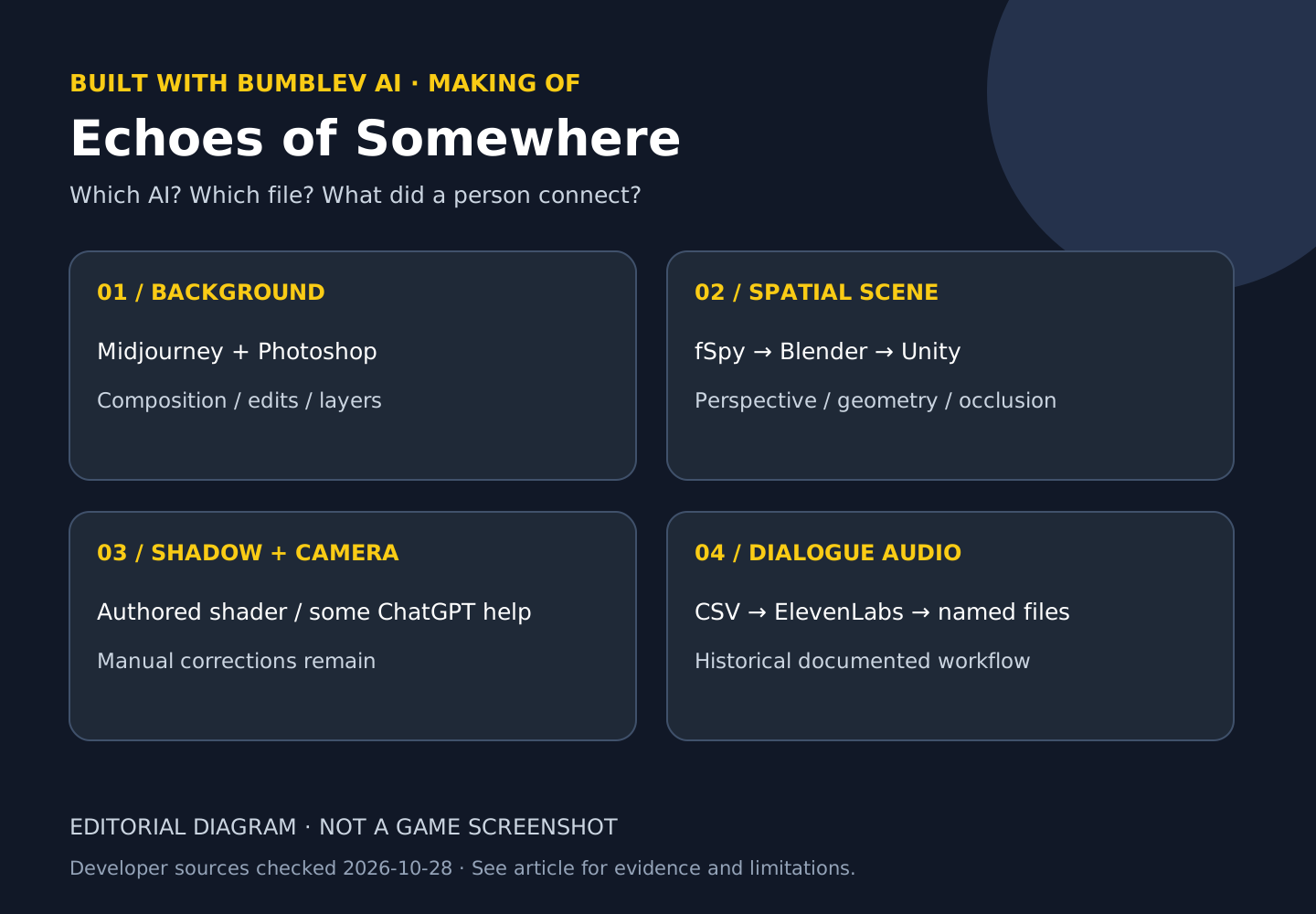
A beautiful AI background is not automatically a space a character can walk through. Echoes of Somewhere, an experimental 2.5D point-and-click adventure, exposes some of the work between those two results. What interests me most is not the generated image alone, but how the creator interprets its perspective and connects geometry, characters, shadows and dialogue.
This analysis centers on Jussi Kemppainen’s development records from 2023–2024. The official Steam page checked on October 28, 2026 says release date to be announced and not yet available on Steam. A historical development entry records a Windows and Mac demo release in December 2023; I did not download or run that demo now. It should not be described as a finished game already released for free. Steam · Development archive
There is also an access limitation. Direct opening of several original articles returned 403. The explanations below rely on their publicly searchable archived text and the official Steam description. This is not confirmation that the full live articles are currently accessible or that their historical menus match today’s software. I did not install the project, build a Unity scene or generate voices.
Which tools did which jobs?
| Task | Tools described in the development records | Human work |
|---|---|---|
| Background generation | Midjourney | Choosing compositions and directing edits |
| Compositing and corrections | Photoshop and generative fill | Joining spaces and making manual adjustments |
| Spatial reconstruction | fSpy, Blender and Unity | Perspective estimation, room modeling, cameras and occlusion |
| Parts of camera code | ChatGPT | Selecting useful functions, integration and later rewrites |
| Some voices | ElevenLabs | Preparing lines, choosing voices, regenerating and managing filenames |
fSpy, Blender and Unity should not all be labeled generative AI in this example. They connect the generated imagery to an actual game scene. Nor were all voices described as AI: the creator discussed a mixture of human performances, AI and older Apple text-to-speech. Scene and camera record · Voice workflow
First, align the image with the intended space
For the city-hall waiting room, the creator describes using Midjourney pan, zoom and vary-region tools alongside Photoshop compositing and generative fill to join several spaces. A pleasing picture is only one requirement. It must also accommodate walking areas, entrances and the camera’s intended movement. Perspective disagreements between image regions can make the character’s scale feel unstable.
The room’s camera perspective was estimated with fSpy, then basic room geometry was modeled in Blender and checked in Unity. The record describes trying different depths and settling on a 22mm lens for that particular scene. 22mm is a scene-specific choice, not a universal setting for generated backgrounds. The creator notes that a freely moving camera required more accurate modeling than some other scenes. November 21, 2023 entry
Hidden geometry still has visible responsibilities
A January 2023 entry shows the scene geometry looking stretched away from the intended camera view. The geometry is built around that final viewpoint. It provides surfaces for shadows, helps hide a character behind foreground objects and supports consistent depth and scale. Starting from a flat background does not remove these tasks.
Shadows are particularly revealing. A generated image already contains painted lighting. Simply multiplying a realtime shadow over it can darken existing shadows again and suppress bright reflections. The creator describes preparing an original background and a manually painted shadowed variation, then using the 3D shadow as a mask between them. That is an authored integration technique, not evidence that AI automatically solved realtime lighting. Shadow and occlusion article
The same article explicitly says its published shader is not compatible with Unity 2022. I would therefore not tell a reader to paste it into a current Unity project and expect success. The transferable idea is the masked blend between prepared images; a current implementation needs its own render-pipeline checks.
ChatGPT helped with a bounded camera problem
The city-hall entry describes using ChatGPT for camera movement across an unusually wide image and for an input dead zone. A dead zone treats very small input as zero, which can help avoid unwanted camera motion. It is a particular calculation inside an authored system rather than proof that the model designed the entire camera workflow.
That distinction becomes clearer in the June 2024 follow-up. The creator says the earlier controller was not convenient in other scenes and was rewritten to be more general. ChatGPT helped with a direction calculation, while the article describes little AI assistance in the overall work. Reading the follow-up supports “a person integrated and reworked small assisted pieces,” rather than “ChatGPT finished the whole camera system.” Camera-controller follow-up
Voices needed a dialogue-to-file connection
The voice workflow starts by exporting dialogue from Adventure Creator as CSV. In the historical account, lines were copied into ElevenLabs’ then-current Speech Synthesis interface, a voice was selected and audio was generated. Unsuitable performances could be regenerated or adjusted. The resulting audio was downloaded, renamed to match the CSV and placed in the required folder so it would connect to the game’s dialogue. September 25, 2023 entry
The CSV is a working link between lines and filenames, not a voice file for the player. If a sentence changes but the old audio remains attached, text and speech can disagree. Repeated words may also belong to different contexts, making identifiers important. Checking naturalness without checking the file mapping would leave an essential integration task unfinished.
The creator describes lowering stability for more dramatic performances, while finding sarcasm and implied meanings difficult to direct at that time. Those are historical observations, not a statement about every current ElevenLabs model or button position. The exact voice-model version, current account costs and Korean performance were not verified here.
Try it: finish a production plan for one scene
This exercise does not clone the unreleased project or execute the old shader. Its outcome is a production plan for one owned background and three dialogue lines. You can plan with an image you already have permission to use, without opening an AI subscription. Installing Blender and Unity and implementing the scene remain separate future tasks.
- Mark the floor, door and foreground objects on your image. Note how a temporary character’s apparent size should change between front, middle and rear positions.
- Sketch the basic room geometry and intended camera range. Record the need to match perspective instead of copying the example’s 22mm value.
- Plan separate files for the original and shadowed background. Do not mark realtime shadows as implemented at this stage.
- Record three dialogue lines and planned audio names in a CSV. The example below is new exercise text, not actual dialogue from the game.
- If you later generate voices, listen to each file and check words, pronunciation, delivery and its matching identifier. Then check that the corresponding line plays it in the scene. Actual folder and import rules must come from documentation for your installed Adventure Creator version.
- Save
scene-plan.mdanddialogue-plan.csv, close them and reopen them. Verify UTF-8 text, line IDs, filenames and unfinished status.
line_id,text,planned_audio,check
ROOM_001,The door is locked.,ROOM_001.wav,not_generated
ROOM_002,There is a small key on the floor.,ROOM_002.wav,not_generated
ROOM_003,We can open the door now.,ROOM_003.wav,not_generated
The English lines are translations of the same three-line exercise in the Korean edition. These names and columns are an editorial planning format, not the original project’s filename rules or a CSV schema promised to import directly into Adventure Creator. A conversion to the actual integration format would still be needed. The exercise is complete when the plan assigns responsibility for occlusion, shadows, camera behavior and dialogue mapping without falsely marking ungenerated audio as finished.
Cost, reuse and what is still unknown
The Steam description calls this an experimental project developed in spare time. That does not establish that its tools and generations were free. This article did not verify a complete bill, time savings or prompt count. Current free allowances and commercial terms need checking for each service and asset. A public development blog also does not by itself grant permission to redistribute every image, voice or shader.
I did not establish reuse terms for the original scene screenshots, so they are not copied here. The production diagram is an original explanation based on the disclosed process, not a product interface or execution result. The linked articles contain original examples, subject to the access limits described above. The operating-system list on the Steam page is likewise not a substitute for release availability or a successful compatibility test.
Why the middle of the workflow matters
This project reveals work hidden by the phrase “AI-generated game”: fitting perspective, building occluding geometry, correcting shadows and matching audio files to dialogue. That makes it useful as a production study. It does not tell us how quickly a beginner can reproduce the result today or whether generation is faster than a non-generative method.
A future comparison should use the same owned background and character and check front-to-back movement, foreground occlusion, ground contact, camera bounds and three line-to-audio mappings. Include perspective corrections, modeling, voice retries and reconnection time, not just image-generation time. Closing and reopening the scene should preserve the configuration. Those are proposed checks, not a score achieved here.
Continue with SpAIceRocks for code, image and music handoffs inside a project, or Angry Pumpkins for iterative development of a small physics interaction. Together with our Project Zomboid analysis, they show why the scope of AI use needs to be explained separately for each work.
Why does work continue after the background exists?
A background is a flat picture, while a 3D character occupies a space. Combining them requires the implied ground and the character’s environment to agree. If buildings recede but the character does not appear to belong to that perspective, a sharper generated image does not solve the mismatch.
In the developer’s documented process, fSpy helps interpret perspective, Blender prepares spatial geometry, and Unity brings the character and backdrop into an executable scene. Outputs differ at each boundary: an image, camera-related information, geometry, and engine connections. We explain those relationships without claiming to have reopened and reproduced the original scene.
Occlusion and shadows solve different problems
A character becoming partly hidden behind a building is an occlusion question. A shadow grounding the character on a surface is another question. A pleasing still image does not establish that both work at every position. A real inspection should distinguish movement in front of and behind objects from the positions where shadows should appear.
The creator also described matching background shadow treatments with engine shadows. Lighting embedded in a static picture can conflict with a moving object’s illumination, leaving a pasted-on appearance. “Put a Midjourney picture into Unity” therefore skips substantial perspective, visibility, and lighting work after generation and image editing.
A voice line still needs an identifier and connection
Receiving speech from an AI service and playing it at the right line in a game are separate tasks. The historical account describes connecting Adventure Creator CSV information with named voice files. A generated line can still be assigned incorrectly if its filename or dialogue mapping is wrong.
A beginner can practice recording those relationships with one original line rather than copying the game’s dialogue. Track the line identifier, text, received filename, engine connection, and whether playback was actually checked. We did not generate speech or test engine playback for this article, so it contains no assessment of pronunciation or processing time.
Start with separate image and engine exercises
Use the Midjourney background walkthrough to learn how to preserve an image and its generation record. Use the Unity first-scene guide to distinguish objects, cameras, files, and saving. Completing those introductions does not mean perspective matching or shadow integration is complete; it provides a foundation for understanding the next task.
Before copying historical camera or shader settings, establish whether they belong to a particular scene and match your rendering environment. The mentioned 22mm value is a scene-specific record, not a universal setting for every background. Start with one backdrop and one character, then define the walking area, occluded regions, and shadow conditions you intend to check.
For a separate Editor-integration course, continue to the MCP for Unity learning path. This does not establish that the game developer used this MCP.
Sources & further reading
- https://store.steampowered.com/app/2330520/
- https://echoesofsomewhere.com/2023/01/04/ai-character-design/
- https://echoesofsomewhere.com/2023/01/09/ai-assisted-graphics-blending-3d-characters-on-top-of-2d-backgrounds/
- https://echoesofsomewhere.com/2023/11/21/using-chatgpt-for-code-city-hall-part5/
- https://echoesofsomewhere.com/2023/09/25/ai-voiceovers/
- https://echoesofsomewhere.com/2024/06/04/simple-camera-controller/
- https://echoesofsomewhere.com/category/s01ep01/
- https://premortem.games/2023/08/30/jussi-kemppainen-is-exploring-ai-assisted-game-development-with-echoes-of-somewhere/