Unity AI, step 1: what CoplayDev MCP for Unity actually connects
Separate the engine, model client, and MCP bridge, with exact package identity, costs, and the limits of our server probe.
Last updated
Menus and supported features can change. Compare the source-check date below with your current app version.
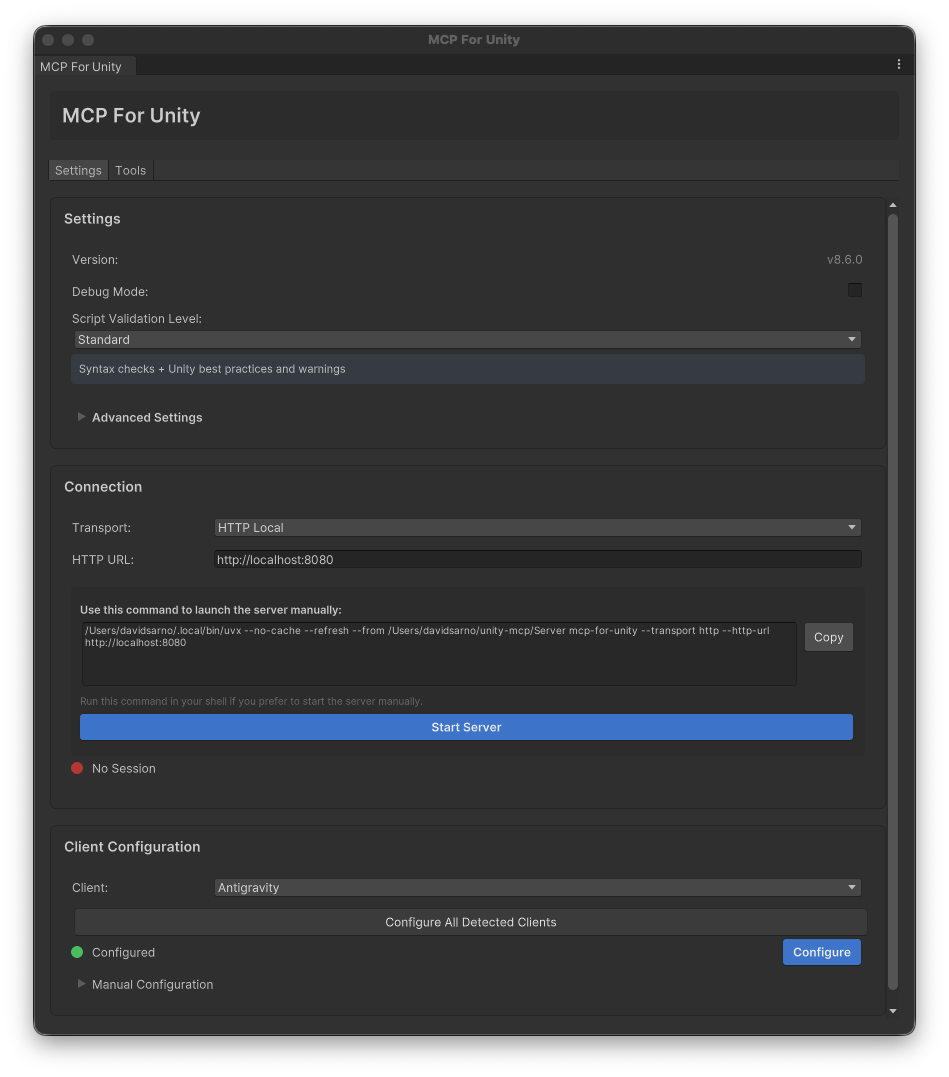
The cover is the repository’s developer example from v8.6, not our capture of the current 10.3.0 interface. MIT · Media credits
Can an AI actually change a Unity scene rather than merely explain how? Unity is the engine; CoplayDev’s MCP for Unity is the AI integration tool covered here. It exposes Editor operations to an MCP client so the assistant can request actions against the project.
The previous engine tutorials are now supporting preparation, not a Unity AI product listing. This Tools series groups the bridge introduction, connection guide, first task, diagnostics, and workflow comparison. If your Editor project is already ready, continue directly to connection rather than repeating every foundation article.
Identify the exact product
The repository is CoplayDev/unity-mcp and the Unity package is com.coplaydev.unity-mcp. Do not combine its installation address with a different project such as CoderGamester’s mcp-unity. This is also a third-party project, not an official Unity Technologies product; the developer explicitly states that distinction.
At the October 29 check, GitHub marked v10.3.0, published October 4, 2026, as the latest stable release. We checked the tag’s source and its 10.3.0 package metadata. The public repository showed 15,524 stars on the observation date. That is repository activity context, not search volume, a quality score, or evidence that a particular project will work.
Three responsibilities, not one magical application
| Layer | Responsibility | Your check |
|---|---|---|
| AI client | Interprets the request and proposes MCP calls | Model access, available tools, approval |
| Python MCP server | Routes calls toward Unity | Running process, address, transport |
| Unity package | Reads or changes the Editor project | Open project and correct instance |
MCP names a connection protocol, not a model. A running server without a connected Editor cannot edit a scene. An assistant that only edits C# files also should not be assumed to know the live scene hierarchy automatically.
Start with a bounded Editor task
Documented operations cover scene inspection and saving, GameObject creation and modification, components, Console messages, scripting, and tests. A first exercise should inspect a scene and create one clearly named object. That provides an identifiable target and a state to verify before a larger task.
Optional image, audio, or model-generation tools do not establish that external service credentials and paid allowance are included. This course avoids those tools. Start in a practice project or copy, inspect the actual available tools, and keep existing production materials separate from the learning task.
Prerequisites and separate cost lines
The developer documents Unity 2021.3 LTS or newer, Python 3.10 or newer with uv, and an MCP-capable client. Git-URL installation also needs Git. A documented support range is not a test of every Editor and dependency combination.
The package and server are MIT-licensed. Unity eligibility, a model client’s subscription or API charges, and optional asset-generation services remain separate. A free bridge does not establish a free end-to-end AI workflow. Check the client and allowance you already have before buying anything for this exercise.
What we actually ran
On Linux with Python 3.12, we ran mcpforunityserver==10.3.0, completed MCP initialization, and received a tools list containing 48 entries. The installed list can differ from a website’s headline count, so a matching count is not the acceptance criterion. No model inference or mutating scene call was made.
A read-only scene query returned success:false with No Unity Editor instances found, as expected in an environment without Unity. We verified server startup and tool discovery, not Editor installation, scene creation, saving, or reopening. The following Editor procedures are documentation-based expected states. Continue with the connection guide to establish that final Editor link in your own environment.
Next step: 2. Install and connect.
Sources & further reading
- https://github.com/CoplayDev/unity-mcp/blob/aa5fc638d623f56178d50329d9ad8c541a57fe66/MCPForUnity/package.json
- https://github.com/CoplayDev/unity-mcp/blob/aa5fc638d623f56178d50329d9ad8c541a57fe66/website/docs/getting-started/install.md
- https://github.com/CoplayDev/unity-mcp/blob/aa5fc638d623f56178d50329d9ad8c541a57fe66/website/docs/getting-started/clients.md
- https://github.com/CoplayDev/unity-mcp/blob/aa5fc638d623f56178d50329d9ad8c541a57fe66/website/docs/getting-started/first-prompt.md
- https://github.com/CoplayDev/unity-mcp/blob/aa5fc638d623f56178d50329d9ad8c541a57fe66/website/docs/reference/tools/core/manage_scene.md
- https://github.com/CoplayDev/unity-mcp/blob/aa5fc638d623f56178d50329d9ad8c541a57fe66/website/docs/reference/tools/core/manage_gameobject.md
- https://github.com/CoplayDev/unity-mcp/blob/aa5fc638d623f56178d50329d9ad8c541a57fe66/website/docs/reference/tools/core/read_console.md
- https://github.com/CoplayDev/unity-mcp/blob/aa5fc638d623f56178d50329d9ad8c541a57fe66/website/docs/guides/troubleshooting.md
- https://github.com/CoplayDev/unity-mcp/releases/tag/v10.3.0
- https://cursor.com/docs/mcp
- https://github.com/CoplayDev/unity-mcp/blob/aa5fc638d623f56178d50329d9ad8c541a57fe66/LICENSE