Unity engine basics: Hub, Editor, scenes, and files
Understand the engine, its main windows, project files, and eligibility before building your first scene.
Last updated
This is engine preparation, not an AI tool review. The course below covers the separate CoplayDev MCP for Unity integration.
Unity appears throughout our AI game-making articles, but what does it actually do? It is a game engine: a place to combine artwork, sound, code, and rules into a project that can run. An image service can produce a background file. Unity is where you decide where that file belongs and how the surrounding game responds to input. Using Unity alone does not establish that a game was made with AI.
This introduction is based on official documentation, not a hands-on installation or performance test. The companion tutorial aims at one modest result: a saved scene containing a floor and a cube. You do not need to generate artwork, buy an asset, or ask an AI to write code for that exercise.
Why are there two applications?
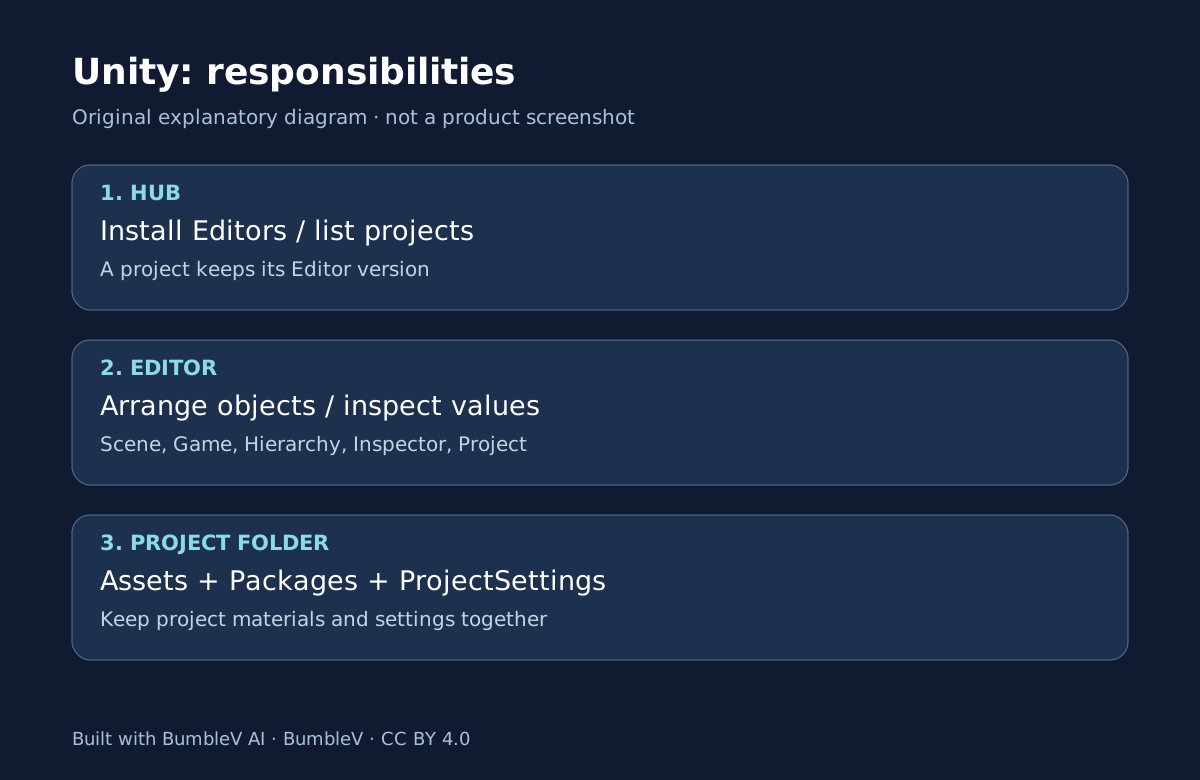
Unity Hub manages installed Editor versions and your project list. The Editor is the application in which you build and inspect scenes. Installing Hub therefore does not finish the setup: you also need an Editor version to open a project. Keeping multiple versions can help separate a new practice project from an older game. Install Hub · Install an Editor
The new exercise uses the Unity 6.3 LTS documentation as its reference. LTS identifies a long-term support line; it is not an instruction to upgrade every old project. The public source examined in our SpAIceRocks article records 6000.0.24f1. Write down the version for your own practice project separately from the version required by somebody else’s source.
Five terms you will actually use
| Term | Meaning in this exercise | Example |
|---|---|---|
| Project | The working folder containing materials and settings | FirstGame |
| Scene | A saved arrangement of objects and their connections | FirstScene.unity |
| GameObject | Something placed in a scene | Floor or Crate |
| Component | Data or behavior attached to an object | Transform |
| Asset | A file used by the project | A scene, image, or sound file |
A visible cube is not automatically a controllable or falling object. Placement, appearance, physical behavior, and input are different responsibilities. Treat “I can see it” and “it behaves according to my rules” as separate checks. This makes later questions much easier to explain than saying the entire game does not work.
Which window should you look at?
Hierarchy lists the objects in the current scene. Scene is your working view of their arrangement. Game shows the view through the game camera. Inspector exposes properties of the selected object, while Project lets you find files. The angle from which you inspect the Scene is not necessarily the camera angle. If a cube appears in Scene but not Game, check the camera before recreating the cube. Editor documentation
Importing an image into a project, placing it in a scene, and making it react to a click are also separate steps. Image generation only addresses the first part of that chain. Our game-making coverage therefore distinguishes the generated material from the work needed to connect and test it in an engine.
What can you start without buying?
Unity Personal is free for eligible individuals and small organizations. The official page checked for this guide describes eligibility using less than US$200,000 in combined revenue and funding over the previous twelve months. Check the current Personal conditions for your own circumstances. A beginner exercise does not settle the licensing requirements of every commercial organization.
You need a Unity account and an applicable license. The floor-and-cube exercise does not require paid assets, optional Unity AI functionality, or an image-generation subscription. If a purchase screen appears, check which product you selected before treating payment as part of this tutorial.
A scene file is not the whole project
FirstScene.unity stores a scene, but it is not a complete backup. Assets contains project materials, Packages describes dependencies, and ProjectSettings contains project configuration. Copying only the scene to another machine can leave its dependencies behind. Know where the project folder lives on disk, and use a separate copy when experimenting with existing work.
Continue with your first Unity scene for the installation, placement, save, and reopen sequence. If you want to open an existing AI-assisted game instead, read new versus existing projects first. The immediate goal is a small scene you can reliably return to, rather than a finished game or an unmeasured promise of faster development.
When asking for help, replace “Unity does not work” with a description such as “FirstGame opens and Crate appears in Hierarchy, but not in Game.” Naming the selected object and current window establishes a place to start checking the image or camera. Keep the project path and complete Editor version beside that note so it does not become confused with another experiment.
Sources & further reading
- https://docs.unity.com/en-us/hub/install-hub-win-mac
- https://docs.unity.com/en-us/hub/add-editor
- https://docs.unity.com/en-us/hub/manage-license
- https://docs.unity.com/en-us/hub/project-create
- https://docs.unity.com/en-us/hub/project-manage
- https://unity.com/products/unity-personal
- https://docs.unity.com/en-us/engine/6000.3/manual/working-with-gameobjects/gameobject-fundamentals/primitive-objects
- https://docs.unity.com/en-us/engine/6000.3/manual/working-with-gameobjects/gameobject-fundamentals/class-transform
- https://docs.unity.com/en-us/engine/6000.3/manual/working-with-scenes/scenes-working-with
- https://docs.unity.com/en-us/engine/6000.3/manual/unity-editor
- https://unity.com/legal/docs-terms