How Angry Pumpkins was made: GPT-4 code, AI art and repeated fixes
Follow the creator’s 2023 prompts and a limited test of the original browser game: clearing the board and placing a box and monster. No full-playthrough claim.
Last updated
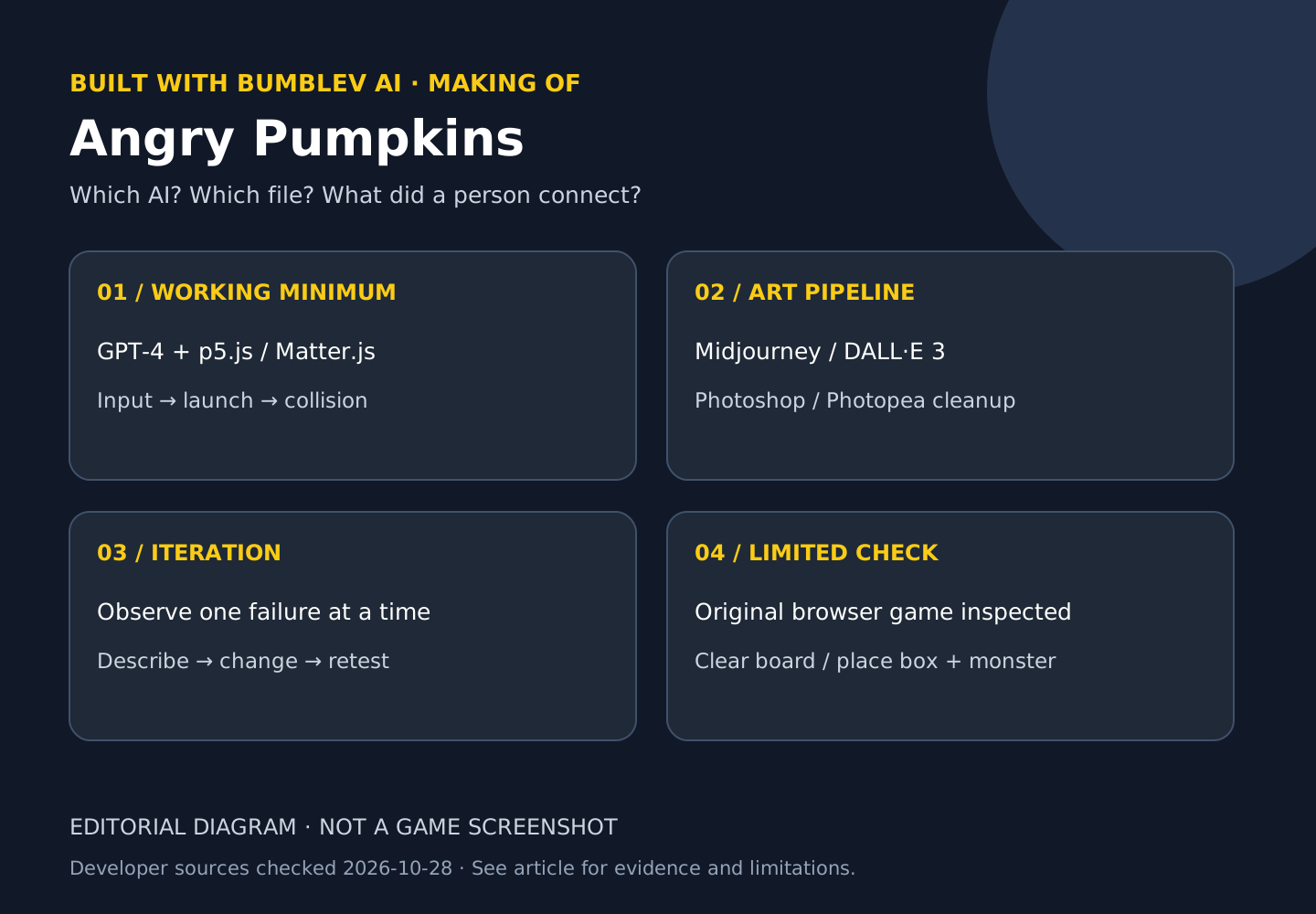
Does “make me a game” finish the job? The public making-of for Angry Pumpkins suggests a more useful answer: start small, inspect the result and keep making specific changes. Javi Lopez shared this slingshot-style browser game on October 31, 2023, attributing its code to GPT-4 and its artwork to Midjourney and DALL·E 3. It is an older example selected because the process and requests remain inspectable, not because it is a new release. Creator’s thread archive
On October 28, 2026 I opened the original game in desktop Chrome. I entered through PLAY, dragged the pumpkin, used Space to restore it, cleared the board with Enter, and placed a box and monster using held-key clicks. I also attempted the launch gesture, but did not establish a successful target collision or removal. This was a limited interaction check, not a full playthrough, mobile test or performance benchmark.
The AI tools and the human handoffs
| Task | Disclosed tool | Human contribution described |
|---|---|---|
| Code | GPT-4 | Requesting small features and describing errors through repeated iterations |
| Title artwork | DALL·E 3 | Selecting the result and arranging the opening screen |
| Backgrounds, characters and objects | Midjourney | Selecting and preparing sprite-sheet imagery |
| Image preparation | Photoshop and Photopea | Cropping, background removal and editing |
| Rendering and physics foundation | p5.js and Matter.js | Connecting established libraries with generated code |
The creator says he did not manually write the roughly 600 lines of game code. That remains an attributed production account, not an independent audit of every edit. Crucially, the same account explains that a single request did not generate the finished game. Error messages and a problem with indirect collisions were fed back through further requests. Direction, selection and correction still required a person. Making-of
The first step was a physics interaction
The disclosed starting point was a simple scene using p5.js and Matter.js: launch a ball and hit stacked boxes. A beginner can think of p5.js as the drawing and input side and Matter.js as the body and collision side. The process then expanded the launch gesture, object types, particles and collision effects. Reading it as “make the beautiful title first and solve interaction later” would reverse the useful lesson.
One reported problem was especially concrete. A direct impact affected a monster, but dropping a box onto a plank above monsters did not transfer the expected effect. That description is much more actionable than “fix the bug.” It specifies the working condition, failing condition and expected relationship. AI assistance does not remove the need to observe what the game actually does.
The following is a new BumbleV exercise prompt, not a verbatim reproduction of the creator’s request. It asks for an independent geometric prototype rather than the original game’s identity or artwork. I have not sent this prompt to a model or run its output.
Design a browser-based 2D physics exercise in small stages.
For now use one circle, one floor and three boxes.
Dragging the circle backward and releasing it should launch it forward.
Only a nearby click should grab it, and the pull distance must be limited.
Do not add artwork, music, scoring or another level yet.
First explain the initial file structure, startup procedure and checks for correct behavior.
When an error occurs, identify the changed component and the checks that must be repeated.
Generated pictures still needed preparation
The creator distinguishes DALL·E 3 for the title screen from Midjourney for backgrounds and game objects. Sprite sheets were cropped and their backgrounds removed in Photoshop or Photopea; Midjourney inpainting handled selected details. Inpainting changes a chosen portion instead of regenerating the entire picture.
Generating an asset is not the same as assigning the correct collision body. The original JavaScript connects image appearance to physical objects separately. A round picture with a rectangular collider can make visible contact disagree with the simulation. The creator’s requests to coordinate scaling and collision shapes illustrate this integration work. Original source
What the currently accessible files show
I retrieved the original HTML and sketch.js and recorded their hashes. The HTML loads p5.js 1.8.0 and Matter.js 0.19.0. Those are the library versions referenced by the checked page, not an exact GPT-4 model snapshot. The JavaScript separates mousePressed, mouseDragged, mouseReleased, keyPressed and collision handling. This makes input, launch, keyboard commands and physics reactions visible as different responsibilities.
The first mouse press switches the start state; later presses check q, w, e, r, t and m to add objects. keyPressed resets the pumpkin on Space and removes the listed object bodies on Enter. These behaviors agree with the instructions printed below the game. I did not find a level-file export or persistent layout restoration in the inspected original source, and did not verify either during interaction. Do not assume a custom board survives reopening the page.
Try it: place one box and one monster
The outcome is a small practice board using the game’s existing editor controls. Use a desktop browser, mouse and keyboard. Starting and editing this original page did not present an AI API-key or account-registration requirement during my check. That does not establish that all versions or the tools used to create it are free. Mobile controls were not tested.
- Open the original game and select PLAY on its title screen. After the game appears, the lower instructions describe Space, Enter and editor keys.
- Click in the game area so it receives input, then press Enter. The expected result is the backdrop and launch area without the stacked structures. I observed that cleared state.
- Hold q while clicking near the floor to add a box. An object placed high above the ground may fall under the simulation, so let it settle before adding another.
- Hold m while clicking above the box to add a monster. In my check, it dropped and settled on the box. Starting with two objects makes each change easier to inspect.
- Press near the pumpkin, drag backward and release. I observed its position changing during the drag, but did not complete enough testing to establish a successful target collision. Space restored the pumpkin to its starting position.
- Record the layout in a separate note. This is an editorial recording method, not a game export feature. Reopening the page should not be assumed to restore the layout.
Here is a complete layout note. Relative positions avoid implying that one set of absolute coordinates works at every window size.
Game: Angry Pumpkins original web version
Starting board: cleared with Enter
Placement 1: q + click near the floor, one box
Placement 2: m + click above the box, one monster
Check: are both objects visible and settled?
Reset: Space restores the pumpkin; Enter clears the placed structures
Record: browser, window size and a written description of positions
The exercise is complete when the two objects and distinct reset actions can be identified. It does not mean you won the game or recreated it with AI. The canvas can extend beyond a narrow viewport. My browser showed horizontal scrolling, so I would not describe the page as verified mobile-friendly.
Cost, reuse and the one-prompt misconception
Opening the game now and paying for its original production tools are different things. This investigation made no paid model calls and did not verify the complete 2023 bill, image-generation count or correction time. Historical use of GPT-4 and DALL·E 3 does not promise that the same product packaging, access or pricing remains available today.
Public source access also does not automatically grant commercial redistribution rights for code and pictures. I did not establish a clear reuse grant for bundling those assets, so this article does not provide a copied source-and-art download. Its diagram is an original explanation of the documented workflow, not a reconstructed product screenshot. View the actual artwork and interface on the original game page.
A production method worth taking away
The useful pattern is working minimum → one change → observation → specific error description → retest. For a small original game, start by making geometric interaction work, then add your own artwork. That is an editorial suggestion drawn from the disclosed process, not a measured claim that AI assistance is faster.
A fair comparison would hold the geometry and success conditions constant and check input, direct impact, indirect impact and reset separately. Record correction and retest time as well as generation time. For related production handoffs, see SpAIceRocks for a Unity project and Echoes of Somewhere for turning an image into a scene. Like our Project Zomboid analysis, this article keeps creator statements, inspected source and direct interaction observations separate.
Read artwork, physics, and input as separate layers
The visible pumpkin is not an image file that moves by itself. Rendering, a simulated body, and input handling are connected to produce the behavior. In this example p5.js provides the drawing/input foundation and Matter.js handles physics. It would be inaccurate to describe this as a Unity game simply because other AI-assisted games use Unity.
Changing artwork and changing a launch rule are different tasks. Replacing a picture does not automatically make a collider or mass match its appearance. Physics values can also change while the picture remains the same. Before asking an AI for a broad improvement, specify which input should lead to which changed state.
Turn a modification into a checkable request
For a reset-after-launch feature, define the starting position, release action, reset condition, and ability to launch again. For an enemy that should disappear after an indirect impact, distinguish the pumpkin-to-box collision, the box’s effect on the target, and the removal state. Reducing the creator’s iterative account to a single magical prompt erases these checks.
Our inspection also separates page access from gameplay success. We checked PLAY, some inputs, and a target resting on a box; we did not establish the complete successful launch-to-target-removal sequence. This article therefore does not supply a supposedly verified collision fix. In a real test, preserve the failed action and recreate that same situation after the next change.
Map the files before copying code
Read the public HTML for its script dependencies and inspect the files requested by sketch.js. HTML is the entry point, JavaScript supplies behavior, and images supply visible material. Saving a single file does not recreate the entire environment if libraries or assets are missing. Public readability also does not establish redistribution rights, so we do not package the original game materials for download.
For the image service, use the Midjourney introduction and first web background guide. Today’s workflow is distinct from the creator’s 2023 environment. The Unity scene exercise is a separate introduction to placement and saving in another engine, not a claim that Angry Pumpkins originally ran in Unity.
For a separate Editor-integration course, continue to the MCP for Unity learning path. This does not establish that the game developer used this MCP.
Sources & further reading
- https://threadreaderapp.com/thread/1719363262179938401
- https://twitter.com/javilopen/status/1719363262179938401
- https://bestaiprompts.art/angry-pumpkins/index.html
- https://bestaiprompts.art/angry-pumpkins/sketch.js
- https://www.pcgamer.com/this-angry-birds-clone-made-entirely-through-ai-prompts-makes-me-wonder-what-the-future-of-small-scale-game-development-is-going-to-be-like/