Midjourney for beginners: game artwork, plans, and the web workspace
Understand what image generation produces, what it costs, and which details to preserve for game production.
Last updated
Menus and supported features can change. Compare the source-check date below with your current app version.
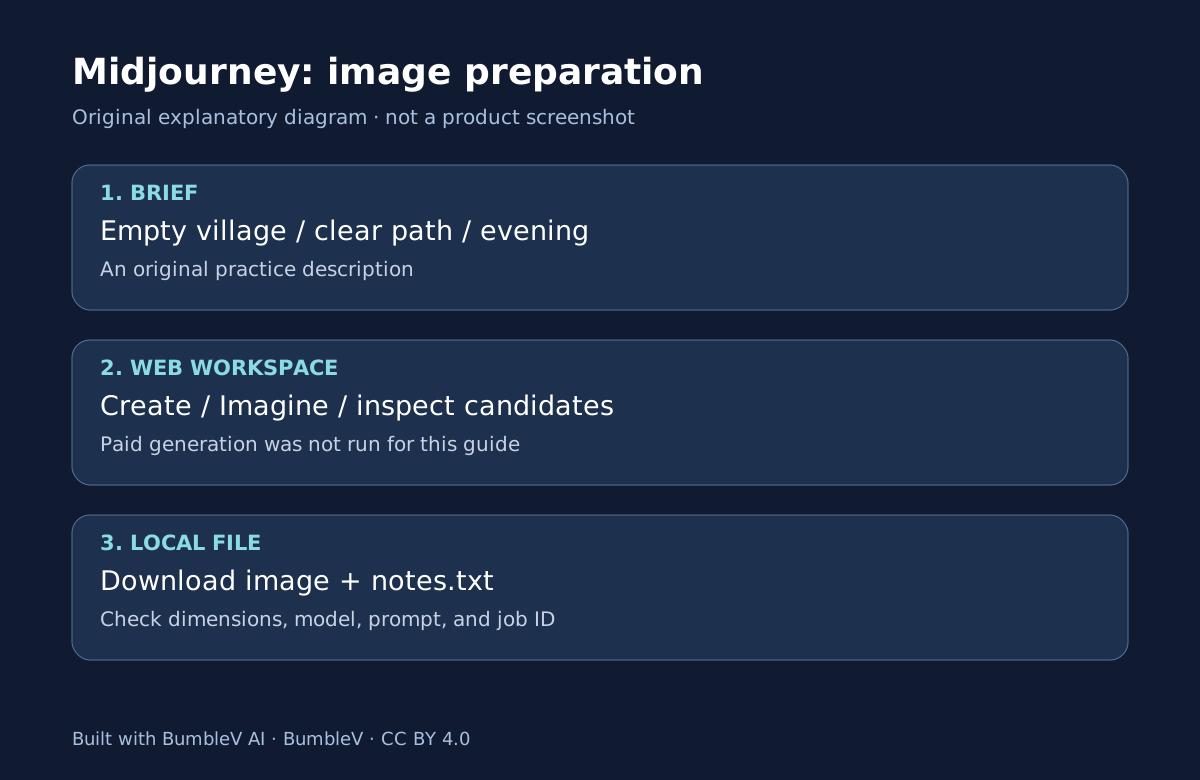
Midjourney creates images from written descriptions. In game production, it can help explore an atmosphere or prepare visual material. It does not turn an image into movement rules, collision, or a save system. Those connections require additional work in an engine such as Unity. Knowing that boundary makes an “AI-made game” story much more useful.
This series explains the documented web workflow for producing and downloading one background image. We did not purchase a plan, submit a paid generation, or measure image quality, processing time, or Korean-language performance. Treat the tutorial’s output descriptions as expected states to inspect in your own account.
An image is material, not a playable scene
An empty village background is initially a picture. Walkable ground, a building that hides a character, and a door that reacts to input do not automatically become separate game systems. Using the picture as a flat background, splitting it into layers, or matching it to geometry is another production decision.
Our Echoes of Somewhere analysis examines the work between a generated picture and an engine scene. Its developer described editing backgrounds and matching perspective and geometry. This beginner series starts earlier: prepare a file and a record that you can hand to the next task without pretending to reproduce the whole pipeline.
Check payment and visibility before signing up
The official monthly prices checked for this guide are US$10 for Basic, $30 for Standard, $60 for Pro, and $120 for Mega. Check taxes and the actual billing screen before purchasing. An annual plan’s monthly equivalent is not a monthly charge. Midjourney is also separate from ChatGPT Pro and GitHub subscriptions. Plan comparison
Basic lists 3.3 hours of Fast time per month. This guide does not convert that allowance into a guaranteed image count. Processing consumption depends on the work. We have not paid for a plan or used your account to generate the tutorial’s example.
Consider visibility as well. The service’s public and remixable nature matters before uploading confidential work. Stealth is available on Pro and Mega, but should not be described as an unconditional confidentiality guarantee. Use an original, generic practice brief rather than private photographs or an unreleased game’s materials. Terms of Service
Three parts of the website
Create is the workspace for generation and results. The Imagine bar accepts your description. Organize helps you find previous work. Open an image to inspect it and use the download control to receive a file. A prompt describes what you want; parameters specify conditions such as aspect ratio or model. Creating on Web
Start with subject, place, lighting, and composition rather than a long list of parameters. “Game background” is broad. “An empty coastal village with a clear central path and evening light” gives you something to inspect when choosing a candidate. It does not guarantee that the service will satisfy every part of the brief.
Historical games and current models are different references
The official Version page checked for this series identifies V8.2 as the default, released in that role on July 24, 2026. That does not identify the version used to make an older game. Check compatibility before copying old buttons or reference parameters into a current workflow. Version documentation
The parameter --ar 16:9 specifies shape, not a guaranteed 1920-by-1080 download. Inspect the actual file dimensions after downloading. Model and subsequent processing can affect the output, and an engine’s required dimensions remain a separate check. Aspect ratio
Keep the image and its working record
Save a picture and a short text record together. Include the prompt, model, job ID, download date, and actual dimensions. Those details help you find and compare work, but they are not a promise of identical future regeneration.
Continue with your first Midjourney background. For choosing between a new prompt, Vary, and the Edit Model, read the workflow comparison. The Unity introduction explains the separate engine responsibilities after you have an image file.
Also record the image’s intended role: a title-screen candidate, in-game background, and mineral sprite need different checks. Do not apply a background exercise’s settings to every kind of material. Revisit the destination screen and its requirements for empty space, transparency, and readability.
Sources & further reading
- https://docs.midjourney.com/hc/en-us/articles/33329261836941-Getting-Started-Guide
- https://docs.midjourney.com/hc/en-us/articles/33390732264589-Creating-on-Web
- https://docs.midjourney.com/hc/en-us/articles/33390994570509-Logging-In-Connecting-Accounts
- https://docs.midjourney.com/hc/en-us/articles/27870484040333-Comparing-Midjourney-Plans
- https://docs.midjourney.com/hc/en-us/articles/31974654274573-How-to-Subscribe
- https://docs.midjourney.com/hc/en-us/articles/31894244298125-Aspect-Ratio
- https://docs.midjourney.com/hc/en-us/articles/32199405667853-Version
- https://docs.midjourney.com/hc/en-us/articles/33329329805581-Modifying-Your-Creations
- https://docs.midjourney.com/hc/en-us/articles/32083055291277-Terms-of-Service