vidIQ workflow comparison: keyword research, AI Coach and Optimize
Choose a starting point for an unknown topic, clearer wording or an existing video without confusing suggestions with applied changes.
Last updated
Menus and supported features can change. Compare the source-check date below with your current app version.
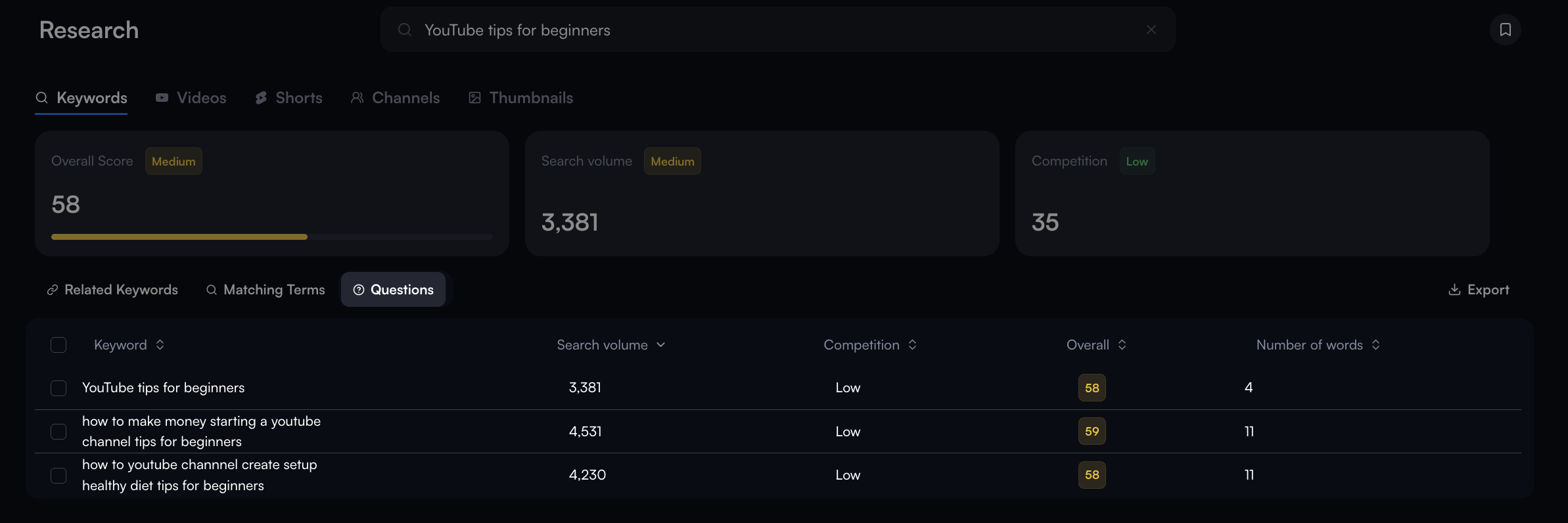
Finding a topic and writing a title for an established topic are different jobs. Before choosing a vidIQ menu, distinguish an unknown topic, unclear wording and a change to an existing video. Keyword Research, AI Coach and Optimize address different stages rather than forming a single ranking of better and worse tools.
This comparison uses official help checked on October 26, 2026. We did not run the three paths on our channel or measure views or click-through changes. It explains inputs and decisions, not observed performance.
State what material you already have
An unknown topic starts with the audience and an area you can explain. A known topic starts with actual content and its outcome. An existing upload adds a specific video and a proposed change. Asking one feature to solve all of these without context can make the result vague.
| Current need | Starting path | Useful result |
|---|---|---|
| Find a video topic | Research → Keywords | Candidates and a reason to choose |
| Clarify wording | AI Coach | A draft matching the content |
| Review an existing upload | Optimize | A defined change to inspect |
Research helps narrow the question
Keyword metrics and related phrases can guide further investigation. They cannot establish whether viewers will click your particular video or find it useful. Estimated search volume should not be rewritten as expected views.
For an automatic-caption tutorial, consider which part you can demonstrate: generating text, correcting mistakes or receiving the MP4. This is our planning example, not a live keyword result. A candidate still needs supporting scenes before it becomes a practical recording plan.
AI Coach helps discuss known content
The getting-started instructions describe a route for feedback on wording and openings. When you know what the video contains, supply the audience and actual coverage before assessing proposed language. A new phrase does not create a new fact.
Keep the draft that accurately describes the footage rather than the most dramatic promise. If the video does not show saving the output, remove a claim that it completes that step. Relating each title claim to a scene makes that review concrete.
Optimize involves an applied-change decision
Official instructions explain that Optimize works on existing titles, thumbnails and descriptions and can apply changes. A topic-research exercise does not require this step. A suggestion and a modification to an upload have different consequences.
If revising an existing video, retain the previous wording and the date. Several simultaneous changes are harder to interpret later. We have not tested application or effects; these are proposed checks for making a controlled editorial decision.
Evaluate the outcome of each stage
Record supplied material, received candidates, corrections and the final choice. Do not combine keyword measurements and language suggestions into an invented accuracy score. Assess whether research left a viable topic, wording matched the footage and any planned edit stayed within its intended scope.
Start with research when the topic is unknown, wording when the coverage is clear and change review when there is a reason to revise an existing upload. This sequence is an editorial choice, not a growth guarantee. The useful question is whether the next action is clearer.
Continue with the step-by-step task guide for the interface instructions.