Higgsfield workflow comparison: camera presets, prompts and a simpler still-image edit
Compare how to plan preset changes, prompt changes and a simple still-image treatment without inventing generated test results.
Last updated
Menus and supported features can change. Compare the source-check date below with your current app version.
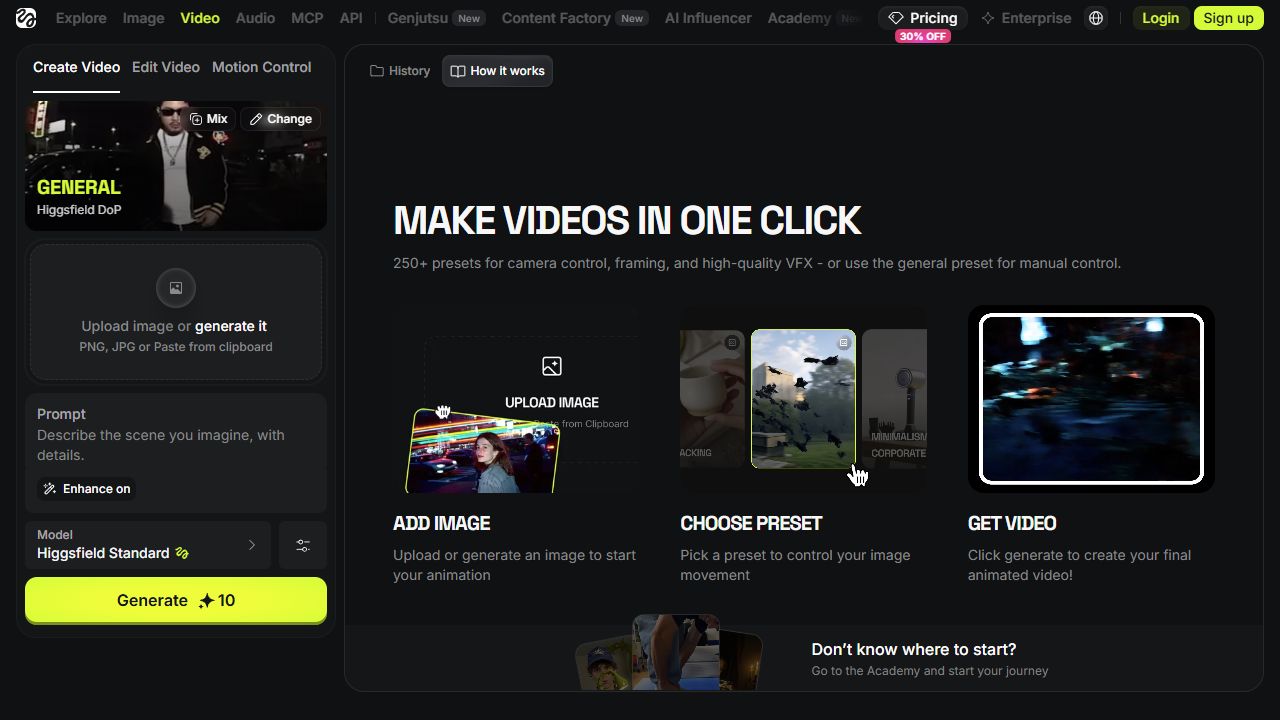
When a planned Higgsfield shot is unclear, a longer prompt is not automatically the next useful step. First distinguish camera movement, scene meaning and a simple movement of the original still image. This comparison uses one mug photograph as an opening shot.
It is a documentation-based workflow assessment checked on October 26, 2026. We did not generate matching samples or measure speed, quality or costs. The conditions below are a proposed comparison, not reported performance.
Keep the brief constant
Use one source image and write down what must remain true: the mug stays the subject, the shot suggests an approach and the beginning and ending can fit the edit. Add any details that must remain exact. These are your acceptance criteria, not promised product behavior.
Changing the source image at the same time as the settings makes a comparison hard to interpret. Keep the purpose fixed and change one element so your notes explain more than which result you prefer.
| Approach | Main planning decision | Inspection question |
|---|---|---|
| Preset-led | Desired camera move or effect | Does the direction and framing match the brief? |
| Prompt revision within one preset | Essential scene meaning | Is the added condition visible and consistent? |
| Existing still-image edit | Whether generation is needed | Does the original image already serve the opening? |
Change the preset for a movement question
The official DoP guide describes presets as a camera-motion or effect blueprint. If your concern is the direction or character of the movement, reviewing the selected preset is a reasonable starting point. Similar names do not establish identical effects.
Record the intended move and the observed result separately. Leave the observed-result field blank until you have an actual clip. A provider’s description of a preset is not an observation from your own file.
Change the wording for a scene question
If the movement is the intended one but the scene brief is unclear, revise what should remain central. The official instructions include scene wording and an Enhance option. Neither a longer description nor enabling an option establishes an improvement without checking the result.
For the practice mug, keep the movement fixed while clarifying the subject. Changing lighting, setting and action together makes it harder to identify why the shot changed. A clear revision note is more useful than repeatedly adding adjectives.
Consider a simpler still treatment
If the photograph already carries the message and only a modest reframing is needed, consider an ordinary treatment of that source in your existing edit. It answers a different brief from generating new scene motion.
Compare the opening’s ability to communicate the subject with the same title placement and intended length. The relevant question is whether it serves the video, not whether a new generation feature was used. Exact visual details may make preservation particularly important.
Include iteration in the decision
Check the displayed credit cost before a generation attempt. If you later run a comparison, record both attempts and usable output rather than counting received files alone. We have no such measured results here and therefore do not name a cost-performance winner.
Review movement through presets, scene meaning through wording and necessity through the original-image option. Finish by watching the whole clip against the brief. One attractive frame is insufficient evidence that the opening is ready.
Continue with the step-by-step task guide for the interface instructions.
Sources & further reading
- https://higgsfield.ai/creator-hub/help-center/getting-started/official-higgsfield-platforms
- https://higgsfield.ai/creator-hub/help-center/account/how-do-i-recover-access-to-my-account
- https://higgsfield.ai/creator-hub/help-center/getting-started/how-do-i-create-my-first-generation
- https://higgsfield.ai/creator-hub/help-center/ai-models/how-do-i-use-dop
- https://higgsfield.ai/creator-hub/help-center/credits/how-credits-work
- https://higgsfield.ai/creator-hub/help-center/troubleshooting/generation-is-stuck-or-failed
- https://higgsfield.ai/blog/generate-ai-videos-from-chatgpt
- https://higgsfield.ai/pricing