What is VEED? Understand captions, editing and the file you need
Plan a browser-based caption task, distinguish transcription from checking, and choose between a captioned video and a subtitle file.
Last updated
Menus and supported features can change. Compare the source-check date below with your current app version.
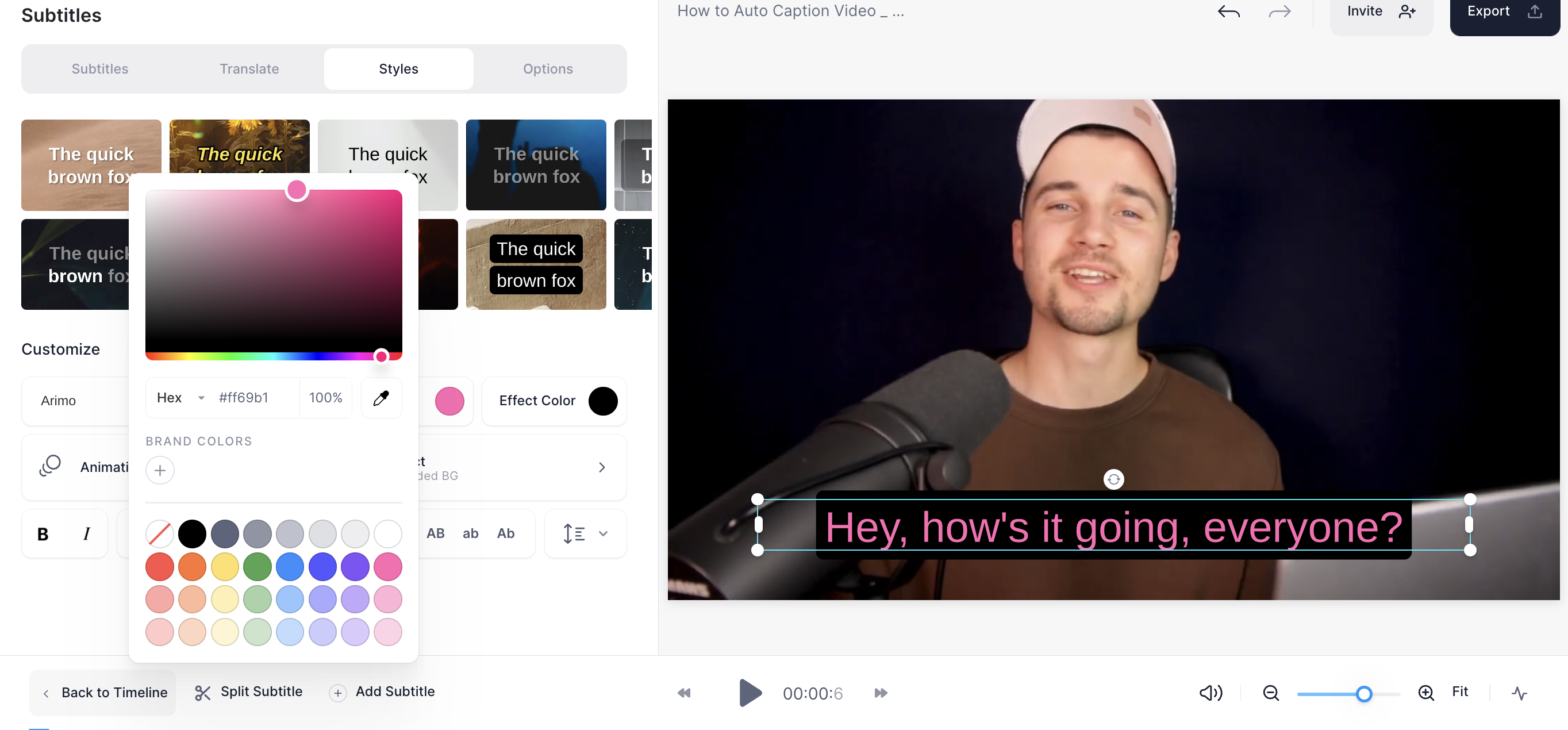
A captioned video involves more than converting speech into text. You also need to check wording, timing, appearance and delivery. VEED provides a browser-based editing route for that work. This series focuses on one spoken clip with captions and a saved output.
We checked official documentation on October 26, 2026. We did not measure transcription accuracy or editing time on our own recording. The image is an official example; older style screenshots and current help instructions can use different menu names, which the task guide explains.
Transcription starts the edit
The documented flow uploads media, selects the spoken language, generates captions and offers text and style editing. Generation and verification are separate responsibilities. A completed transcription does not establish that each sentence matches the speaker.
Start with a short, clear recording. A small screen-recording tutorial, for example, gives you button names and numbers to compare with the speech. This is a practice suggestion, not an accuracy claim about a language or recording environment.
Decide what gap the tool fills
Consider this route when you want to edit captions and inspect their appearance alongside the video. If your existing editor already delivers the required file, include the extra transfer step in the decision. The relevant question is whether a tool fills a real gap in your process.
Define the delivery: a video with always-visible captions, a subtitle file for another platform or another version for a different audience. These tasks share terminology but have different completion checks. Establish the output before exploring additional features.
Check meaning, timing and appearance
First inspect words that change meaning, names and numbers. Then check synchronization with the speech. Finally review size, color and placement. This is our proposed editing order, not a measured productivity result.
For short videos viewed on phones, check readability and whether the text obscures the subject. An attractive animation does not make an overly fast sentence readable. Replay the actual sequence rather than judging a single still frame.
Distinguish video from subtitle data
A captioned MP4 and an SRT are different deliverables. An SRT stores text and timing rather than footage, audio or font styling. Check the receiving platform’s requirement before assuming one can replace the other.
Open the downloaded video at the beginning, middle and end. If a separate subtitle file is required, inspect that file independently. Clear names for revisions help prevent handing over the earlier version after a correction.
Check access before a longer task
Review current plan conditions for automatic captions, separate subtitle downloads, export quality and watermark treatment. A visible control is not proof of unrestricted entitlement for your account.
For a first session, aim for one short video in its original language. Establish that the words are correct, readable and visible in the received file before adding translation or more styling. The useful first outcome is a dependable deliverable, not using the largest number of features.
Continue with the step-by-step task guide for the interface instructions.
Sources & further reading
- https://support.veed.io/en/articles/11172739-how-to-add-subtitles-to-your-video-automatically
- https://support.veed.io/en/articles/10531327-how-to-export-your-project
- https://support.veed.io/en/articles/11884721-how-srt-files-work
- https://www.veed.io/learn/how-to-add-subtitles-or-captions-to-a-video
- https://www.veed.io/pricing