SolidCraft vs CADCraft: choosing between a part and a drawing
Compare documented workflows for editable 3D parts and CAD drawings, with a practical same-task verification plan.
Last updated
Menus and supported features can change. Compare the source-check date below with your current app version.
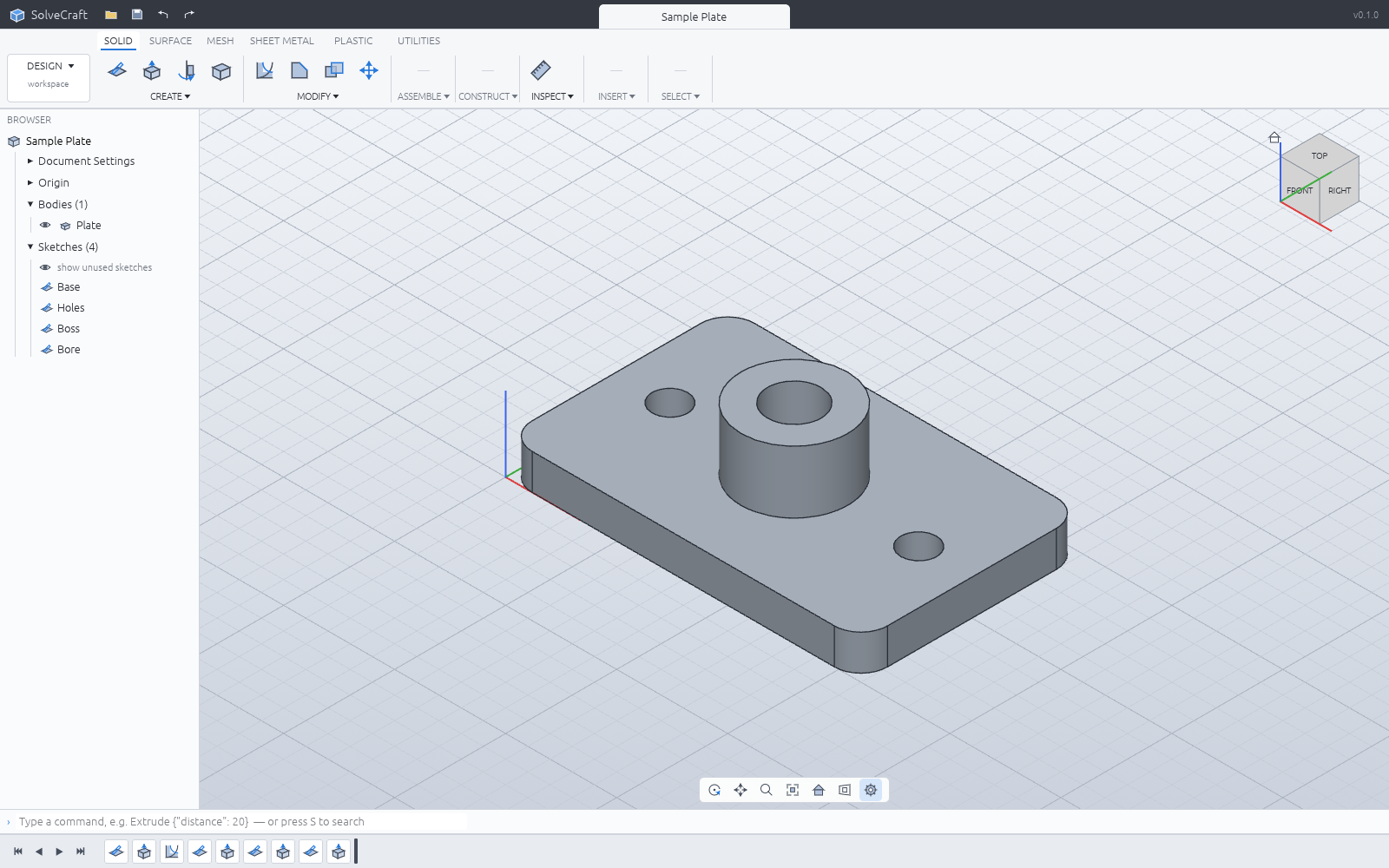
SolidCraft and CADCraft have similar names but different starting points. This comparison separates editing a 3D part from preparing a drawing with coordinates, lines and dimensions. It does not report measured speed or declare a universal winner.
What the primary sources describe
SolidCraft is Tangency Labs’ parametric modeler, built around sketches, constraints and a rebuilding feature timeline. CADCraft is Storytold’s drafting application, with geometry commands, layers, dimensions and drawing exchange. Their separate repositories are important when finding downloads and documentation.
| Question | SolidCraft | CADCraft |
|---|---|---|
| Starting artifact | A 3D part from a sketch | A drawing of geometric entities |
| Editing structure | Parameters and feature history | Drawing commands and entity properties |
| Exchange concern | STEP geometry and mesh outputs | DXF/DWG support and drawing output |
| Automation concern | MCP/CLI modeling and measurement | Documented commands and supported entities |
| First check | Rebuild after a dimension edit | Preserve drawing content and scale |
Choose the deliverable first
Changing a case’s wall thickness repeatedly calls for an editable solid. Sending someone a dimensioned drawing introduces different requirements: scale, fonts, line weights and clipping. A successful screen preview does not demonstrate both workflows.
For SolidCraft, STEP exchange should be checked separately from native history. For CADCraft, opening a DWG does not establish full round-trip preservation. Read each format’s supported scope and test representative content, rather than inferring compatibility from the filename.
A same-task comparison plan
Start with the same 40 × 30 × 20 part and record units and versions. Use each application’s supported route to represent it. If one does not provide an equivalent operation, record that difference instead of assigning an artificial performance score.
Change the height to 25. Separate the time spent making the edit from the time spent correcting dependent geometry or views. In SolidCraft, inspect the rebuilt features. In the drawing workflow, check that dimensions and related views remain consistent.
Save each application’s editable source, close it and reopen it. A delivery export alone cannot establish future editability. Include the unit and application version in your notes so the task can be repeated after an update.
Check STEP dimensions in another CAD viewer and drawing scale and supported entities in the relevant DXF/DWG or PDF workflow. Record the first failed stage: sketch, rebuild, export, reopening or recipient-side interpretation.
Cost and agent controls
Open-source software can still be used with paid AI services. If testing automation, hold the model, request and allowed operations constant. Comparing manual editing in one tool with a more capable agent in the other would mix two variables.
Also record the operating system, processor, graphics environment and whether the workflow used a desktop or browser build. Browser storage and download checks affect whether an apparently completed task produces a usable file.
I would start with SolidCraft when dimensions and repeated 3D edits are the goal, and inspect CADCraft when drafting and existing drawing exchange dominate. The useful outcome of an early comparison is a reproducible record of what worked and where it stopped, not an unsupported replacement claim.
Sources and scope
Checked 19 October 2026. This introduction, tutorial and comparison use the primary sources below. They contain no claim of our own app execution or measured performance. Development builds may differ from the pinned source.
Sources & further reading
- https://github.com/tangency-labs/solidcraft/blob/68c72082030a999c9090c174a571b64e8244f9e8/README.md
- https://github.com/storytold/cadcraft/blob/0b32c2e6a14c761835ea62c01e7b20845971d781/README.md
- https://github.com/tangency-labs/solidcraft/blob/68c72082030a999c9090c174a571b64e8244f9e8/docs/book/src/guide/getting-started.md
- https://github.com/tangency-labs/solidcraft/blob/68c72082030a999c9090c174a571b64e8244f9e8/docs/book/src/guide/sketching.md
- https://github.com/tangency-labs/solidcraft/blob/68c72082030a999c9090c174a571b64e8244f9e8/docs/book/src/guide/features.md
- https://github.com/tangency-labs/solidcraft/blob/68c72082030a999c9090c174a571b64e8244f9e8/docs/book/src/guide/files.md
- https://github.com/tangency-labs/solidcraft/blob/68c72082030a999c9090c174a571b64e8244f9e8/docs/mcp.md
- https://github.com/tangency-labs/solidcraft/blob/68c72082030a999c9090c174a571b64e8244f9e8/LICENSE-MIT
- https://github.com/tangency-labs/solidcraft/blob/68c72082030a999c9090c174a571b64e8244f9e8/NOTICE