REA Explained: How AI Investigates an App Backward
A beginner-friendly deep dive into reverse engineering, REA’s role, evidence, analysis methods, costs and limits, grounded in official examples.
Last updated
Menus and supported features can change. Compare the source-check date below with your current app version.
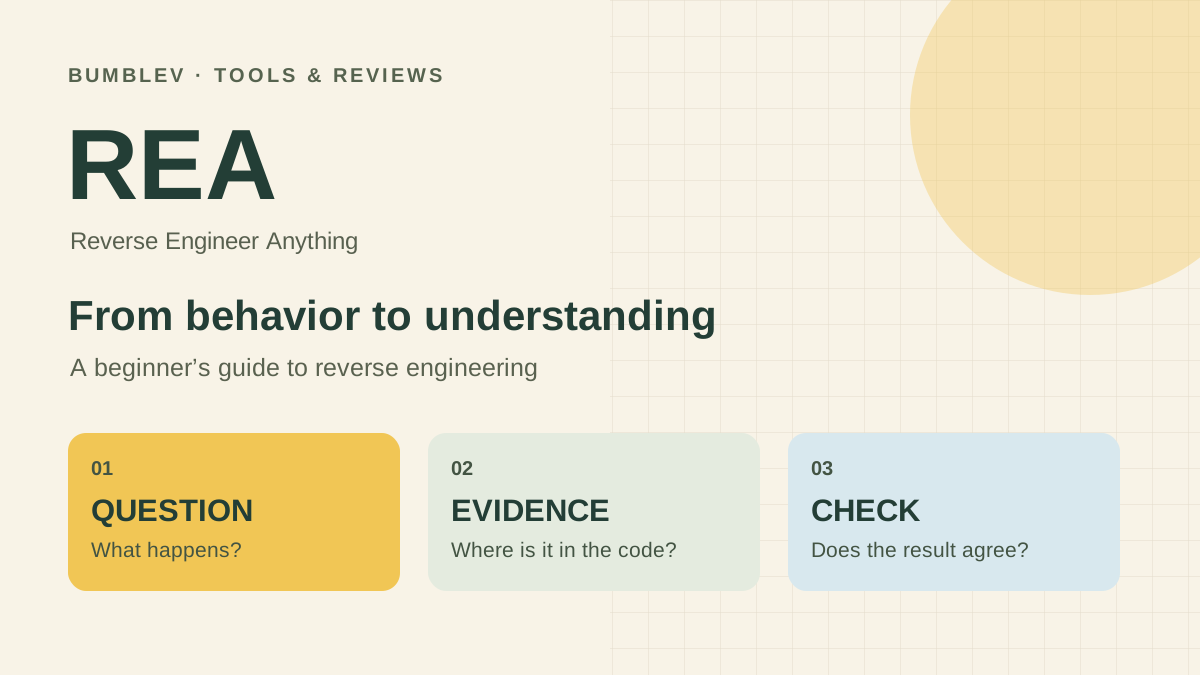
Have you ever wondered what happens behind an app’s search box or Export button? You can see the result, but not necessarily the steps that produced it. Reverse engineering starts with a finished program and works backward toward an explanation of its behavior.
REA, short for Reverse Engineer Anything, connects AI coding agents to tools that inspect software. Instead of asking an AI to guess how a feature probably works, you can give it a target and ask for findings tied to code, files and observations.
This article examines the 6.7.0 release published on October 18, 2026, with its pinned documentation and source. This is a documentation-based explanation, not a report of our own REA installation or commercial-app investigation. Continue with the CSV export tutorial for a small exercise or the workflow comparison for adoption decisions.
Think of a finished dish and its recipe
Ordinary development goes from a recipe to a meal: source code is the recipe, and the application is the result. Reverse engineering approaches the question from the other direction. What ingredients and steps could explain the dish in front of you?
Tasting it provides clues. Reading an ingredient list provides different clues. Changing one ingredient and comparing the result gives you another kind of evidence. Software investigations likewise distinguish visible behavior, information read from files, and events observed during execution.
The analogy has a limit. More than one recipe can produce a similar dish. Understanding a program’s behavior does not reveal every original design decision or recreate the developer’s original source. A useful explanation includes what remains uncertain.
Where REA fits
REA is not a separate AI model or a new chat application. Your coding agent handles the conversation and decides what to investigate. REA supplies inspection workflows and connects that agent to analysis tools.
| Component | Plain-language role | Contribution |
|---|---|---|
| Coding agent | Investigator | Interprets the question, follows leads and explains findings. |
| REA | Analysis workbench | Runs supported inspections and returns evidence with limitations. |
| Analysis engine | Inspection equipment | Reads the target’s internal structure where that kind of engine is needed. |
| MCP | Connection rules | Lets the agent request tools and receive their results. |
You can also use REA through its command-line interface, or CLI. That means entering commands in a terminal instead of asking an agent to call them through MCP.
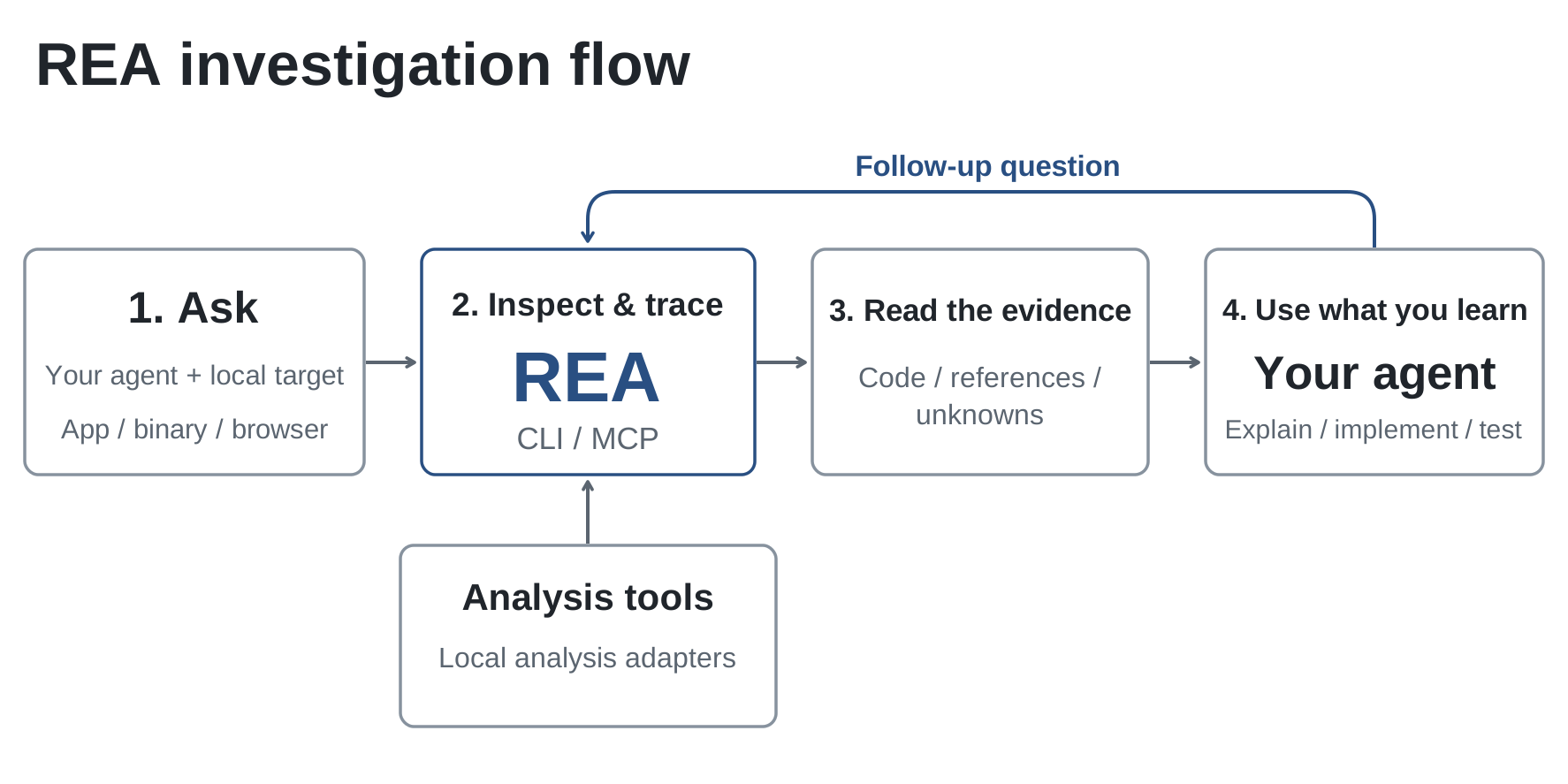

Start with one button
Imagine a notes application with an Export button. A screenshot might suggest that it creates a CSV file. It will not establish the destination folder, exported fields or treatment of a title containing quotation marks.
The official Notes example makes this investigation small enough to follow. The button’s code sends a request, another part handles that request, and a helper formats the notes. Tracing those relationships explains why a file named notes.csv is written to the user’s Downloads folder. The tutorial covers the files and verification steps.
Ask a narrow question: “Which data does Export read, how is it formatted, and where does it go?” That gives the investigation a finish line. A follow-up can then examine what happens when saving fails. Asking to understand an entire application at once makes it harder to judge whether the answer is complete.
Reading files and observing execution are different
Static analysis examines supplied files without running the application. Think of reading a wiring diagram. Dynamic analysis observes a running program or interacts with it to see what actually happens.
Finding a destination in code supports a statement about how that code is written. Watching a click successfully create a file adds evidence about a particular execution. Different permissions, inputs or network conditions may change the outcome.
REA’s documentation describes static JavaScript and .NET inspection as reading supplied files. Runtime workflows can execute or interact with targets and affect their state. For a beginner, the official small example is a manageable place to learn file analysis before adding execution.
Match the target to the tools
You do not need to memorize every term below. Electron builds desktop apps with web technologies, ASAR is a packaged archive used by those apps, and APK is an Android application package. Begin by identifying the kind of material you have.
| Target | Example findings | Preparation to check |
|---|---|---|
| JavaScript or Electron app | Modules, imports and messages across process boundaries | An application folder or ASAR archive; no native analysis engine for static inspection. |
| Native executable or library | Functions, strings, calls, assembly and pseudocode | A supported engine such as Hopper, Ghidra or IDA, with host and target requirements. |
| Website | Page structure, scripts and requests observed during capture | A browser connection and an observation window covering the action. |
| .NET assembly | Metadata, instructions and declared dependencies | What was inspected statically versus actually executed. |
| Android APK | Manifest declarations, classes, methods and references | Additional prerequisites such as JADX and a JDK. |
A binary is a machine-oriented form such as an executable. Decompilation attempts to express its instructions as more readable code. The resulting pseudocode can help explain behavior, but it is not a promise to recover the original source. Missing or misleading details still require other evidence.
Judge the evidence behind the answer
REA’s CLI documentation describes Evidence records that retain artifact identity, source locations, observations and limitations. A technical-looking report is not automatically a correct explanation.
| Explanation | Evidence to request | Supported scope |
|---|---|---|
| “It saves here.” | Path construction and the file-writing call | The behavior expressed in the inspected code. |
| “The click sent this request.” | Captured request, timing and response status | The particular observed execution. |
| “The reconstruction behaves the same.” | Inputs tested and actual comparison results | The conditions covered by those tests. |
Read “not found” carefully. The feature might be absent from the supplied files, unsupported by an analysis path, or outside the portion inspected. Ten seconds without a network request does not establish that an application never communicates.
I would ask the agent to separate confirmed facts, interpretations and remaining questions. That is an editorial recommendation for reviewing an answer, rather than a claim that REA automatically produces those exact three sections every time.
A developer case study: one game calculation
In the official DX-Ball case study, the investigation follows a function that converts horizontal screen position into left/right sound panning. The developer describes looking beyond incomplete pseudocode to instructions, callers and stored constants.
The reconstructed function was compared with original x86 behavior in 3,205 cases. A separate compiler replay matched 63 bytes under its specified toolchain and conditions. These are developer-reported checks of that function, not an accuracy rate for REA or evidence that every part of the game has been restored. The case study used REA 4.1.0; this article’s release reference is 6.7.0.
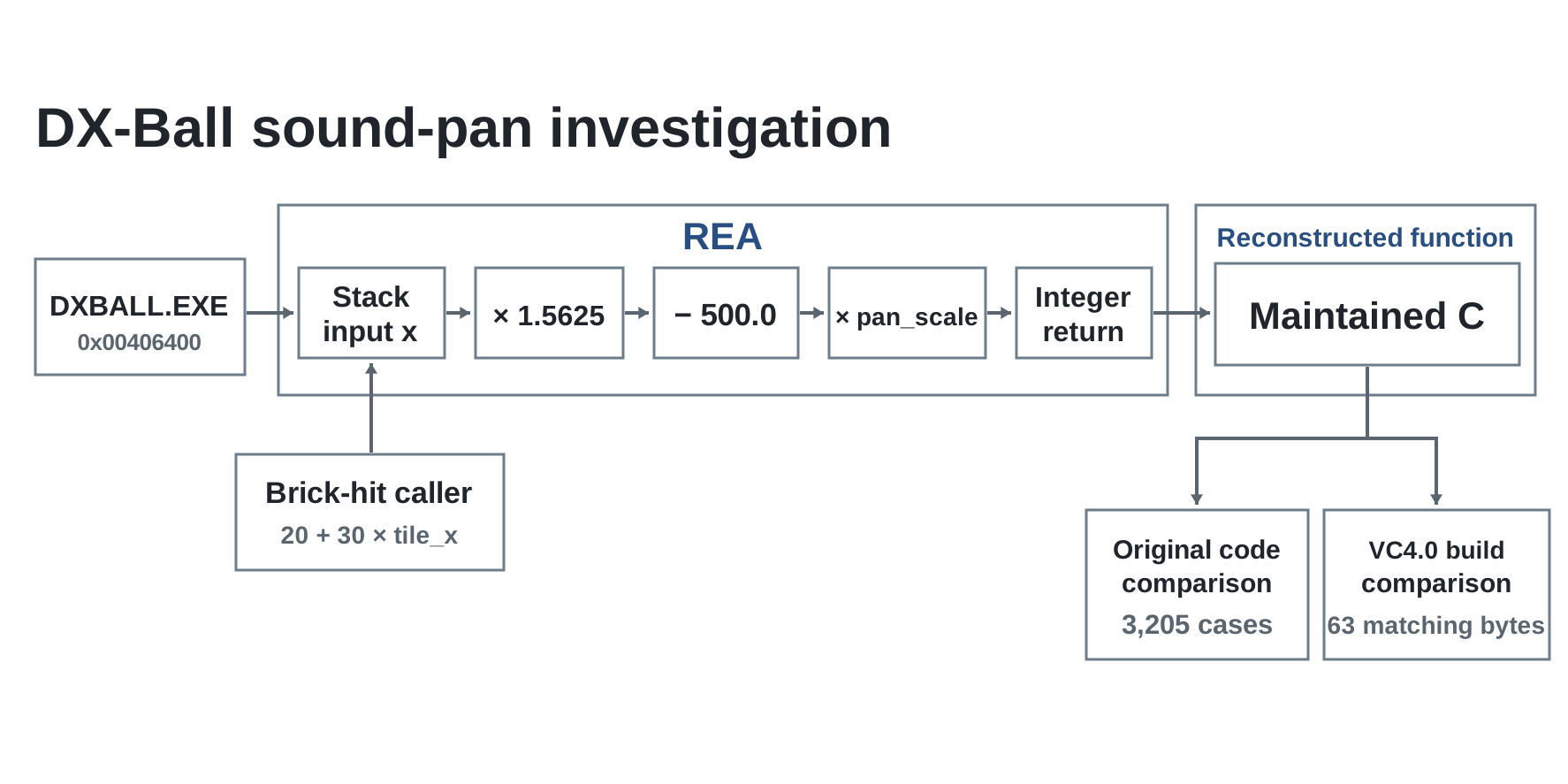

What interests me here is the method: choose a small behavior, recover the relevant rule, and compare it with the original. The same reasoning could help investigate a sorting rule or an export format before implementing an appropriate version for your own requirements. Any productivity gain still needs a real trial.
What “Anything” does not establish
REA combines information available from files, analysis engines and runtime observations. It is not a button that restores every original comment, name or design intention. Ambiguous relationships can remain unresolved.
Inspecting a website’s page and requests also does not reveal all of a remote server’s code. Client-side data and responses are a different scope from private training data, model weights or internal processing. This follows from the limits of observable information; it is not a finding from an investigation of a particular service here.
Understanding behavior and obtaining permission to reuse another product’s code or artwork are separate matters. The project describes authorized analysis, education, interoperability and preservation as intended uses. Official examples and small programs you own give a beginner a clear starting scope.
Cost and data handling
REA-authored code is available under MIT. Separate that from the conditions of your AI service and any external analysis engine. A free REA installation does not include commercial engine licenses or make model usage free. We have not purchased access or measured a cost per investigation.
The official FAQ says analysis runs locally, while the coding agent receives the results and its model provider’s data policy applies. Local inspection and complete absence of external data transmission are different claims. Before using work material, examine what code, paths and findings may reach the agent and provider.
A useful first goal
Start by explaining where one button sends data. Obtain the code locations, change one input, and compare a predicted result with an actual result. Only then expand to a larger application or native executable.
The useful possibility is attaching a target and evidence requirements to an AI question. If you already have source code and know the relevant function, ordinary editor search may be enough. The first investigation tutorial gives you a small way to explore that decision.
Sources behind this explanation
We checked the 6.7.0 release, pinned README, CLI and Evidence documentation, official first investigation and DX-Ball case study. Publication and source-check date: October 18, 2026. No installation review or performance benchmark is claimed.
Sources & further reading
- https://github.com/morluto/rea/releases/tag/rea-agents-6.7.0
- https://github.com/morluto/rea/blob/27dc42d10249f0410904a75c0997842eb03b931c/README.md
- https://github.com/morluto/rea/blob/27dc42d10249f0410904a75c0997842eb03b931c/package.json
- https://github.com/morluto/rea/blob/27dc42d10249f0410904a75c0997842eb03b931c/docs/installation.md
- https://github.com/morluto/rea/blob/27dc42d10249f0410904a75c0997842eb03b931c/docs/cli.md
- https://github.com/morluto/rea/blob/27dc42d10249f0410904a75c0997842eb03b931c/LICENSE
- https://github.com/morluto/rea/blob/27dc42d10249f0410904a75c0997842eb03b931c/DISCLAIMER.md
- https://github.com/morluto/rea/blob/27dc42d10249f0410904a75c0997842eb03b931c/THIRD_PARTY_NOTICES.md
- https://rea.tools/faq/
- https://rea.tools/first-investigation/
- https://rea.tools/guides/browser/
- https://rea.tools/showcase/dx-ball/