Goose explained: taking an AI request into files and commands
Goose is an open-source AI agent for desktop and terminal workflows. Start with a documented small browser-game task.
Last updated
Menus and supported features can change. Compare the source-check date below with your current app version.
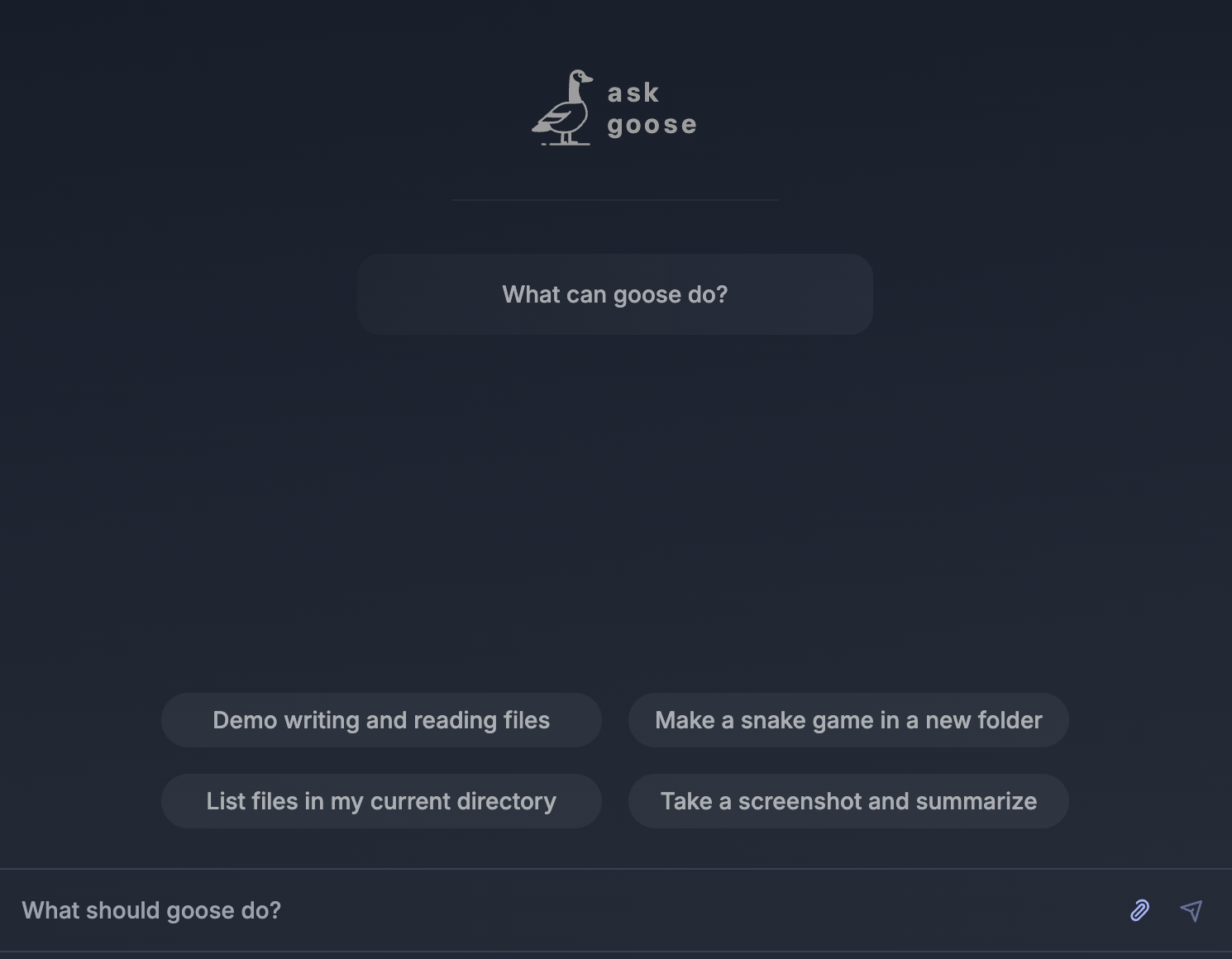
Looking for an AI agent that can continue from a conversation into file changes and terminal commands? Goose is an open-source project with a desktop app, a command-line interface and an API. It is part of the Agentic AI Foundation at the Linux Foundation F1, F3. This introduction explains its documented uses and setup choices; it is based on official materials rather than an installation or test performed for this article.
This article covers the Goose v1.55.0 official release, published on 2026-10-16 (UTC). The source documents were checked on 2026-10-19.
What kind of work is it for?
The official README describes Goose as a general-purpose agent running on your machine. Its listed uses include coding, research, writing, automation and data analysis F1. There are native desktop apps for macOS, Linux and Windows, a CLI for terminal workflows, and an API for connecting its capabilities to other software D2.
Goose is implemented in Rust. The README lists more than 15 model providers, including Anthropic, OpenAI, Google and Ollama. It also describes API-key connections and paths for using existing Claude, ChatGPT or Gemini subscriptions through ACP, alongside more than 70 extensions connected through the Model Context Protocol, or MCP D2. These are the project’s documented connection options, rather than a claim that every reader’s account has access to every provider.
A CLI is a tool operated by typing commands in a terminal. The desktop app and CLI belong to the same product family, but you interact with them differently. Start with the path that suits how you prefer to work.
How does it compare with Gemini CLI?
Gemini CLI is another open-source agent, described in its README as bringing Gemini into the terminal. It lists Google sign-in, a Gemini API key and Vertex AI as authentication options F6, F8, F14. The README checked for this article also warns that Gemini CLI is not optimized for the latest Gemini models and points readers to Antigravity CLI for that use case F13. That is a specific project notice to consider when choosing a model, rather than a performance result from this comparison.
Goose’s README describes several model-provider connections together with desktop, terminal and API paths D2. If you want to examine those options while using file and command tools, its official documentation is a useful starting point. The presence of those options does not establish that another tool lacks an equivalent feature or that Goose will produce a better result for the same task.
Check access and model costs separately
Goose’s repository identifies the project as open source under Apache 2.0 and part of the AAIF D2. It links the desktop downloads and a CLI installation script. On first use, you configure a supported model provider F3, F12. Installing the application and connecting a working model are separate steps.
The application’s open-source status does not establish that all connected model usage is free. A provider’s subscription or API usage conditions can apply separately. The official quickstart also mentions promotional credits for an initial Tetrate connection D4. Check the provider’s current conditions and account eligibility before relying on an offer; this article does not supply an account-specific price or usage allowance.
Understand the file and command tools
The Developer extension is documented as enabled by default. It provides file editing and shell-command tools F4, D6. The same guide says that Autonomous permission mode can modify accessible files and run commands without asking for approval F5. Review the selected working folder and permission mode before starting a task.
If you want to inspect actions as you follow an example, the documentation provides Manual Approval and Smart Approval modes and individual tool permissions. The CLI command /mode approve selects Manual Approval during a session F11. Choose the level of review that fits the work you are doing.
The documented features and release notes describe capabilities, not measured outcomes for every operating system or project. No execution speed, success rate or compatibility benchmark is supplied here. Check how the installation and permission settings behave in your own environment before adopting the workflow for a larger task.
Pick a small first task
An approachable starting point is the official quickstart’s browser-based tic-tac-toe example. It begins in an empty folder, asks for a game against a bot, and describes an expected HTML page and JavaScript file F7, F9. The companion one-task guide in this series walks through that example and the output checks. No time saving or successful run is claimed from it here.
Match the choice of tool to the size of the job. If you already know where to change a single word, direct editing is an option. If you want to explore several file and command steps within one conversation, try the small documented example and inspect whether that interaction suits you. State the target folder and intended result, then check the response, generated files and browser behavior separately. Those are proposed evaluation steps, not evidence that one agent is faster or more accurate than another.
Original BumbleV reading guide illustration; not a product screenshot or a result from our testing. Official release behind this illustration · CC BY 4.0 · 2026-10-19

Sources & further reading
- https://github.com/aaif-goose/goose/releases/tag/v1.55.0
- https://raw.githubusercontent.com/aaif-goose/goose/2bcb8583a18a0623eb78c9ed845d597ed99fae48/README.md
- https://raw.githubusercontent.com/aaif-goose/goose/2bcb8583a18a0623eb78c9ed845d597ed99fae48/documentation/docs/getting-started/installation.md
- https://raw.githubusercontent.com/aaif-goose/goose/2bcb8583a18a0623eb78c9ed845d597ed99fae48/documentation/docs/quickstart.md
- https://raw.githubusercontent.com/aaif-goose/goose/2bcb8583a18a0623eb78c9ed845d597ed99fae48/documentation/docs/guides/sessions/session-management.md
- https://raw.githubusercontent.com/aaif-goose/goose/2bcb8583a18a0623eb78c9ed845d597ed99fae48/documentation/docs/mcp/developer-mcp.md
- https://raw.githubusercontent.com/google-gemini/gemini-cli/ed96faedfd5571f055c44f2c9509d62321d1138d/README.md