Cline 4: deciding how much work to give a coding agent
A documentation-based look at Cline 4.1.25 Cloud sessions, platforms, costs and permission boundaries.
Last updated
Menus and supported features can change. Compare the source-check date below with your current app version.
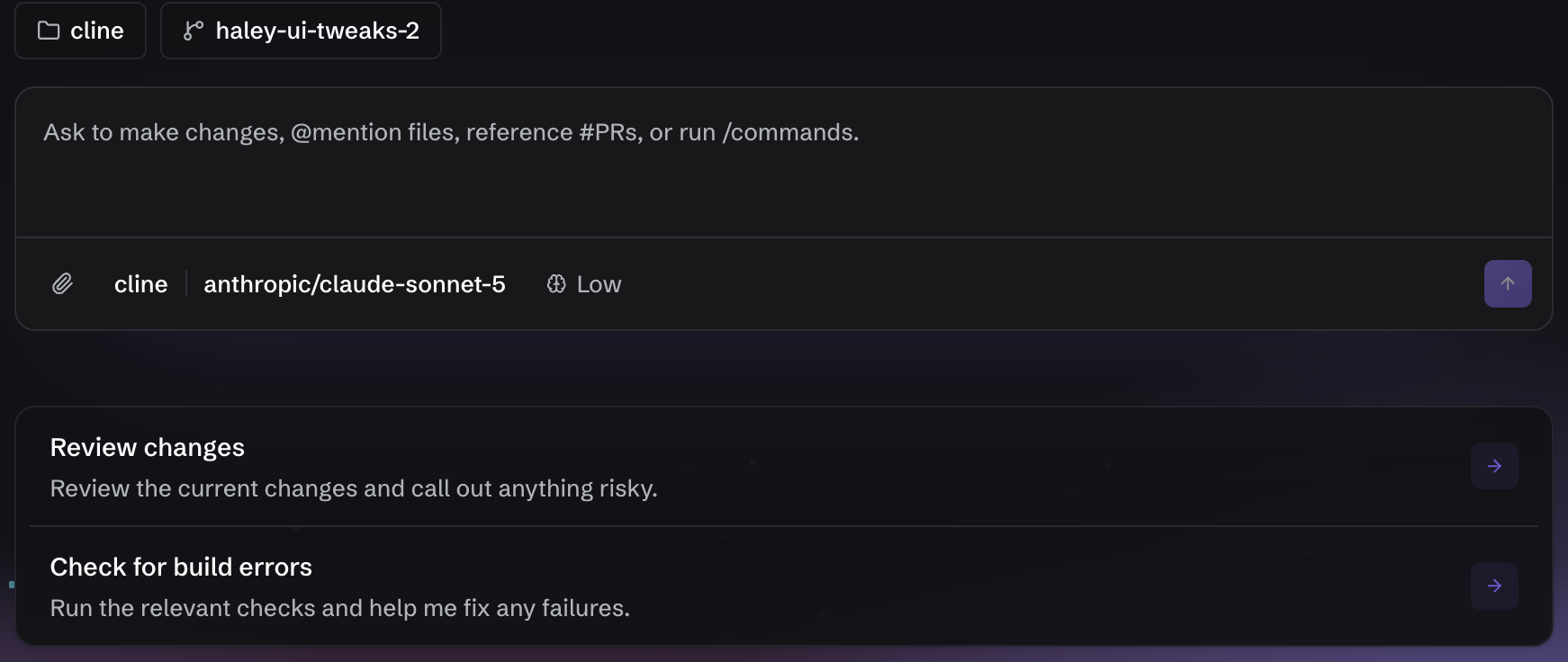
What can you use when you want an AI to change code but still approve the file edits and terminal commands yourself? Today BumbleV is looking at Cline, an open-source coding agent that can read a project, edit files and use terminal, browser and MCP tools from an editor. It operates closer to the working directory than a chatbot whose answer you copy into a separate editor.
The version covered here is the 4.1.25 VS Code extension. GitHub records its official release on October 16, 2026, and the tag resolves to source commit 01b8a9724da905423e636396d7fb4acdf47796bb. This is an introduction derived from official release notes, documentation, source and developer-published screens. I did not install the extension or run a model-driven task. The button-label tutorial defines one bounded task, while the direct-editing comparison separates documented capabilities from unmeasured results.
Why select 4.1.25?
The largest addition is Cline Cloud sessions. The release says a user can choose a GitHub repository and branch, run a task in a hosted sandbox, see its status in Recent and History, and let it continue after the editor closes. It also says the feature is rolling out gradually. The same installed version may therefore not expose it to every account. I did not have access to the feature and did not capture or invent a Cloud sessions screen.
The update also fixes long local-model requests that could fail after five quiet minutes, attachments that were dropped when answering one of Cline’s questions, retry behavior after an interrupted provider stream, and handling of OpenAI-compatible base URLs. A broad provider catalog refresh changed several default models. Anyone who selected a provider but did not pin a model should check the actual model again after updating.
On October 17, the public GitHub API showed 70,453 stars and 7,692 forks. Additional SDK, CLI and Desktop releases appeared the same day, indicating continuing public development activity. Those figures describe visible interest and participation; they are not active-user counts or a quality score. The selection is based on a concrete one-day-old release plus verifiable source, documentation and UI evidence, not the star count alone.
Where does AI fit?
Cline is an application that uses AI models for coding and an agent runtime that can control tools. This research does not establish that the application itself was built by AI. The model is separate from the app: provider, model, prompt, context and permission choices can all change the result and cost.

Which environment does the version describe?
The 4.1.25 number comes from the repository’s VS Code extension manifest. Official installation documentation also describes extensions for VS Code, Cursor, Windsurf, VSCodium and Antigravity, a JetBrains plugin, macOS and Windows desktop apps, a Node.js CLI, an SDK and a preview Kanban interface. Those products share a name but do not necessarily share release numbers or feature timing.
The 4.1.25 manifest requires VS Code ^1.101.0. Confirm both the editor and extension versions when following this series. I do not apply the extension number to the JetBrains or Desktop builds.
Free app, paid inference
| Item | Verified scope |
|---|---|
| Public release | VS Code extension 4.1.25 |
| License | Repository source and included documentation use Apache-2.0 |
| App price | The open-source application can be installed without an app fee |
| Model cost | Cline usage billing, ClinePass or an external provider has separate terms |
| Free models | Account-based, rotating promotions with limited quotas |
| ClinePass | Official documentation lists US$9.99 per month; models and limits may change |
| Local models | Ollama and LM Studio are supported, with local hardware and setup costs |
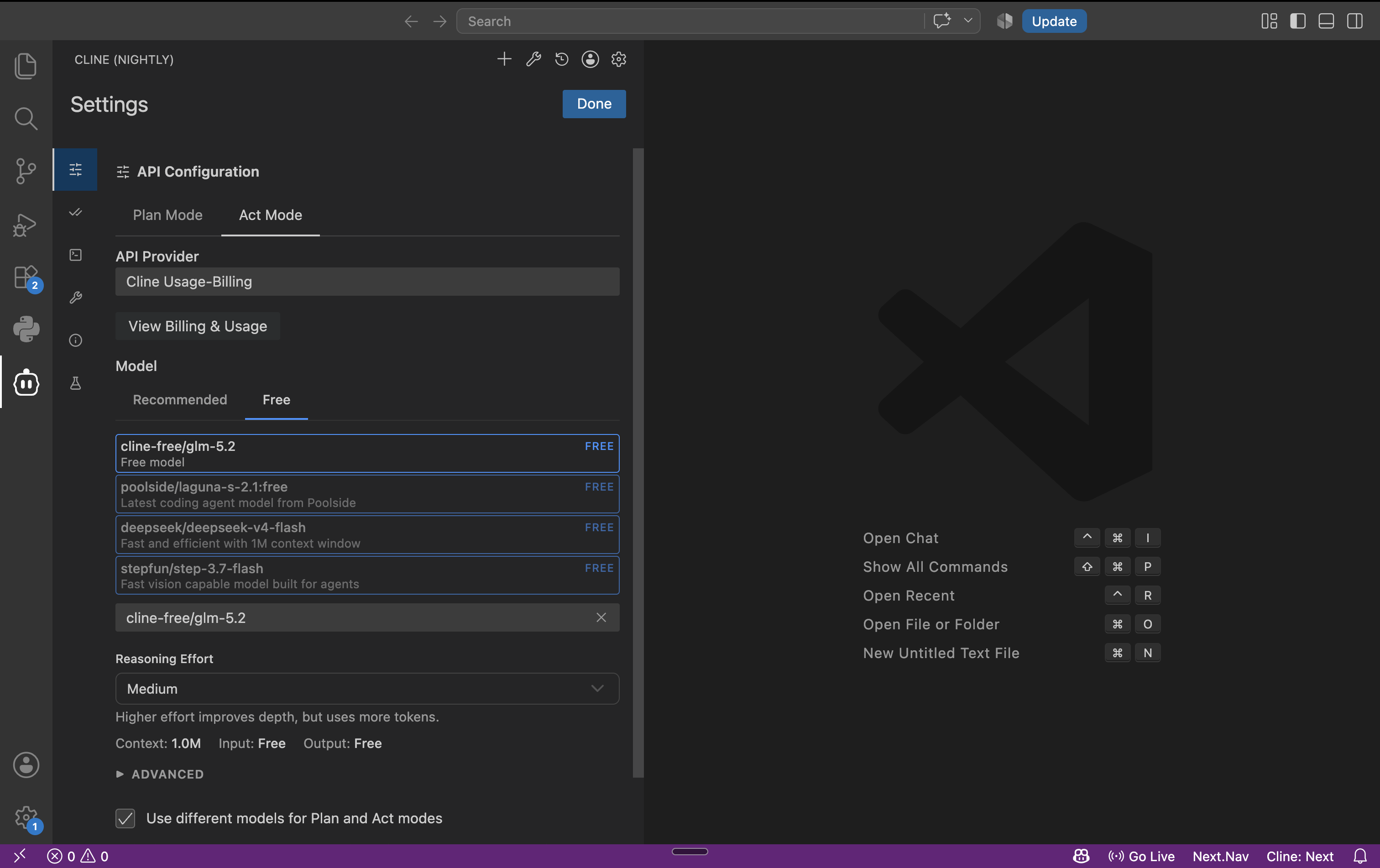
Installing a free extension does not make every inference free. The free-model page says promotions rotate and that users can switch to a subscription, usage billing or their own provider key after the quota. It also notes that free-model usage may be used to improve model performance. I did not create an account, buy a plan or consume a quota.

The permission boundary matters first
Official documentation says Plan mode can read and search a codebase but cannot change files or execute commands. Act mode can use those tools. A conservative initial Auto Approve configuration enables Read project files and leaves edits, commands, browser and MCP actions off until the task needs them.
YOLO Mode auto-approves file changes, terminal commands, browser actions, MCP tools and mode transitions. It removes friction but can also pass through deletion, overwrites, network calls and system changes. Checkpoints help restore project files, yet they are not a security boundary that reverses an external API call or data already sent. A disposable copy and a separate Git baseline remain useful.
Who should consider it?
Cline is most relevant when you need to explore an unfamiliar project, separate planning from implementation and review proposed changes. If you already know the exact file and one word to replace, direct editing may be simpler. Anyone specifically interested in Cloud sessions should first check whether the gradual rollout reached their account and examine repository access and hosted-sandbox terms.
Last updated: 2026-10-17 · sources checked: 2026-10-17 · version scope: VS Code extension 4.1.25. The next article turns the documentation into a bounded button-label workflow with explicit inputs, expected output and verification steps.
Sources & further reading
- https://github.com/cline/cline/releases/tag/v4.1.25
- https://docs.cline.bot/getting-started/installing-cline
- https://docs.cline.bot/core-workflows/plan-and-act
- https://docs.cline.bot/core-workflows/checkpoints
- https://docs.cline.bot/features/auto-approve
- https://docs.cline.bot/getting-started/free-models
- https://github.com/cline/cline/blob/01b8a9724da905423e636396d7fb4acdf47796bb/apps/vscode/package.json
- https://github.com/cline/cline/blob/01b8a9724da905423e636396d7fb4acdf47796bb/LICENSE
- https://api.github.com/repos/cline/cline