Jan: a local AI app for the small jobs on your desk
Meet Jan through its official repository, real interface screenshots, model downloads, hardware guidance and a practical first writing task.
Last updated
Menus and supported features can change. Compare the source-check date below with your current app version.
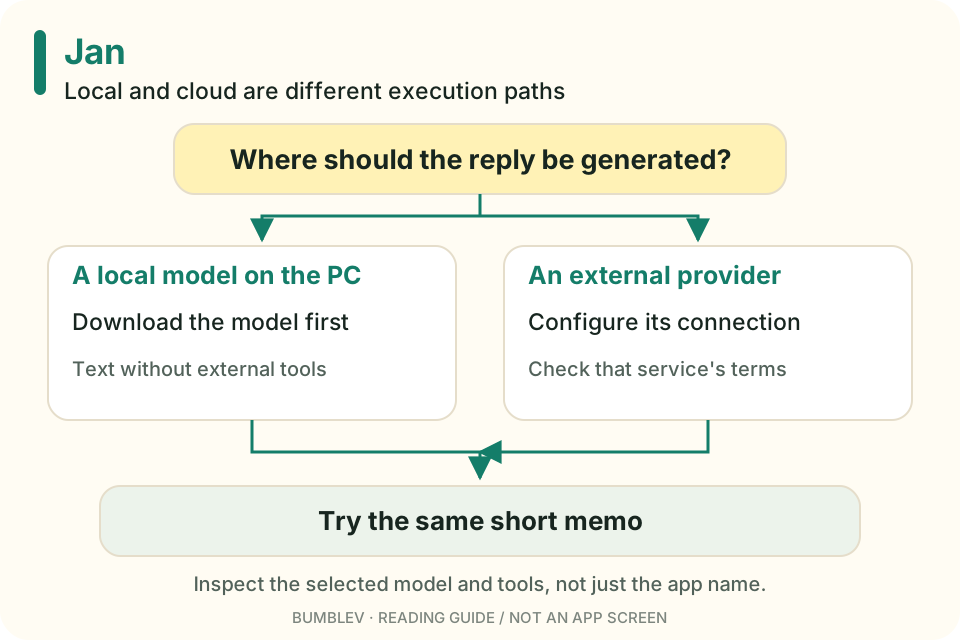
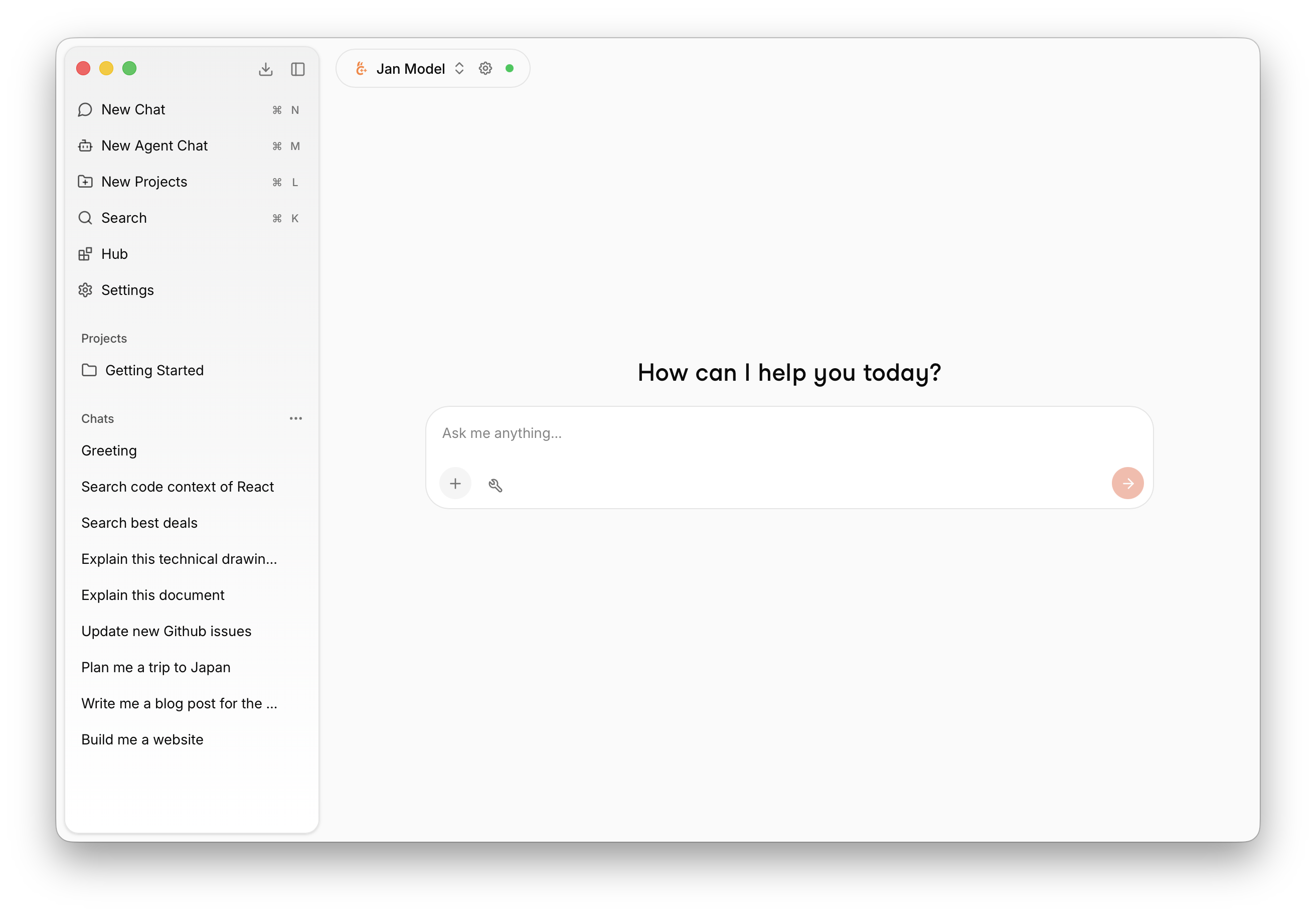
Does every small writing task need a trip to an external AI server? Jan offers a way to explore that question: download a model and use it in a desktop conversation.
I reviewed Jan v0.8.7, released October 20, 2026, and its official documentation. This is not an installation report or a measured test of its speed or language quality.
The app and the model are separate
Installing Jan prepares the application. A model still has to be available to produce answers. The quickstart describes initial model preparation and downloading alternatives from the Hub. Model choice affects storage, memory use and the tasks or languages it handles. Quickstart
I would think of Jan as the desk and the model as a tool used at that desk. Changing the interface does not establish that the underlying tool has become more capable. A brief rewrite and a long document also put different demands on the setup.

In the Hub, check fit before size
The model-management guide describes fit indicators such as Fits, May be slow and Won’t fit, plus model variants you can choose to download. These help with hardware selection; they are not quality ratings for the answers. Model management
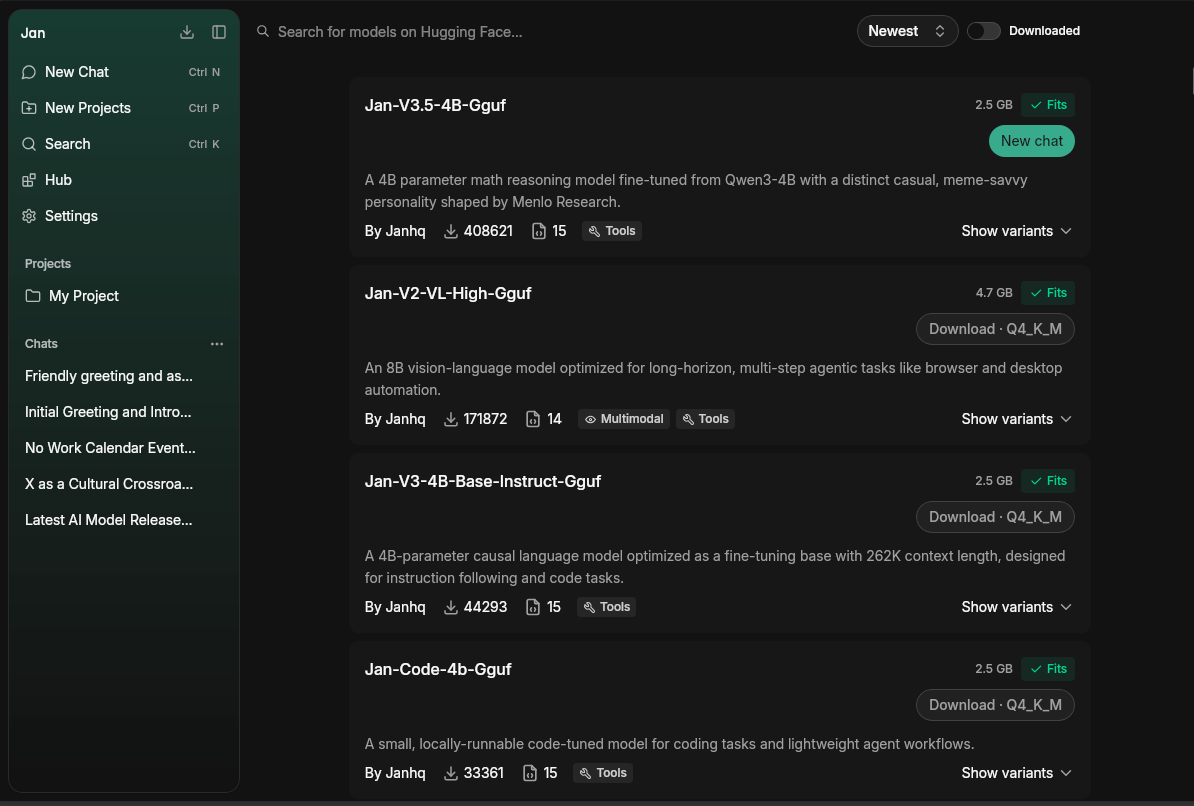

Terms like GGUF and quantization can be unfamiliar at first. GGUF is a model file format. Quantization concerns representing a model in a way that can reduce its storage and execution burden. For a first attempt, use the app’s fit information and a recommended variant rather than downloading several large models.
Local describes a particular path
A local model generates answers on your computer. The initial download needs a connection, after which a text-only task that does not use external tools can run without one. Selecting a cloud provider changes where inference happens, even though you are still in the same Jan window. Local and cloud modes
Web search and other connected tools are separate connections. A local model does not make a web search offline. Our tutorial therefore begins with a short memo rewrite that needs only the text supplied in the prompt.
Check the hardware before the download
| Item | What the official guidance says |
|---|---|
| Windows | Windows 10 or newer, with documented CPU/GPU compatibility |
| Memory and storage | Windows guide lists 8GB RAM minimum, 16GB recommended and at least 10GB free storage |
| Mac | Apple Silicon and macOS 13.6 or newer; Intel Macs are not supported |
| Model size | Check fit and available memory for the actual model |
Those figures do not promise that every large model fits. The operating system and other applications also need memory. The model’s file size is not the total memory budget for a conversation. Windows guide · Mac guide
A useful first job
I would start by rewriting a short notice, organizing a list already on the page or simplifying a public explanation. The original and the result are easy to compare. Current news and web research are less useful choices for a first offline exercise.
Jan’s code uses Apache-2.0. Downloaded models have their own terms, and connected cloud providers can have separate charges. Local execution still consumes storage and computer resources. License
Projects and additional tools leave room to explore later. For now, installing the app, preparing one model and checking one answer are enough. The companion guide turns a fictional workshop memo into a four-sentence notice, then shows how to check the same kind of task without a network connection.
Start with an input you can repair
A five-line memo gives you a clearer first check than a novel or a folder of files. Instead of “make this better,” specify the form and the facts to keep: four polite sentences with the date and packing list intact.
A local model can still change a fact or invent a detail. Check the source before judging the style. I would find one useful recurring task before collecting more models and filling the drive.
Continue with this tool
Sources & further reading
- https://github.com/janhq/jan/releases/tag/v0.8.7
- https://github.com/janhq/jan/blob/648e8da55438150ccfab78808fa97a7a8e458c9f/README.md
- https://github.com/janhq/jan/blob/648e8da55438150ccfab78808fa97a7a8e458c9f/LICENSE
- https://github.com/janhq/jan/blob/648e8da55438150ccfab78808fa97a7a8e458c9f/docs/src/pages/docs/desktop/quickstart.mdx
- https://github.com/janhq/jan/blob/648e8da55438150ccfab78808fa97a7a8e458c9f/docs/src/pages/docs/desktop/manage-models.mdx
- https://github.com/janhq/jan/blob/648e8da55438150ccfab78808fa97a7a8e458c9f/docs/src/pages/docs/desktop/install/windows.mdx
- https://github.com/janhq/jan/blob/648e8da55438150ccfab78808fa97a7a8e458c9f/docs/src/pages/docs/desktop/install/mac.mdx
- https://github.com/Mintplex-Labs/anythingllm-docs/blob/ac02889e2a1eec1953a590c7a053d424bd5eca86/pages/chatting-with-documents/introduction.mdx
- https://github.com/ollama/ollama/blob/5e31438d5d2223d8338595b366b7434ef3539708/README.md