AnythingLLM: give the documents you keep reusing a home
A beginner-friendly look at AnythingLLM, with real upstream screenshots, document attachments, RAG, local models and the costs to check.
Last updated
Menus and supported features can change. Compare the source-check date below with your current app version.
If you keep uploading the same instructions and telling an AI to use “that document again,” a workspace for those files starts to sound useful. That is what interests me about AnythingLLM: a place to connect documents, a model and the conversations around them.
This is a guide based on the project’s repository and official documentation, not a hands-on test. I checked v1.18.0, released October 13, 2026. The separately maintained documentation is pinned in the article’s source links.
What the app actually supplies
AnythingLLM is an application around AI models. It can connect to a model running on your computer or to an external provider, and it supports document inputs such as PDF, TXT and DOCX. Workspaces let you organize the material you want to discuss. The app is not itself a new model that automatically knows every file on your computer. Repository overview
A workspace could hold public workshop instructions or a product manual. The practical question is which documents are available to this particular conversation. Saving a file on your computer is only the beginning; you still have to provide it to the app in the appropriate way.

Attachments and RAG solve different problems
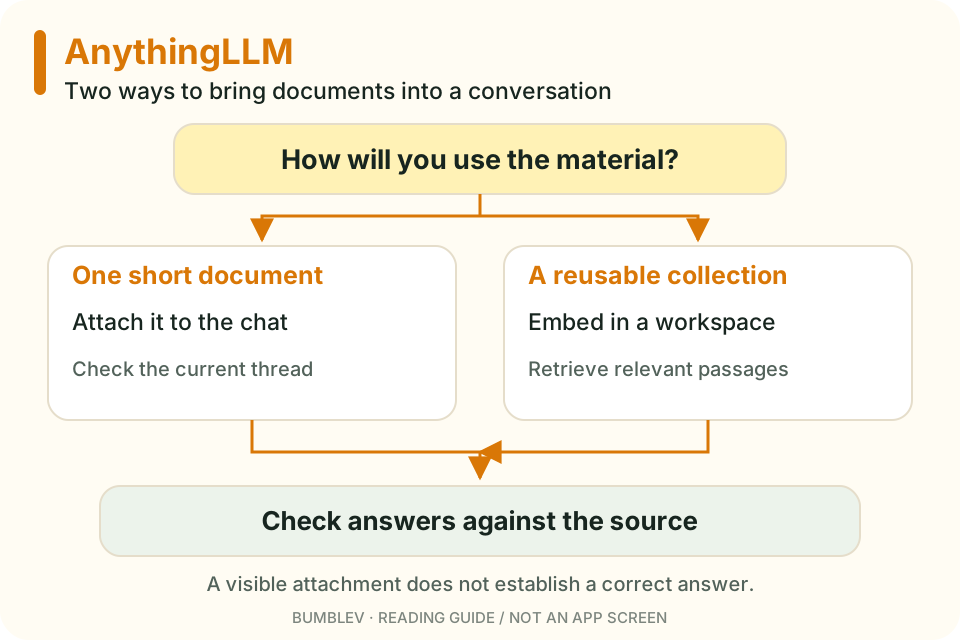
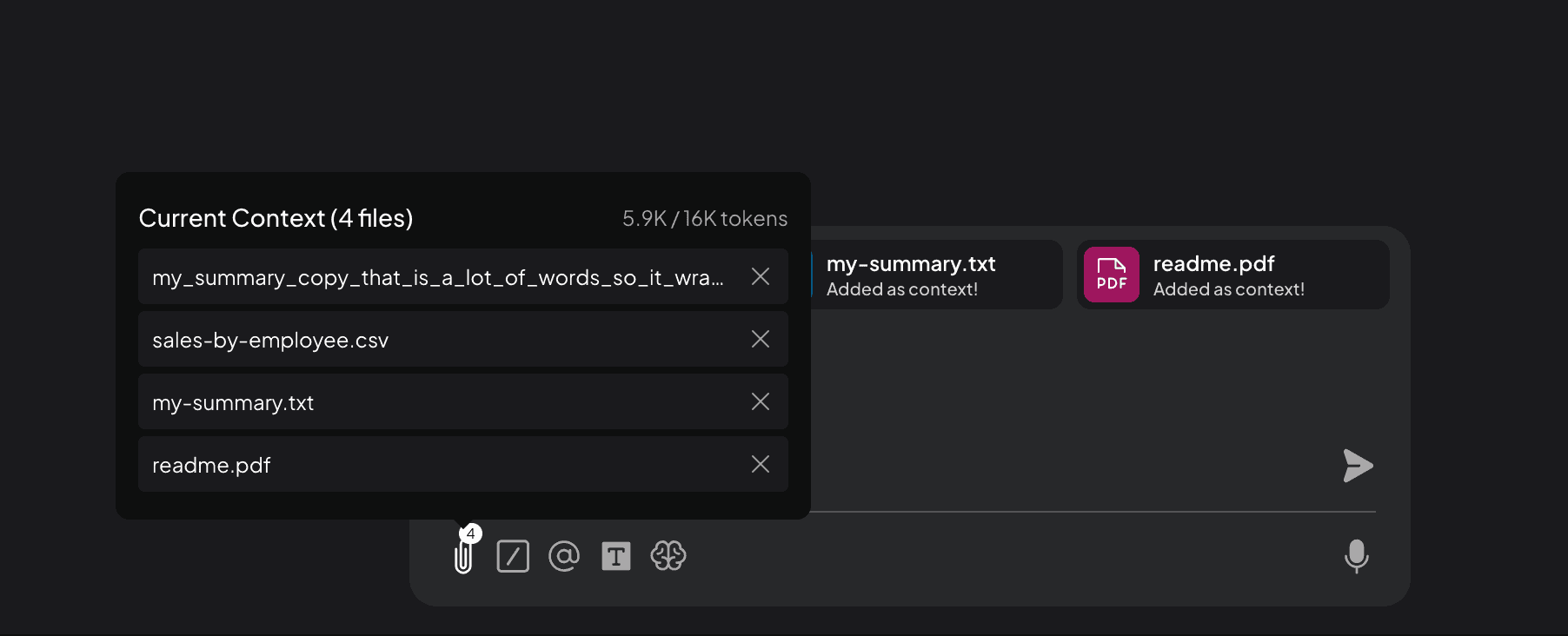
For a short document and one conversation, attaching the file is an understandable starting point. The current guide describes inserting the document’s full text into the model’s context. Context means the material the model can consider at one time, including instructions and conversation history.
For a collection you want to reuse across conversations, the other route is embedding documents in a workspace. RAG, or retrieval-augmented generation, splits documents into pieces and retrieves relevant pieces for a question. It does not mean retraining the model on every document. Retrieval can miss a passage, so checking the original still matters. Official document guide
| Your immediate task | Start by looking at | What to remember |
|---|---|---|
| Find a deadline in one short notice | A chat attachment | Check which conversation contains it |
| Reuse a manual in several conversations | Workspace embeddings | The model receives retrieved passages |
| Summarize every part of a long document | A deliberate section-by-section process | A few search results cannot establish complete coverage |
Start with Desktop if you are working alone
The project offers Desktop installers for Windows, macOS and Linux. Its server-oriented Docker route serves a different need, including multiple users. I would start with Desktop for a first personal experiment rather than adding server administration to the task. Installation options
The model is usually the demanding part of a local setup. The official requirements page gives 16GB RAM and an eight-core CPU as a general recommended configuration, while stressing that actual needs depend on the model. Installing the interface does not establish that a large model will run comfortably. Begin with a small model and a document whose answers you can verify. System requirements
What “free and open source” covers
The application code is available under MIT. Model licenses remain separate, and a paid provider does not become free because an open-source app can connect to it. Local inference can avoid a cloud inference API, but still uses storage, memory and electricity. Optional hosted or premium services are separate products.
Also check more than the chat model if your goal is local processing. An embedding provider or enabled web tool can introduce another external connection. The built-in embedder is documented as primarily trained on English material, which matters if your collection is in Korean or another language. Built-in embedder Anonymous telemetry has a separate setting. Data-handling settings
The first task I would try
I would choose a short notice with a date, a place, a deadline and a packing list. Ask two questions with answers in the notice, then one whose answer is missing. That last question tells you something a fluent summary cannot: whether the model distinguishes a stated fact from a plausible guess.
AnythingLLM documents Query mode for document-grounded questions and Chat mode for a mixture of documents and general knowledge. Those are behavior settings, not guarantees of correctness. In our example, an unspecified parking fee must stay unspecified even if the event itself is free. Chat modes
The companion tutorial provides a fictional notice you can copy into a TXT file. It begins with attachment and answer checking before introducing a larger document collection. That is a useful first success to aim for: knowing what the app received and being able to check what it returned.
Removal has a scope too
The data-handling guide distinguishes removing a document from one workspace from deleting it in My Documents. A workspace removal can leave the parsed document available for reuse elsewhere. My Documents is the documented route for deleting it across workspaces. Check which operation you are performing when cleaning up a practice file.
A displayed source is also only a starting point. A sentence saying admission is free does not support an answer saying parking is free. Read whether the cited passage actually answers the question, rather than treating a source marker as proof.
Continue with this tool
Sources & further reading
- https://github.com/Mintplex-Labs/anything-llm/releases/tag/v1.18.0
- https://github.com/Mintplex-Labs/anything-llm/blob/3e4f9411b67f2dd7fa9fc6f2b95dfacbda0633ba/README.md
- https://github.com/Mintplex-Labs/anythingllm-docs/blob/ac02889e2a1eec1953a590c7a053d424bd5eca86/pages/chatting-with-documents/introduction.mdx
- https://github.com/Mintplex-Labs/anythingllm-docs/blob/ac02889e2a1eec1953a590c7a053d424bd5eca86/pages/features/chat-modes.mdx
- https://github.com/Mintplex-Labs/anythingllm-docs/blob/ac02889e2a1eec1953a590c7a053d424bd5eca86/pages/installation-desktop/overview.mdx
- https://github.com/Mintplex-Labs/anythingllm-docs/blob/ac02889e2a1eec1953a590c7a053d424bd5eca86/pages/installation-desktop/system-requirements.mdx
- https://github.com/Mintplex-Labs/anythingllm-docs/blob/ac02889e2a1eec1953a590c7a053d424bd5eca86/pages/installation-desktop/windows.mdx
- https://github.com/Mintplex-Labs/anythingllm-docs/blob/ac02889e2a1eec1953a590c7a053d424bd5eca86/pages/setup/llm-configuration/local/built-in.mdx
- https://github.com/Mintplex-Labs/anythingllm-docs/blob/ac02889e2a1eec1953a590c7a053d424bd5eca86/pages/setup/embedder-configuration/local/built-in.mdx
- https://github.com/Mintplex-Labs/anythingllm-docs/blob/ac02889e2a1eec1953a590c7a053d424bd5eca86/pages/features/privacy-and-data-handling.mdx
- https://github.com/janhq/jan/blob/648e8da55438150ccfab78808fa97a7a8e458c9f/docs/src/pages/docs/desktop/quickstart.mdx
- https://github.com/Mintplex-Labs/anything-llm/blob/3e4f9411b67f2dd7fa9fc6f2b95dfacbda0633ba/LICENSE