Jan or Ollama: a conversation first, or an integration first?
Compare the documented starting points of Jan and Ollama, then use a shared memo task to check output, correction time and integration needs.
Last updated
Menus and supported features can change. Compare the source-check date below with your current app version.
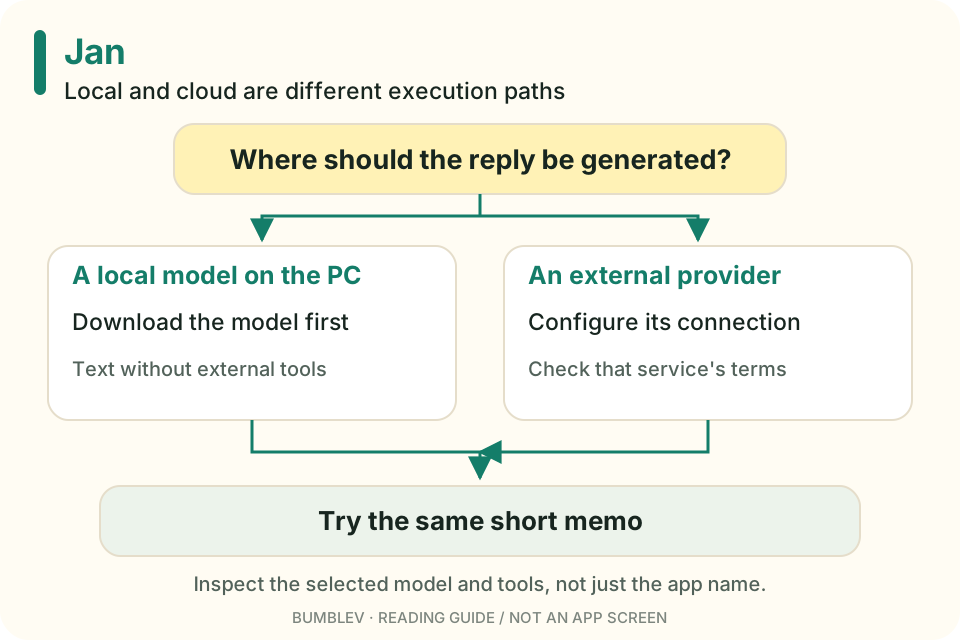
A person who wants a desktop conversation and a developer who wants a model endpoint have different first tasks. That is where I would start a Jan versus Ollama decision.
I reviewed Jan v0.8.7 and the pinned Ollama README. I did not run them on the same computer or benchmark their speed. Ollama also has multiple usage paths and integrations, so describing it as “command line only” would oversimplify it.
What their guides emphasize
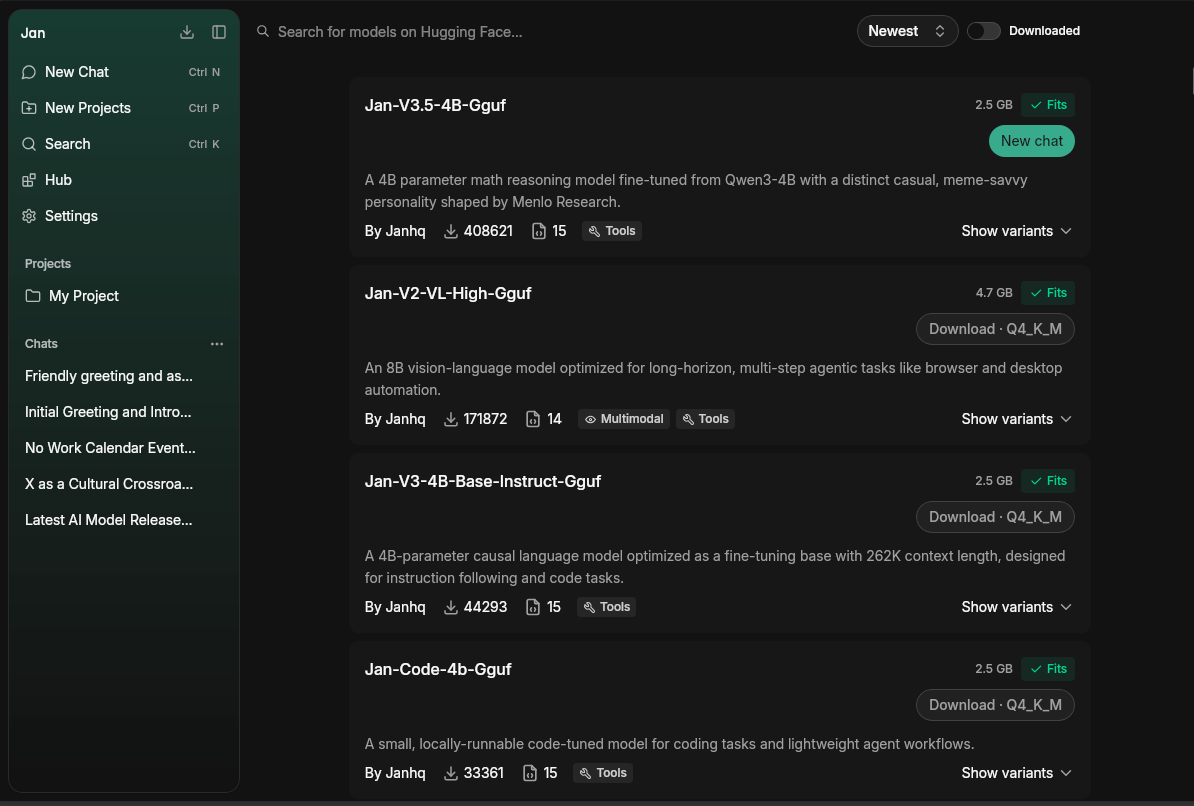
Jan’s quickstart moves through installation, model preparation, conversation and Hub downloads. Its visible model picker is a clear starting point if you want to chat first. Jan also provides a local API and external-provider connections; it is not limited to a chat box. Jan repository
Ollama’s README covers model commands, application integrations, its REST API and Python/JavaScript libraries. If another app already supports Ollama, that supported path may matter more than installing a second interface. Ollama README
| Your next task | Look at first | Why |
|---|---|---|
| Download a model and chat | Jan Hub and New Chat | A documented visual path to a conversation |
| Call a model from code | Ollama API and libraries | Documented programmatic interfaces |
| Connect another app to Jan | Jan’s local API guidance | Jan also offers an API |
| Add local inference to an existing app | That app’s provider documentation | Avoid unnecessary components |
| Build document retrieval | The document and retrieval pipeline too | A model runtime alone is not a finished search system |
This is not an ease-of-use score. Existing software, hardware and familiarity change the setup work.

Use the same small task
Use the fictional memo from the Jan tutorial: November 14, 2026, 10:00 AM to noon, Community Room B, with a laptop and charger. Request four sentences without inventing a fee or registration method.
Where possible, use matching model identifiers and quantization. If you cannot match them, record the difference. A model change prevents a clean interpretation of the result as an application difference. Keep both runs limited to the supplied text, without web search.
| Comparison item | What to record |
|---|---|
| Output | Preserved facts and invented additions |
| Time | Setup/download, normal response and manual correction separately |
| Compatibility | The API path your app needs and the final reusable TXT |
| Friction | Selection steps, error diagnosis and retries |
| Automation | Whether the documented interface supports the actual repeated task |
| Audience | A person writing directly or software calling a model |
An omitted charger is a factual miss, not simply a preference in writing style. The total work needed to repair the notice is part of usefulness. This table is a plan for measurement, not a result.
Local use still has conditions
Jan’s code is Apache-2.0; the downloaded model has separate terms. Cloud connections have their own costs and data handling. Ollama’s README discusses both local and cloud paths, so inspect the actual model and configuration instead of inferring execution location from the application name. Jan license · Ollama documentation
Hardware fit also depends on the model. Jan’s fit indicator helps, but you still need to check available memory and behavior in the conversations you intend to have. A small model that completes your task is a sensible first experiment. Model management
I would explore Jan first for a short notice or writing task I want to inspect directly. If I were building software with an existing Ollama integration, I would inspect that path before adding another component. There is no need to install both immediately: choose the job, complete it and see where the friction actually is.
An endpoint is only one part of a finished workflow
An API is a way for programs to exchange requests and responses. Both projects document programmatic access, but a successful model response does not supply saving, review and retry handling by itself.
For an automated notice feature, keep the source memo, requested constraints and final text together so omissions can be checked. If you have no integration to build yet, there is no need to start there: copying the result to a TXT file completes the writing exercise.
Continue with this tool
Sources & further reading
- https://github.com/janhq/jan/releases/tag/v0.8.7
- https://github.com/janhq/jan/blob/648e8da55438150ccfab78808fa97a7a8e458c9f/README.md
- https://github.com/janhq/jan/blob/648e8da55438150ccfab78808fa97a7a8e458c9f/LICENSE
- https://github.com/janhq/jan/blob/648e8da55438150ccfab78808fa97a7a8e458c9f/docs/src/pages/docs/desktop/quickstart.mdx
- https://github.com/janhq/jan/blob/648e8da55438150ccfab78808fa97a7a8e458c9f/docs/src/pages/docs/desktop/manage-models.mdx
- https://github.com/janhq/jan/blob/648e8da55438150ccfab78808fa97a7a8e458c9f/docs/src/pages/docs/desktop/install/windows.mdx
- https://github.com/janhq/jan/blob/648e8da55438150ccfab78808fa97a7a8e458c9f/docs/src/pages/docs/desktop/install/mac.mdx
- https://github.com/Mintplex-Labs/anythingllm-docs/blob/ac02889e2a1eec1953a590c7a053d424bd5eca86/pages/chatting-with-documents/introduction.mdx
- https://github.com/ollama/ollama/blob/5e31438d5d2223d8338595b366b7434ef3539708/README.md