How to Create a Gemini Writing Skill and Reuse It for Announcements
Create a Gemini Skill with complete original instructions, draft a fictional announcement, check facts, and reuse and revise the saved procedure.
Last updated
Menus and supported features can change. Compare the source-check date below with your current app version.
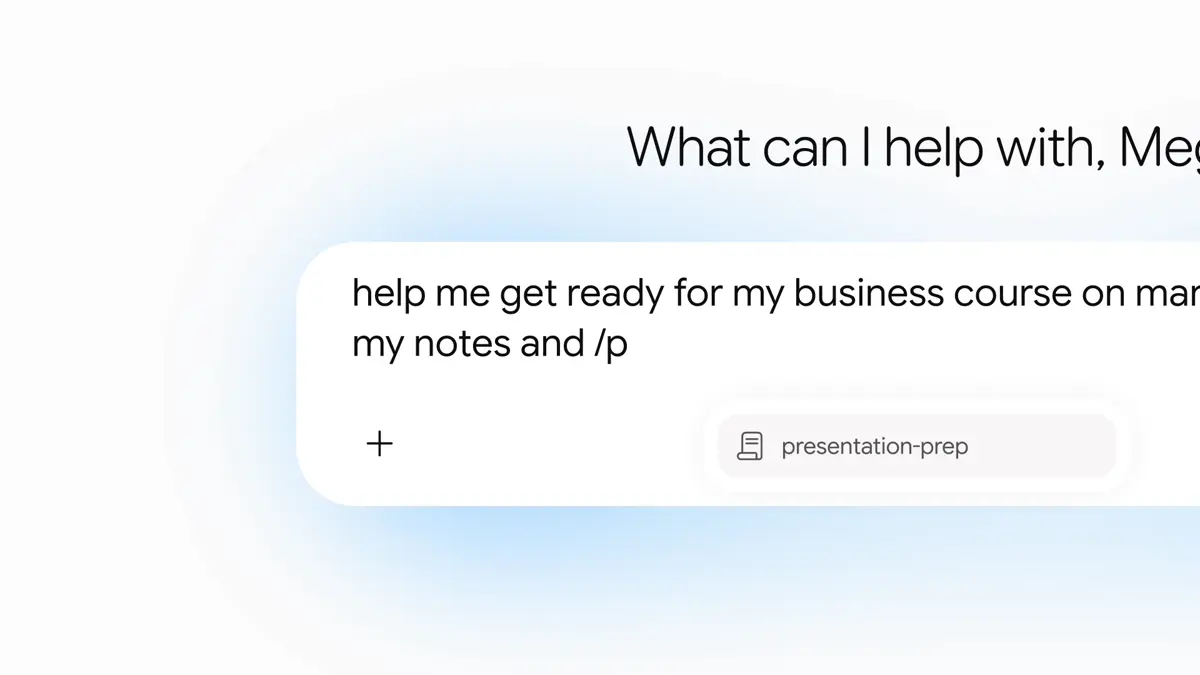
If every writing request begins with “keep it clear, avoid hype, and do not invent details,” those instructions are worth making reusable. In this guide, you will build a Gemini Skill called clear-announcement and use it to turn fictional bookshop notes into a short public notice. The exercise produces a draft, not a published post or scheduled message.
The interface instructions were checked against official documentation on October 26, 2026. We did not run this workflow in a signed-in account. The sample notice below is an original illustration of an acceptable result, not an output captured from Gemini. Google announced reusable Skills in Gemini chat on September 30, 2026. Google announcement
1. Open Skills in the Gemini app
Open Gemini. Skills currently requires signed-in users aged 18 or older with Keep Activity on. Access requirements
For a personal account, check Settings & help → Activity. If it is off, select Off, read the disclosures, then choose Turn on if you want to proceed. This setting stores Gemini activity in your Google Account. Work and school settings are administrator-controlled. Activity controls
Use the Gemini app interface for this guide. Chrome also has a Skills feature that applies saved prompts to the current webpage; its side-panel instructions are different. Chrome Skills
In English: Customize → Skills → Create → Create manually. If Customize is hidden, open More. Enter name, description, and instructions; choose Create. Creation steps
Start without attachments. That makes the first test easier to inspect: if the notice contains a wrong detail, you can compare just the input and the writing instructions. There is no need to combine brand guidelines, marketing plans, and a document library before you know whether one small writing procedure helps.
2. Fill in the three fields
For the name, use:
clear-announcementFor the description, specify the situation and intended output. Google explains that the name and description help Gemini identify relevant Skills. Writing effective Skills
Use when turning event or service-change notes into a short, clear public announcement. Preserve the supplied facts and separate missing information into questions to resolve.Paste these original example instructions into the instruction field:
Keep the scope narrow. Event notices, product descriptions, and apologies need different decisions. Your first Skill does not have to cover every kind of writing. Add a rule when you can point to a recurring edit it would prevent, rather than collecting every writing preference you have ever had.
3. Try the fictional event notes
Type / in chat, or @ on updated accounts, select clear-announcement, then add the notes. Using a Skill
Example input
Turn these fictional event notes into an announcement using clear-announcement.

Event: Make a paper bookmark
Location: Sample Bookshop
Date: November 7, 2026
Time: 2:00–3:30 p.m.
Price: KRW 5,000
Capacity: 12 people
Materials: provided
Booking: register at the shop counter
Cancellation/refund terms: not decided yet
For this first attempt, do not also ask for a catchier title, a sales pitch, or three alternate tones. Establish whether the basic facts survive first. Keep a copy of the source notes alongside the draft; otherwise, a polished sentence can conceal a changed price or an invented booking method.
Expected result
This is an author-written example, not a measured or recorded Gemini response:
Title: Paper bookmark workshop at Sample Bookshop

Announcement draft:
Join our paper bookmark workshop at Sample Bookshop.
The session takes place on November 7, 2026, from 2:00 to 3:30 p.m.
The price is KRW 5,000, materials are included, and there are 12 places.
Please register at the shop counter if you would like to attend.

Items to confirm:
Cancellation and refund terms still need to be decided.
A different sentence structure is acceptable. “Register at the counter” and “Please ask at the shop counter to register” communicate the same supplied instruction. “Free children’s workshop” or “Book online today” does not: those details were never provided. Evaluate the content before deciding whether you like the phrasing.
4. Check four things before accepting the draft
| Check | Acceptable result | Reason to revise |
|---|---|---|
| Numbers | Date, both times, KRW 5,000, and 12 places match | The end time disappears or the price changes |
| Next action | Registration is at the counter | A booking link is invented |
| Uncertainty | Refund terms remain an unresolved item | Free cancellation is promised |
| Tone | Clear, friendly wording without hype | A claim of a “guaranteed perfect experience” appears |
Give a specific correction when something fails:
The draft added online registration, which is not in the notes.
Keep shop-counter registration as the only booking method.
Rewrite the announcement draft while preserving every other fact and number.
This tells the editor what to change and what to preserve. It does not guarantee that a model will never repeat the mistake. Before using a real notice, review the final factual details yourself. A useful additional question is: could a reader explain what happens, when it happens, and what to do next using only this draft?
5. Reuse it, then make one improvement
Select the same Skill in a fresh chat and try a different kind of notice:
Write a fictional opening-hours notice.
Business: Sample Bookshop
Change date: November 10, 2026
Usual opening time: 10:00 a.m.
Opening time on that date: noon
Reason: internal reorganization
Closing time: unchanged, but the exact time is absent from these notes
The expected content puts the noon opening near the beginning and does not invent a closing time. It should not carry over the previous event’s price or capacity. This second case tests whether the reusable procedure still fits when the subject changes.
Reopen the Skill, edit its instructions, and choose Save. More → Download saves a ZIP backup. Editing and download
For example, add: “For operating changes, put the change in the first sentence.” Keep a dated backup and a one-line note explaining that edit. Run both example inputs again. You are checking whether improving one kind of notice accidentally weakened another, not trying to prove universal writing quality with two examples.
6. Troubleshoot the symptom you can see
No Skills menu: check that you are in the Gemini web app and the intended account. Work-account availability can differ; the Workspace announcement includes an October 13 update about delayed availability in Workspace apps. Workspace rollout update
Correct facts, awkward voice: add one original before-and-after example. Instead of repeatedly saying “be friendly,” show how you would replace “Your participation is requested” with “Ask at the counter if you would like to join.” The point is to express your editorial preference clearly.
Missing details: supply labeled fields rather than a dense paragraph, then explicitly name the fields that matter in the final check. This makes omissions easier to detect; it is not a promise of error-free generation.
A plan or usage-limit message: check the account’s current terms on the official Google subscription page. A saved instruction set does not establish unlimited model use. This exercise does not require an API key or an external paid service.
You are finished when you can reuse the same writing rules on two different inputs, identify unsupported additions, and revise the saved instructions without losing the original facts. That is a more useful success condition than merely seeing a new item in the Skills list.
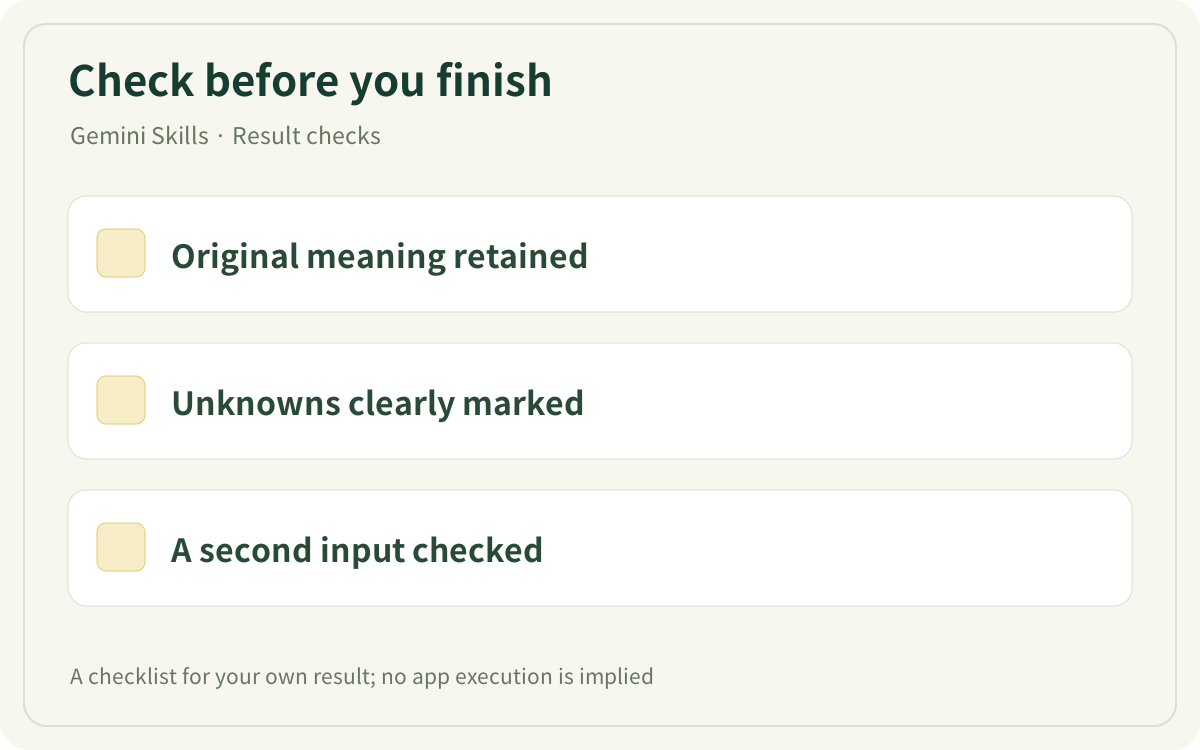
This original checklist helps you inspect your own result. It is not an app screenshot or a generated result.
Sources & further reading
- https://blog.google/products-and-platforms/products/gemini/automate-tasks-with-skills/
- https://gemini.google.com/
- https://support.google.com/gemini/answer/17094296?hl=en
- https://support.google.com/gemini/answer/13278892?co=GENIE.Platform%3DDesktop&hl=en
- https://support.google.com/gemini/answer/16988996?hl=en
- https://support.google.com/gemini/answer/17102773?hl=en
- https://workspaceupdates.googleblog.com/2026/09/skills-gemini-app-workspace.html
- https://gemini.google/subscriptions/