Instant Soundtracks vs Manual Studio Arrangement: Choose Your Workflow
Decide when to start from an automatic soundtrack and when to arrange known assets in Studio, with clear revision and delivery criteria.
Last updated
Menus and supported features can change. Compare the source-check date below with your current app version.
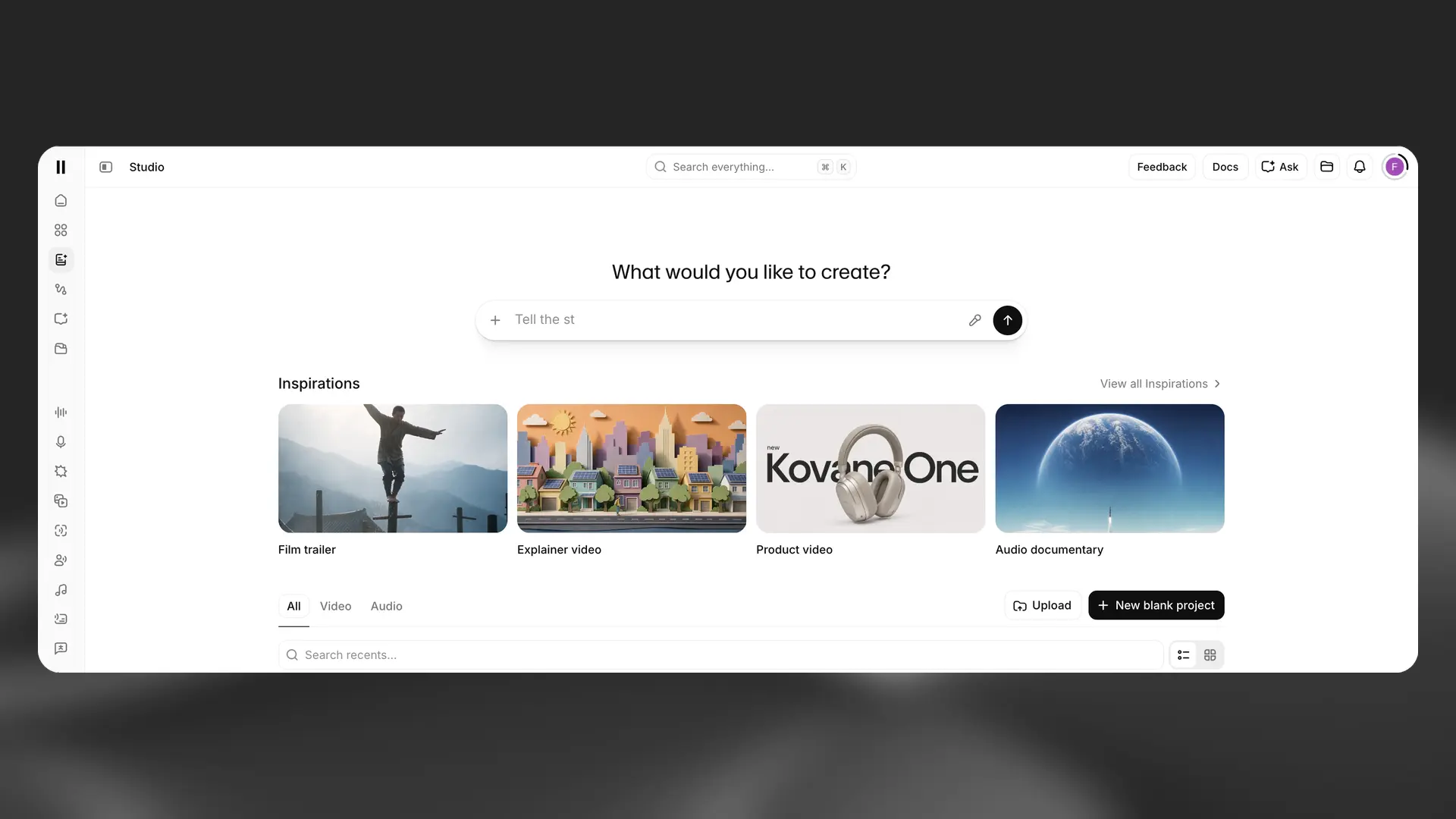
Use automatic soundtrack creation when you want an initial musical interpretation of an edited video. Use a manual Studio arrangement when the assets or important cues are already decided and you need to place them deliberately.
This comparison concerns two approaches within ElevenCreative. It is based on official documentation checked on October 26, 2026. We did not generate two versions, measure editing time, or test which sounded better. The choices below are workflow recommendations, not benchmark results.
The documented difference
Instant Soundtracks proposes music and effect placement from uploaded footage. Feature announcement Studio provides a project environment for arranging media on multiple tracks. Studio overview in the help center
That gives you two different starting points: review an automatically proposed arrangement, or build an arrangement from selected assets.
| Decision | Automatic starting point | Manual Studio arrangement |
|---|---|---|
| What is still open? | Musical direction and candidate cue placement | Usually the placement and relationship of known assets |
| First review question | Does this interpretation fit the video? | Are the selected sounds in the right places? |
| Useful preparation | A finished visual edit and a short creative brief | Source video, chosen audio files, and a cue sheet |
| Revision focus | Identify what to keep and what needs changing | Change the specific clip or placement |
| Evidence to keep | Original video, chosen result, and revision notes | Individual assets, timing notes, and project identity |
The preparation and revision rows are our recommended working practices. They are not promises about which files any particular account exports.
When the automatic route is useful
Imagine that you have finished a 20-second product film but have not decided whether it should feel calm, playful, or energetic. You need a musical proposal to react to.
An automatic first pass can fit that stage of the work. Before generating, choose one direction and write what the ending should feel like. Review the result against those intentions rather than asking only whether the track is pleasant.
Use a simple evaluation sheet:
- Does the opening establish the intended mood?
- Which effect makes a visible action clearer?
- Which effect feels unnecessary?
- Does the ending leave room for the title?
- What is the smallest change worth making?
If the main problem is one late cue, write that down. If the whole soundtrack suggests the wrong genre, change the musical brief. Those are different revision decisions.
This approach is less attractive when all the important audio has already been approved. Asking for a new interpretation can create choices that the project no longer needs.
When manual arrangement is clearer
Suppose a client has chosen a music file and requires a familiar logo sound. The remaining work is to place the sounds against the picture and review the ending.
Start a Studio video project and bring in the material. The official setup guide documents + New blank project → Video project (New) and uploading through the Library. Video-project setup The timeline help documents moving clips and zooming the view. Timeline controls
Build the simplest arrangement that meets the brief. First place the music. Then add the required contact sound or logo cue. Check the entire sequence before adding anything else.
For a missing effect, write a prompt for that individual sound. Sound Effects has a documented text-to-effect workflow and downloadable results. Sound Effects product guide This lets you decide the effect separately from the rest of the soundtrack.
The extra work is asset management. Use meaningful filenames and keep the timing sheet with the project. A folder containing “audio1,” “audio2,” and “final-final” makes revision harder than it needs to be.
A fair exercise uses the same picture
Choose one short video and keep its cuts unchanged. Write a brief with three non-negotiable requirements, such as:
The cup contact must feel gentle. The pouring sound should follow the visible action. The final title needs a quiet, complete ending.
For the automatic route, evaluate the proposed result against that brief. Record what you accepted and what you changed.
For the manual route, choose a music file and at most two effects. Place them against the same three requirements. The two versions do not need to use identical music; the exercise asks which process helps you make and explain the decisions.
Compare them using your own observations:
| Criterion | What to record |
|---|---|
| Clarity | Whether the important action is easy to hear |
| Intent | How closely the mood matches the written brief |
| Revision effort | The actual changes you made |
| Repeatability | Whether you can locate the assets and explain the arrangement |
| Delivery | Whether the exported file contains the intended picture and sound |
Only report a time or cost advantage after you have recorded it. There is no measured winner in this article.
Keep cost and output assumptions separate
Music generation depends on duration and variants. Sound Effects cost depends on its own settings. Check the displayed estimate for the actual task rather than assuming that manual work is always cheaper or that automatic scoring uses a fixed fee. Music costs · Effect costs
The API can return separate music and effect tracks when requested. That does not establish a matching export choice in the web editor. API response options
Likewise, an exported video is a deliverable, not a substitute for separate source assets. After changing a Studio project, create a fresh export to include the new arrangement. Export-update help
For commercial delivery, verify the relevant Music Terms and current plan. A workflow preference cannot answer a licensing question.
A combined approach can be practical
You may use an automatic version to explore a direction, then keep the chosen assets and finish deliberate changes manually when the available downloads allow that. If the output is only a mixed file, do not assume its effects are editable as separate clips.
The useful decision is how much is still undecided. Choose an automatic starting point when interpretation is welcome. Choose manual arrangement when your job is to place known elements accurately and preserve a clear revision path.
Sources & further reading
- https://elevenlabs.io/blog/introducing-instant-soundtracks
- https://elevenlabs.io/docs/help-center/product/studio/studio/what-is-studio
- https://elevenlabs.io/docs/help-center/product/studio/studio/how-can-i-create-a-voiceover-for-my-video-using-studio
- https://elevenlabs.io/docs/help-center/product/studio/studio/what-is-the-timeline-in-studio
- https://elevenlabs.io/docs/eleven-creative/playground/sound-effects
- https://elevenlabs.io/docs/help-center/product/core-capabilities/music/how-much-does-eleven-music-cost
- https://elevenlabs.io/docs/help-center/product/core-capabilities/sound-effects/how-much-does-it-cost-to-generate-sound-effects
- https://elevenlabs.io/docs/api-reference/music/video-to-music
- https://elevenlabs.io/docs/help-center/product/studio/studio/why-arent-my-changes-reflected-in-my-download-from-studio
- https://elevenlabs.io/music-terms