CapCraft Android: a community editor with local processing
Explore the community beta released on 18 October 2026, including local captioning, editing and its separate identity from official ArtCraft and CapCut.
Last updated
Menus and supported features can change. Compare the source-check date below with your current app version.
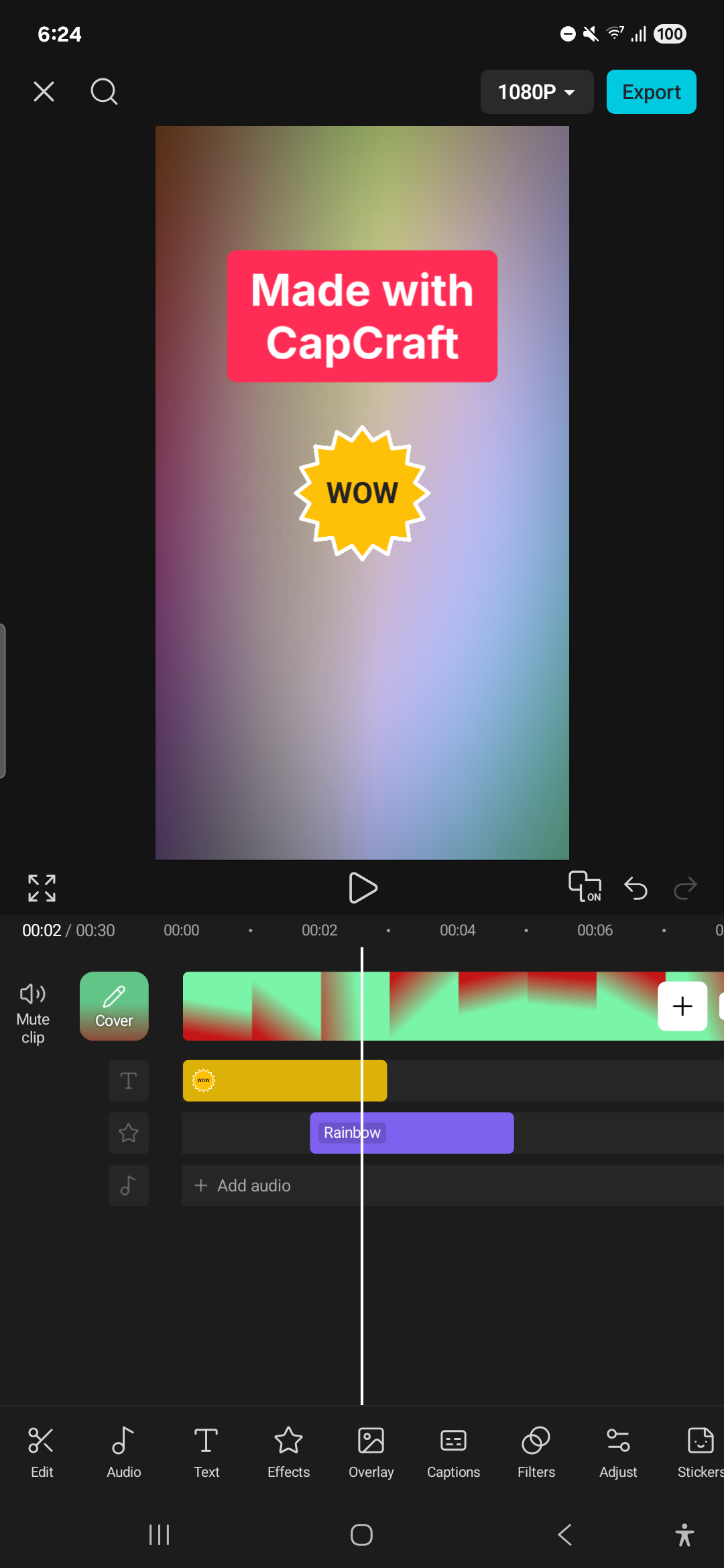
Sometimes the task is simply to trim two phone clips, add a title and export a short video. CapCraft Android is a community project focused on that mobile editing flow. This series checks its README and the v0.0.1-beta release published on 18 October 2026.
It is neither an official member of ArtCraft’s thirteen-app list nor ByteDance’s CapCut. The repository identifies earlier Concat contributors and disclaims affiliation with CapCut. Similar naming and interface conventions do not establish official ownership.
Start with the interface
Editing and local AI
The developer documents importing phone media, trimming, splitting, rearranging clips, transitions, text, stickers and audio tools. The timeline controls when each element starts and ends. Inspect the delivered file as well as the preview, especially with a new beta.
The README describes on-device captions and background removal after a model download. It explicitly lists generative AI, cloud storage and accounts as outside its local-app plan. It is therefore more precise to describe local processing features than to call it a cloud video generator.
Caption generation does not establish equal support for all languages and noisy recordings. We have not checked Korean model support or recognition accuracy. Compare names and numbers with the original audio, and begin with typed captions where appropriate.
Access and output
The checked release includes an APK, and the README specifies Android 10 as the minimum. We have not installed it or measured performance on a particular device. Check repository, package version and media permissions before using test copies.
The software is AGPL-3.0-or-later licensed. Source availability, downloaded models and file access are separate topics. The documented local design should not be expanded into an assurance about every future build’s data behavior.
Developer screenshots show resolution and frame-rate choices up to 4K and 60 fps. Those are documented controls, not evidence that every combination works quickly on every phone. A short 1080p, 30 fps exercise is a manageable first target.
Keep original clips, editable project and exported video separately. Autosaving a project does not mean the final file exists in the gallery. Reopen the project and play the export outside the editor before removing media or application data.
A small first task
I would try two roughly three-second clips and one short title before adding complex effects. Inspect order, cropping, audio and the first and last frame. Add captioning or background removal one feature at a time so a failure remains traceable.
Do not assume compatibility with CapCut projects or its online assets. The README lists a music library and downloadable templates as unfinished. This introduction documents a community beta; it does not claim replacement capability, Korean caption accuracy or measured editing speed.
Sources and scope
Checked 19 October 2026. This introduction, tutorial and comparison use the primary sources below. They contain no claim of our own app execution or measured performance. Development builds may differ from the pinned source.
Sources & further reading
- https://github.com/artcraft-android/capcraft-android/blob/256e7162396519d816d5ffe346b6121e107e041f/README.md
- https://github.com/storytold/filmcraft/blob/fb4cbda47a134eedabd89fe02cd59ebc69462737/README.md
- https://github.com/artcraft-android/capcraft-android/blob/256e7162396519d816d5ffe346b6121e107e041f/LICENSE
- https://github.com/artcraft-android/capcraft-android/blob/256e7162396519d816d5ffe346b6121e107e041f/NOTICE
- https://github.com/artcraft-android/capcraft-android/releases/tag/v0.0.1-beta