What is Google Vids? The editor, Omni clips and exported video
Learn how the Google Vids project, Gemini Omni generation and the final MP4 fit together, and choose a first project.
Last updated
Menus and supported features can change. Compare the source-check date below with your current app version.
A short product video can start with one photo, one piece of footage or one line describing a scene. Google Vids is a browser based Google Workspace video editor. You assemble scenes and produce a video there. Gemini Omni is the generation feature that can make short clips to add to a scene. It helps to separate what the editor stores, what the generator produces and what a viewer receives.
The project, the generated clip and the delivery copy
Imagine that you need a short introduction to a new reusable water bottle. Put approved photography or footage in the editor, give each scene a clear purpose, then add any precise product copy as editable text. If all you need is a readable photograph and a price card, your own material may already be enough. The editor gives you a place to arrange it, preview the sequence and make revisions.
Use Omni when you need a short piece of generated footage, such as an imagined studio shot to establish a mood. A generation result first appears as a candidate. You still need to insert the result into the timeline before it contributes to the finished video. A text prompt can describe a general kind of bottle, but a clip made from that description cannot establish the shape, color or labeling of a particular product. Keep your product reference handy if those details matter.
The named project in Drive is where you return to move a scene, replace a caption or try another sequence. An MP4 downloaded following Google’s help is a delivery copy. It can be played or shared separately from the editor. Check permissions when sharing the project, and open the downloaded file when sharing the export. A filename with the subject and revision number makes it easier to tell which copy has been checked.
What changed with the 15-second option?
On November 5, 2026, Google announced Gemini Omni 1.2 Flash in Vids with support for clips up to 15 seconds. The dated Workspace rollout notes describe availability. This date refers to that generation update, rather than the original launch of the editor.
Open the Vids website in a desktop browser and sign in with the Google account you want to use. If you do not see a creation control or the duration setting you expected, compare the notes with your account type and what the editor displays. Access to the editor does not guarantee access to every generation setting. Check the options your account actually shows before committing to a particular length or number of variants. This overview does not establish pricing or generation allowances for every account.
Pick a useful first project
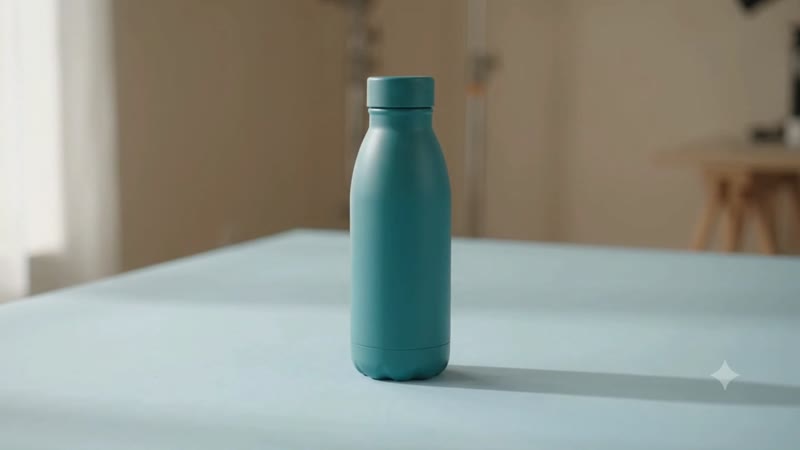
For a quick exercise, make a single landscape shot with a generic object and one camera motion. For example, describe a teal bottle on a pale tabletop with the camera moving slowly closer. That gives you something specific to check: whether the bottle and its cap look consistent from the opening frame to the end, and whether the intended movement is visible. Keep the exercise separate from a real product listing until you have checked the result against the source material.
If you already have a product photograph and need the label to stay readable, try a documented photo effect on the original picture. Preview the beginning and end, because a moving crop can still cut off a label or a cap. Save the project and open the first export even if it contains only one scene. That small pass through the entire process teaches more about the editor than making several clips that never reach the timeline.
The hands-on 15-second Google Vids tutorial includes the exact prompt, the controls used and checks on the exported file. If your next job starts with a real photo, the Omni and photo effects comparison helps you choose which method to try first.
Sources & further reading
- https://blog.google/products-and-platforms/products/workspace/omni-1-2-flash-google-vids/
- https://workspaceupdates.googleblog.com/2026/11/gemini-omni-12-flash-now-in-vids-with-15second-generations-and-improved-quality.html?m=0
- https://support.google.com/docs/answer/49114?hl=en
- https://support.google.com/docs/answer/14999375?hl=en