Using Codex with Unreal Engine: A practical Unreal MCP guide
Connect Codex to Unreal Engine 5.8's official Unreal MCP, try a small game or simulation task, and understand where the workflow helps and where it needs careful checks.
Last updated
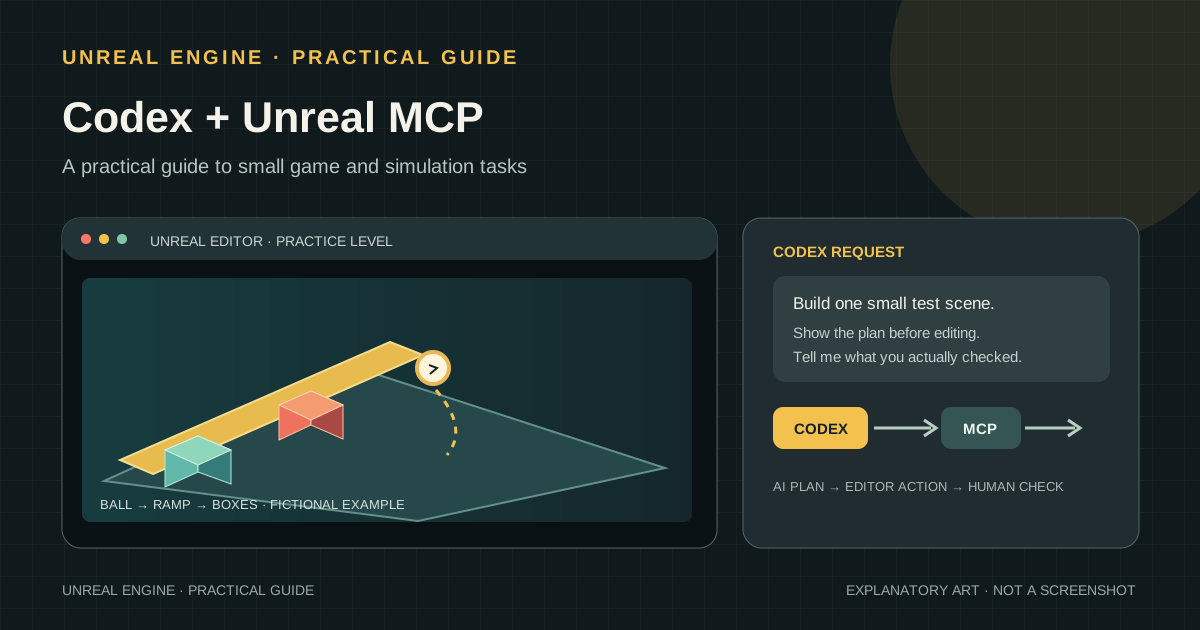
Asking Codex to write game code is different from letting Codex work with a running Unreal Editor. Unreal MCP connects the second workflow. This guide explains the two tools, the documented setup, tasks that fit well, and limits to keep in mind through a fictional physics-puzzle example.
This is a documentation-based guide, not a report that I installed the plugin or built a game in a specific project. The images are original explanatory redraws of documented menus and workflow, not screenshots from a live installation. Sources were checked on October 23, 2026.
Codex and Unreal MCP have different jobs
Codex is an AI development tool that can interpret a request and work on project code; Unreal MCP is a server that lets an AI call tools exposed by Unreal Editor. Epic's Unreal MCP plugin runs inside the editor. Connected clients can request supported operations such as spawning actors, configuring lighting, creating material instances, inspecting UI widgets and running automation tests. What is available depends on the engine version and enabled toolsets. [E1](https://dev.epicgames.com/documentation/unreal-engine/unreal-mcp-in-unreal-editor)
| Part | Role | Example |
|---|---|---|
| Codex | Breaks a request into steps and reads or edits code and configuration files. | “Make an interaction that rolls a ball down a ramp.” |
| Unreal MCP | Passes requests to the running editor through the tools available in the connection. | Place a test actor or inspect the selected object. |
| Unreal Engine | Displays the scene and runs the game logic and physics behavior. | Check in Play-in-Editor whether the ball collides with the ramp. |
MCP is not a game engine or a new physics engine. It is a protocol that gives Codex a way to reach editor tools and project code. A plausible AI response does not prove that the game works or that a simulation is accurate.
What to prepare before connecting
- Use an Unreal Engine 5.8 installation covered by Epic's current guide and a new practice project. Other engine versions may expose different menus or features. [E1](https://dev.epicgames.com/documentation/unreal-engine/unreal-mcp-in-unreal-editor)
- Choose a Codex client with MCP access: CLI, IDE extension or the ChatGPT desktop app. OpenAI documents that these clients share Codex configuration. Project-level settings are read only when you trust that project. [O1](https://developers.openai.com/codex/mcp) [O2](https://developers.openai.com/codex/config-basic)
- Put the practice project under version control or make a copy first. MCP can change the live editor state and its assets.
- Decide on one task and a completion check. A single interaction or scene is easier to debug than a request to “make the whole game.”
Connect Codex from Unreal Editor
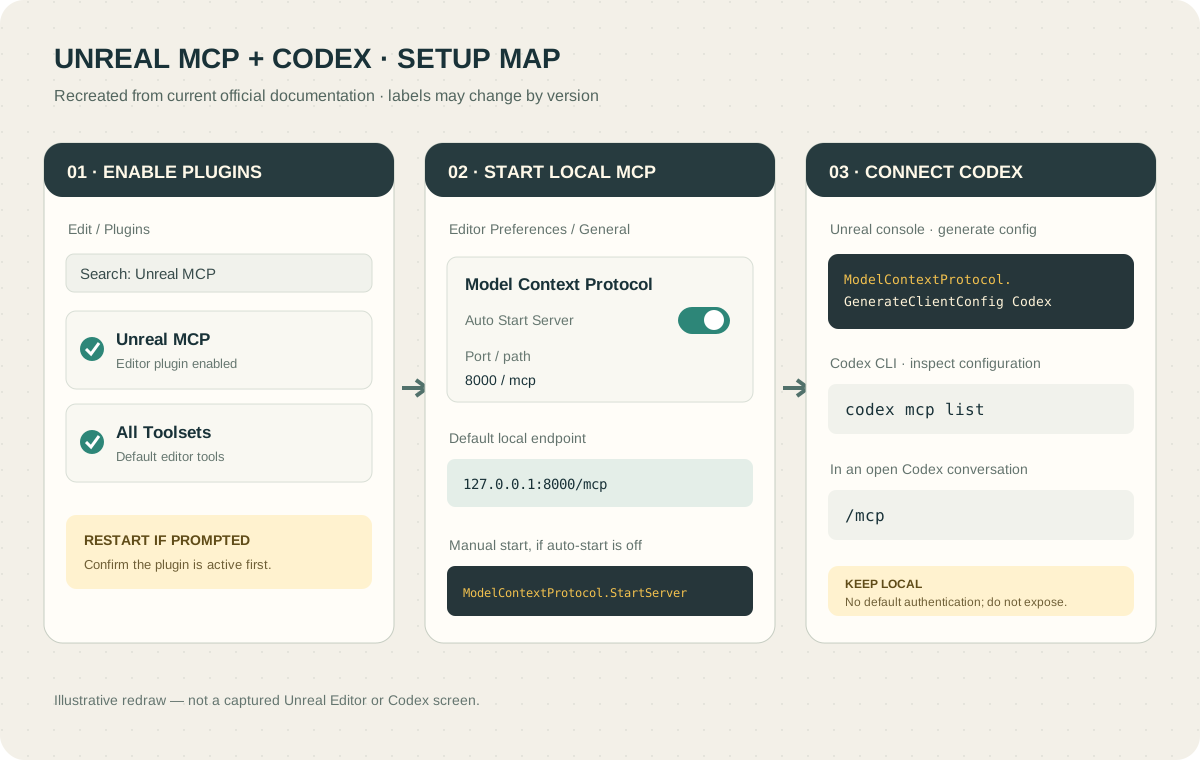
- Enable Unreal MCP. In the editor, open
Edit → Plugins, findUnreal MCPand enable it. EnableAll Toolsetsto load the default tools, then restart if asked. You can enable individual toolsets instead when you only need a subset. [E1](https://dev.epicgames.com/documentation/unreal-engine/unreal-mcp-in-unreal-editor) - Start the MCP server. Under
Edit → Editor Preferences → General → Model Context Protocol, you can enable automatic startup. The default address in Epic's guide ishttp://127.0.0.1:8000/mcp. If you prefer to start it manually, open the editor console and run:
ModelContextProtocol.StartServer- Generate the Codex configuration. In the Unreal console, specify the client name:
ModelContextProtocol.GenerateClientConfig CodexEpic lists Codex as a supported client. Codex CLI uses TOML configuration, and Unreal's generator may stop rather than overwrite an existing Codex configuration file. Do not delete an old file blindly. First locate and review it, make a backup, then add only the MCP entry you need. Codex can load MCP settings from the user configuration at ~/.codex/config.toml or a trusted project's .codex/config.toml. [E1](https://dev.epicgames.com/documentation/unreal-engine/unreal-mcp-in-unreal-editor) [O1](https://developers.openai.com/codex/mcp) [O2](https://developers.openai.com/codex/config-basic)
- Check the connection in Codex. In the CLI,
codex mcp listshows configured servers; type/mcpin an open conversation to inspect active servers and tools. In the desktop app or IDE extension, check the MCP server settings and restart the client if needed. [O1](https://developers.openai.com/codex/mcp) - Start with a read-only question. Ask “Tell me which actors are selected. Do not modify anything.” Epic suggests a simple question about selected actors as an initial connection check. [E1](https://dev.epicgames.com/documentation/unreal-engine/unreal-mcp-in-unreal-editor)
If the server does not appear, check that Unreal Editor is open and the server has started, that Codex is reading the generated configuration location, and that the client has reconnected after setup. Verify a small read request before asking for a large set of changes.
How to assign a small game or physics task
Imagine a new practice project with a ball, a ramp and four boxes in a small room. This is a fictional exercise. The prompt below asks Codex to inspect the tools it actually has, and to state the scope before changing files instead of assuming that every editor operation is available.
Copy and adapt · A bounded first Unreal task
Wait for me to approve the plan before making changes. If supported, check the behavior in Play-in-Editor and report the check you actually ran. List changed files and assets, failed checks and anything that remains unverified.
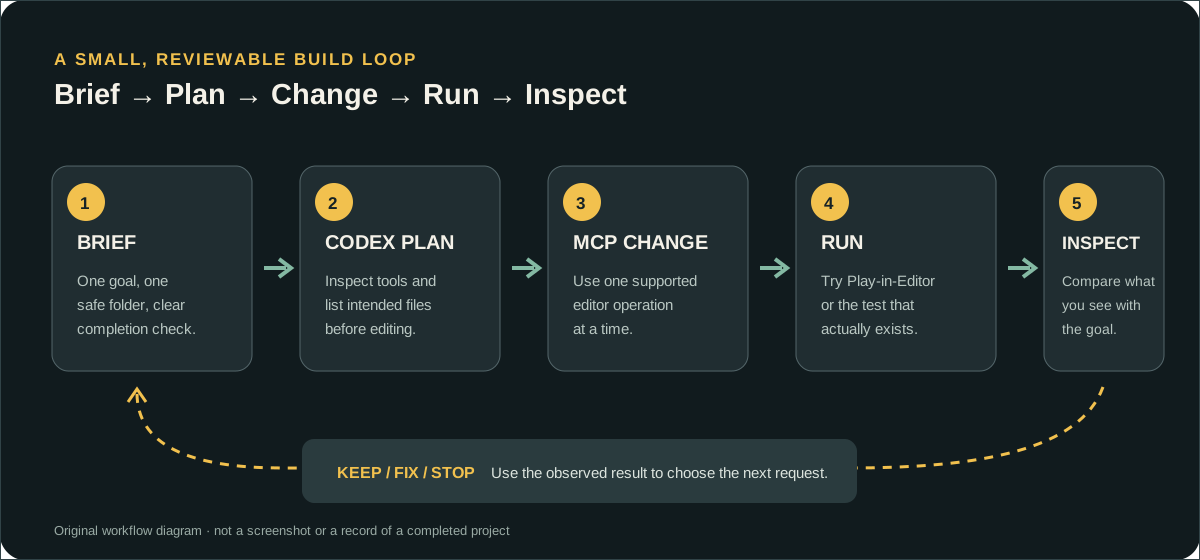
When Codex returns a plan, check the destination folder, files it will touch and tests it proposes. After the approved work is done, play the level yourself and ask for the next small fix. Ask Codex which test or screenshot tools are present in the current toolset; do not treat unsupported features as completed. If a test did not run, ask it to say “not checked.”
Where the workflow helps
- It connects editor work and code work. Codex can work with code and settings files, while MCP can expose live editor context and operations. That gives a task room to continue from code explanation into scene changes and checks.
- It can reduce repetitive editing. Repeatedly placing test objects, changing several material instances, or reading editor selection state can be a good fit when the conditions are clear and the change can be reversed. Confirm that the enabled toolset actually exposes the required operation. [E1](https://dev.epicgames.com/documentation/unreal-engine/unreal-mcp-in-unreal-editor)
- It makes small experiments easier to learn from. Divide the work into steps such as “make the ramp and boxes now; add player controls next.” You can inspect the structure in Unreal as it grows.
- It applies to editor tools as well as games. You can prototype a repeatable test scene or draft editor automation. A person still needs to define the model and the tests.
Real limitations and risks
| Limit | Why it matters | How to reduce it |
|---|---|---|
| The feature is experimental. | Epic says some features are incomplete or missing and APIs or data formats may change. [E1](https://dev.epicgames.com/documentation/unreal-engine/unreal-mcp-in-unreal-editor) | Record your engine version and start in a copied practice project. |
| The editor can really change. | A bad instruction may move assets, edit a level or alter settings. | Ask for a plan first, approve one narrow scope and use version control or a copy. |
| The server has no authentication by default. | Epic says the default listener accepts same-machine connections only, has no authentication layer and is not designed for remote access. Do not expose it to the internet. [E1](https://dev.epicgames.com/documentation/unreal-engine/unreal-mcp-in-unreal-editor) | Keep the default loopback address and do not publish it through an improvised tunnel or firewall rule. |
| Tool calls run one at a time. | Unreal MCP executes calls serially on the game thread. Overlapping requests may be slow or fail. [E1](https://dev.epicgames.com/documentation/unreal-engine/unreal-mcp-in-unreal-editor) | Split broad batch jobs into smaller steps instead of sending overlapping changes. |
| A convincing scene is not a validated simulation. | Game-engine presentation and real-time physics are built for interactive behavior. They do not automatically replace validated engineering analysis. | Bring a validated model, units and boundary conditions, reference cases and repeatable comparisons. |
| AI output still needs review. | Code may compile while input, collisions, saving or performance are wrong; asset quality and usage rights are not resolved automatically. | Run executable checks and review asset sources separately. |
“The scene looks realistic” and “the simulation is accurate” are different claims. Repeat a defined scenario and compare measurements or known reference results. Codex and MCP can help with repetitive work; they do not certify the physical model.
What should you try first?
Start in a new project with an easy-to-run goal: player movement, one puzzle, a test room or a UI draft. A task with one input, one scene and one check is easier to review than an open-ended request for a complete open world.
Connecting an experimental editor plugin directly to a valuable production project is a poor first test. So is declaring a simulation scientifically correct because an AI described it confidently. Record which files changed, what actually ran in the editor and what a person has not checked yet.
In short, Unreal MCP's strength is giving Codex a route between project code and tools in a live editor. The trade-offs are experimental behavior, real edit access and the need for human review of both gameplay and physical accuracy. Create one playful experiment in a blank project and run it yourself as the first step.
About the images: These are original explanatory redraws based on official Unreal Engine and Codex documentation. They are not screenshots captured from Unreal Editor or Codex, and they contain no private project or personal information.
Epic and OpenAI documentation checked on October 23, 2026. Engine menus and supported tools can change with updates.