FieldCraft vs SolidCraft: geometry and analysis answer different questions
Compare the documented handoff from editable geometry to a defined analysis, with checks for units, named faces and reproducibility.
Last updated
Menus and supported features can change. Compare the source-check date below with your current app version.
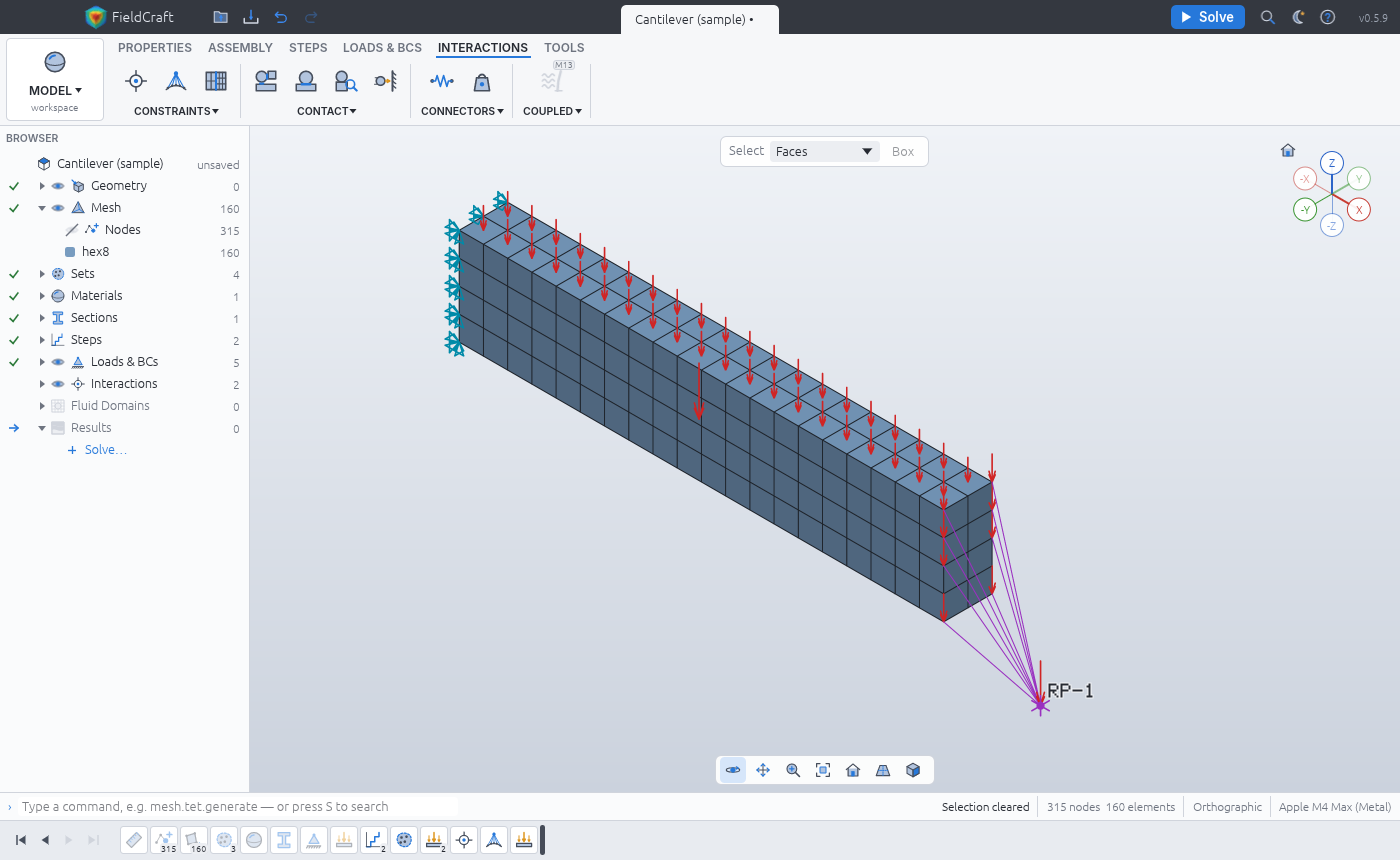
SolidCraft and FieldCraft connect two workflows, but they do not share the same completion test. One creates geometry; the other defines and solves a physical problem around it. This comparison uses official documentation rather than a hands-on benchmark.
Documented roles
| Topic | SolidCraft | FieldCraft |
|---|---|---|
| Main task | Parametric part modeling | Meshing and analysis |
| Important inputs | Dimensions, constraints, features | Geometry, units, material, supports and loads |
| Native source | .solidcraft |
.fieldcraft |
| Main checks | Shape, dimensions and rebuilds | Displacement, stress, reactions and assumptions |
| Agent commands | Model, measure and export | Configure, solve and inspect |
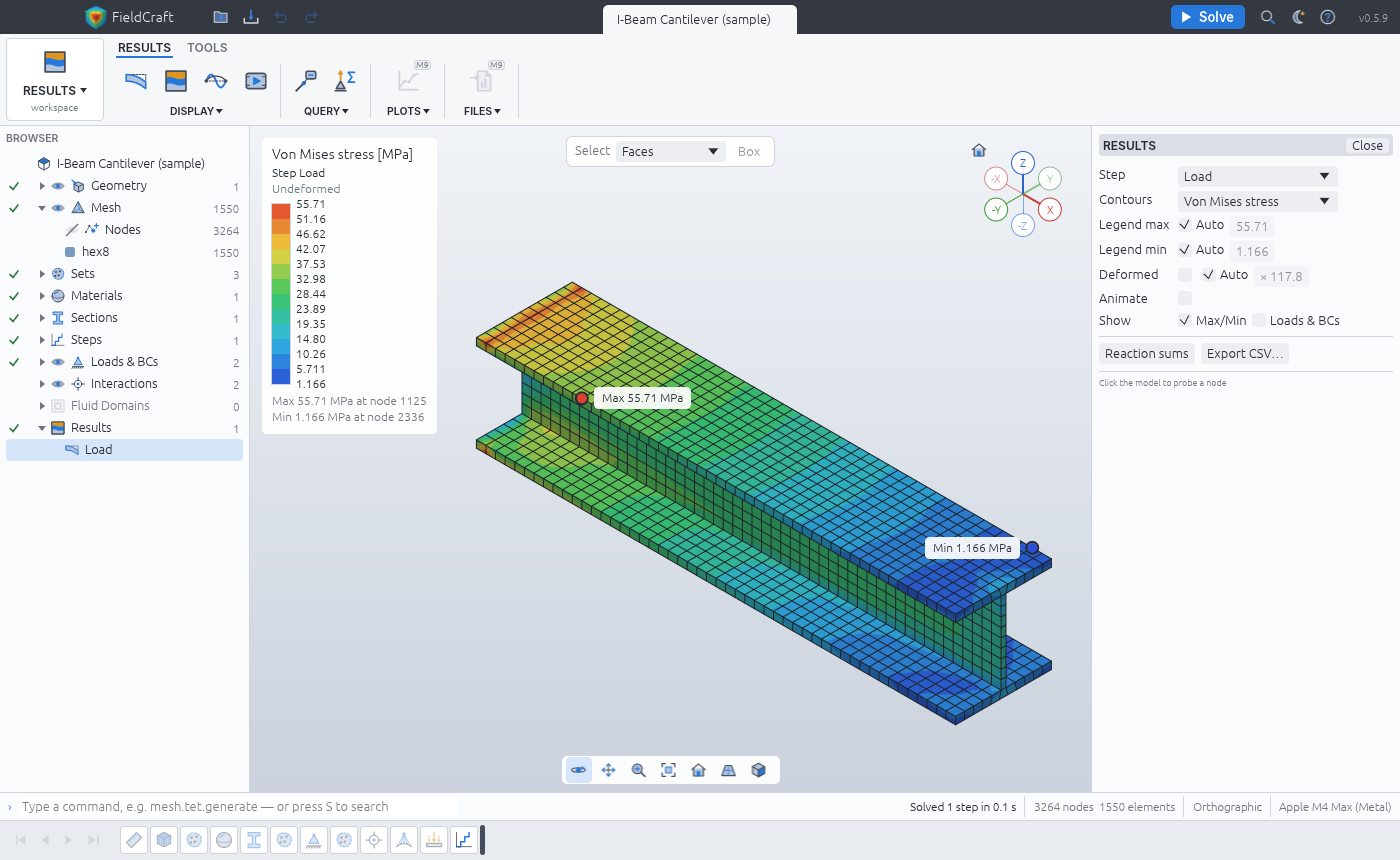
Correct geometry is only one input
A 200 mm beam can be modeled correctly and still produce the wrong analysis if the wrong face is fixed. Incorrect material units can also leave a perfectly plausible shape on screen. “The model appeared” is therefore an inadequate shared success criterion.
The reverse handoff matters too. Missing holes or altered thin regions can change mesh behavior and stress distribution. Confirm that the shape entering FieldCraft matches the intended SolidCraft design before interpreting a contour.
Files and named faces
SolidCraft separates its editable history from exchange geometry. FieldCraft documents SolidCraft designs and face-tagged 3MF inputs. Do not assume that an arbitrary mesh preserves face identities or existing load assignments.
After a geometry edit, inspect supports and loads again. A condition remaining attached does not prove that it is attached to the intended surface. Save enough information to distinguish automatic reconnection from an independently checked assignment.
A reproducible investigation
First record a simple beam’s dimensions in SolidCraft and verify the geometry after import. Keep application versions, source commit and filenames with the notes.
Next make a table of material, units, fixed faces and load components. Compare that table with the actual configuration before solving. For agent-driven work, retain the commands and selected face identifiers.
Then compare appropriate results with a simple theory or independent reference. Inspect direction, force balance and mesh sensitivity, rather than only the largest colored value. Separate developer verification cases from checks performed on your own model.
Finally close and reopen the saved source. Geometry, analysis file, condition table and result image together provide a much better record than a screenshot alone.
Evaluating AI assistance
Hold the model provider, request and permitted operations constant. In SolidCraft, inspect geometry creation and edits. In FieldCraft, inspect analysis setup and result queries. Record manual corrections and the stage of any failure.
FieldCraft remains early software with documented failures and unfinished areas. Agreement for a beam example cannot establish every nonlinear, thermal or fluid calculation. I would learn the geometry workflow with SolidCraft, then use a predefined FieldCraft sample when the next question concerns load or heat. They are complementary starting points, with separate verification requirements.
Sources and scope
Checked 19 October 2026. This introduction, tutorial and comparison use the primary sources below. They contain no claim of our own app execution or measured performance. Development builds may differ from the pinned source.
Sources & further reading
- https://github.com/tangency-labs/fieldcraft/blob/71c56068999770e83b749762b10cfed273505d1f/README.md
- https://github.com/tangency-labs/solidcraft/blob/68c72082030a999c9090c174a571b64e8244f9e8/README.md
- https://github.com/tangency-labs/fieldcraft/blob/71c56068999770e83b749762b10cfed273505d1f/docs/examples.md
- https://github.com/tangency-labs/fieldcraft/blob/71c56068999770e83b749762b10cfed273505d1f/docs/mcp.md
- https://github.com/tangency-labs/fieldcraft/blob/71c56068999770e83b749762b10cfed273505d1f/docs/oracle.md
- https://github.com/tangency-labs/fieldcraft/blob/71c56068999770e83b749762b10cfed273505d1f/LICENSE-MIT
- https://github.com/tangency-labs/fieldcraft/blob/71c56068999770e83b749762b10cfed273505d1f/NOTICE