ArtCraft Launcher vs individual downloads: managing more than one app
Compare the official launcher with manual release downloads using versions, updates, diagnostics and consistent completion criteria.
Last updated
Menus and supported features can change. Compare the source-check date below with your current app version.
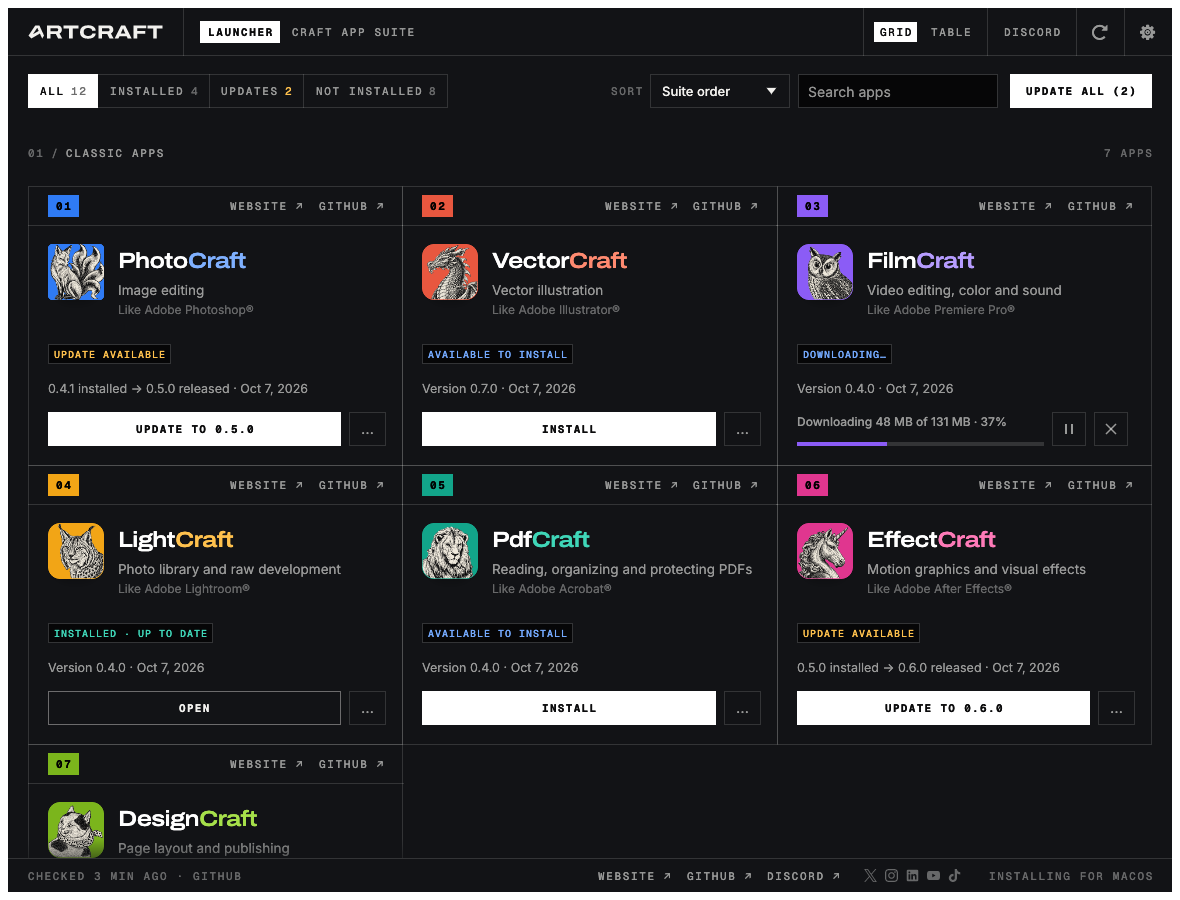
The best installation workflow can depend on whether you use one Craft app or several. This compares the official launcher with individual release downloads using documented version, update and diagnostic behavior. It contains no measured installation time or failure-rate result.
Documented differences
| Topic | Official launcher | Individual releases |
|---|---|---|
| Finding apps | Shared catalog and state | Visit each repository |
| Selecting package | OS/CPU selection workflow | Read asset names and requirements |
| Integrity check | Release checksum verification | Check published values manually |
| Updates | App versions and update management | Track and install chosen releases |
| Editing functions | Belong to the installed editor | Belong to the same editor |
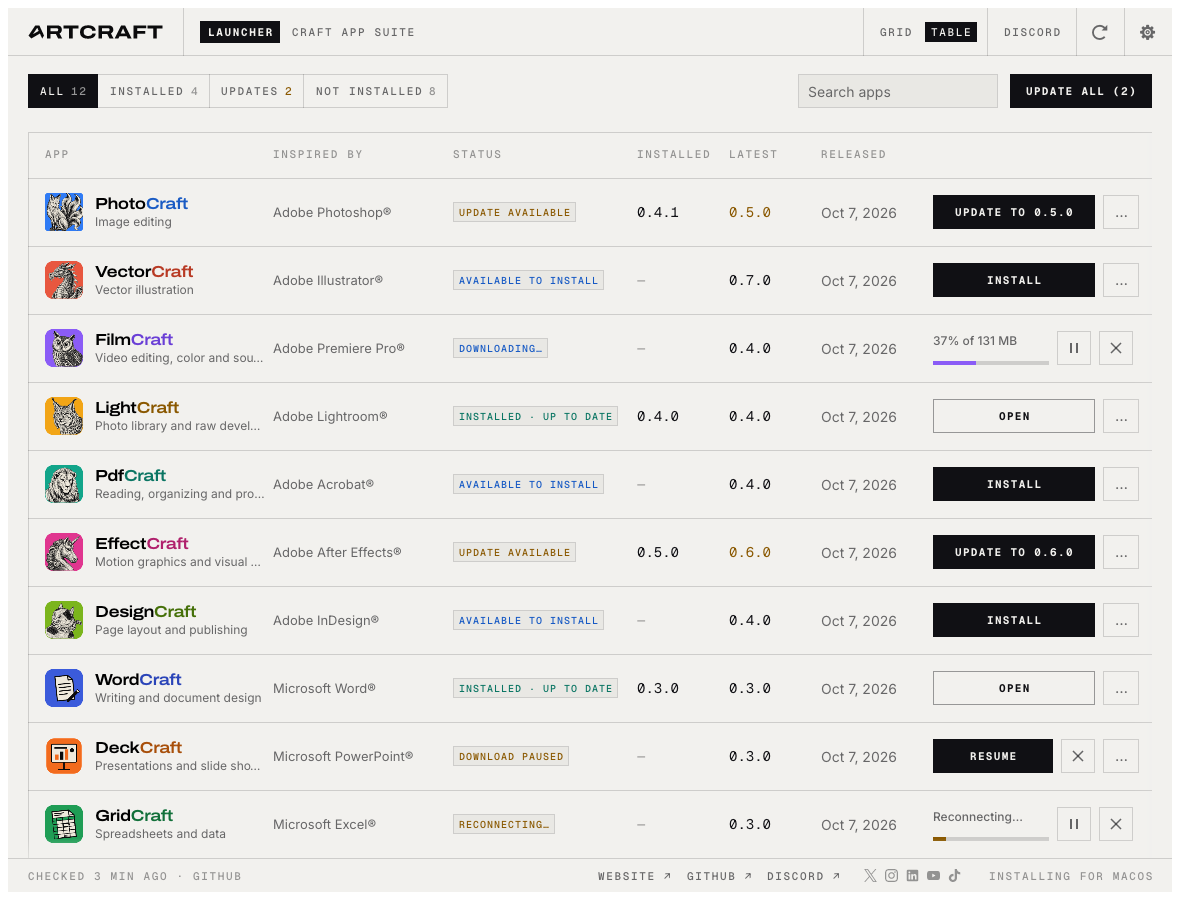
The editor is a separate variable
The launcher describes using official app packages. Installing through it does not inherently give the editor additional features or better file compatibility. A small saved-file check remains useful through either path.
For one app, visiting its release page may be straightforward. For several, a combined installed/latest view may help. The benefit depends on actual app count and update habits, which this article has not measured.
Hold versions constant
A working project may need repeatable reopening more than a new feature. Record the last successful editor version and keep a copy before resaving through a newer build. Application installation and source-file migration are different actions.
The launcher documents retaining package format and avoiding replacement of running apps. Manual installation still requires checking saved work and running processes. Neither workflow should be assessed by changing several installations during an unsaved session.
A practical comparison
Target the same PhotoCraft release on the same OS and architecture. Record finding the asset, verifying download integrity, installing and launching as separate stages. Different editor versions introduce an unrelated variable.
Use the same small image copy to verify saved source and delivered output. That is a check of the installed editor in the environment, not a launcher rendering benchmark.
When another release arrives, compare finding changes, selecting the update, confirming the installed version and reopening the prior source. Record diagnostic clarity as well as clicks: which logs and paths identify a failed step?
Distinguish the Web Launcher
The official browser catalog provides download information. The community ArtCraft Web Launcher serves browser builds from a server. Installation location, update target and document storage therefore differ.
Serving a web editor does not imply server-side synchronization of user documents. Its browser-storage behavior needs separate checks. Choose first between managing native applications and serving web applications.
I would inspect manual releases for a small fixed-version setup and the official launcher for several regularly updated Craft editors. For AI generation itself, inspect ArtCraft or the relevant editor rather than expecting the launcher to generate content.
Sources and scope
Checked 19 October 2026. This introduction, tutorial and comparison use the primary sources below. They contain no claim of our own app execution or measured performance. Development builds may differ from the pinned source.
Sources & further reading
- https://github.com/storytold/craft-launcher/blob/7c7271e5f62975326d0add2dcf31f03096be4189/README.md
- https://github.com/storytold/craft-launcher/blob/7c7271e5f62975326d0add2dcf31f03096be4189/LICENSE-MIT
- https://github.com/storytold/craft-launcher/blob/7c7271e5f62975326d0add2dcf31f03096be4189/NOTICE
- https://github.com/storytold/craft-launcher/blob/7c7271e5f62975326d0add2dcf31f03096be4189/docs/brand/LICENSE-brand.txt
- https://getartcraft.com/apps
- https://github.com/storytold/craft-launcher/releases