AnythingLLM tutorial: ask three checkable questions about one notice
Choose an installer, prepare a short TXT document, attach it and check deadlines, lists and missing information without starting with a server.
Last updated
Menus and supported features can change. Compare the source-check date below with your current app version.
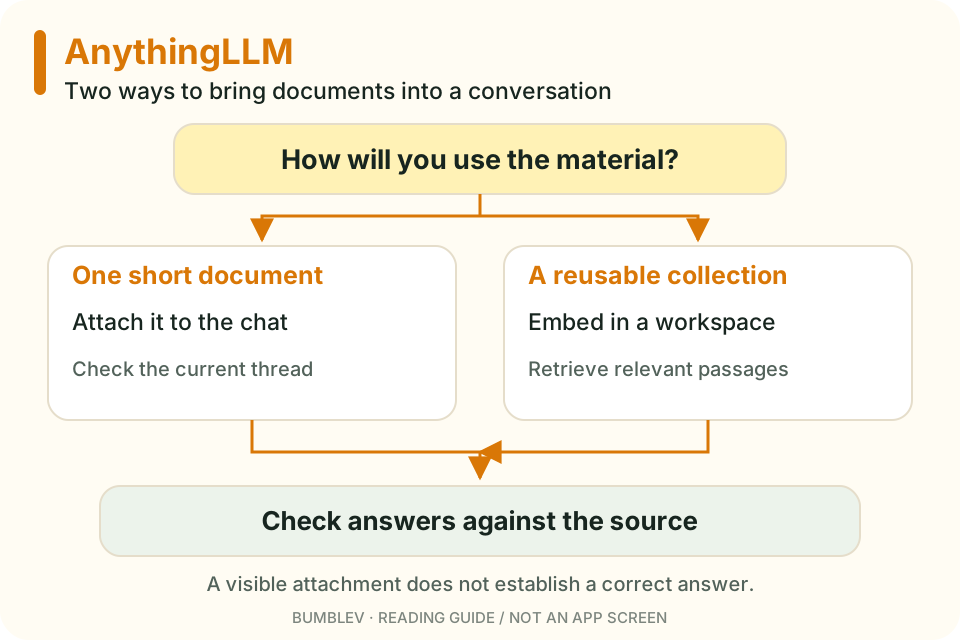
Our goal is to load one short notice and check whether the answers match it. You do not need a document collection or an agent workflow to begin.
This walkthrough uses the v1.18.0 release and official documentation. The expected answers below come from our fictional input. They are an answer key, not output recorded from running AnythingLLM.
1. Choose the correct installer
Open the release page and expand Assets. Use a packaged application rather than the Source code ZIP.
| Your computer | File in this release |
|---|---|
| Windows x64 | AnythingLLMDesktop.exe |
| Windows ARM64 | AnythingLLMDesktop-Arm64.exe |
| Apple Silicon Mac | AnythingLLMDesktop-Silicon.dmg |
| Intel Mac | AnythingLLMDesktop.dmg |
| Linux x64 | AnythingLLMDesktop.AppImage |
| Linux ARM64 | AnythingLLMDesktop-Arm64.AppImage |
On Windows, select Current User during installation. The project advises against an all-users installation. Follow the platform guide for Mac or Linux setup details. Windows installation · Installation overview
2. Prepare one local model
Desktop provides an onboarding route for selecting and downloading a local model. Pick a modest model, wait for its download to finish, and check that it is the selected provider/model. Installing the app and downloading its model are separate steps.
If your intention is a local test, choose a provider that actually runs on the computer rather than entering a cloud API key. Built-in engine details can change between installations; follow the local option offered by your app. The official guide also distinguishes connecting a separately installed Ollama instance from using the built-in provider. Local provider setup
The general requirements page recommends 16GB RAM and an eight-core CPU for a basic setup, with the model driving actual requirements. Do not download several large models before finding out whether one small model works for this task. Keep initial setup time separate from later response time. System requirements
3. Make the practice document
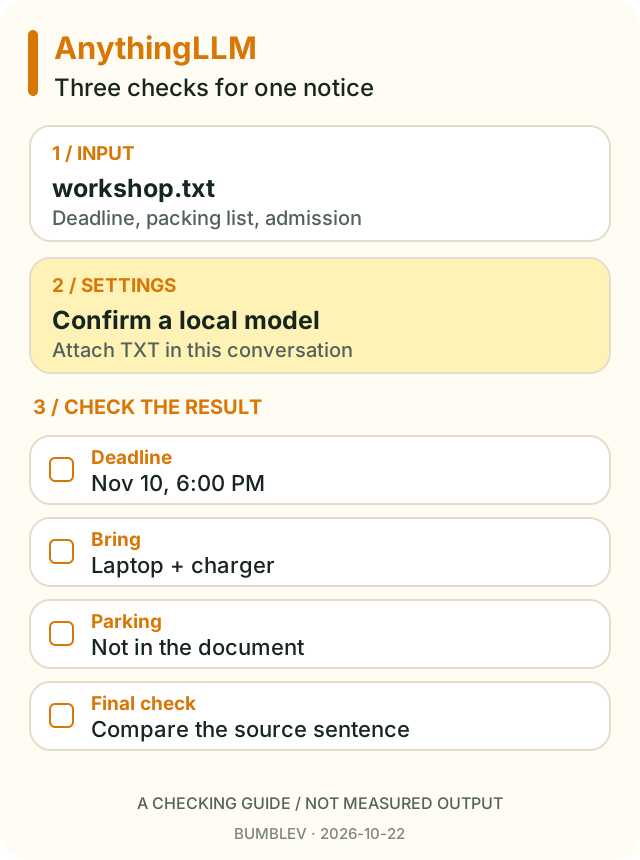
Copy this into a text editor and save it as workshop.txt, using UTF-8. This is a fictional event.
Weekend Making Workshop
Event date: Saturday, November 14, 2026
Time: 10:00 AM to noon
Location: Community Room B
Registration deadline: November 10, 2026 at 6:00 PM
Bring: a laptop and its charger
Admission: free
Questions: ask the information desk
A plain TXT file keeps the first exercise focused on document use. A scanned PDF would add the separate problem of recognizing text inside an image.
4. Open a workspace and attach the file
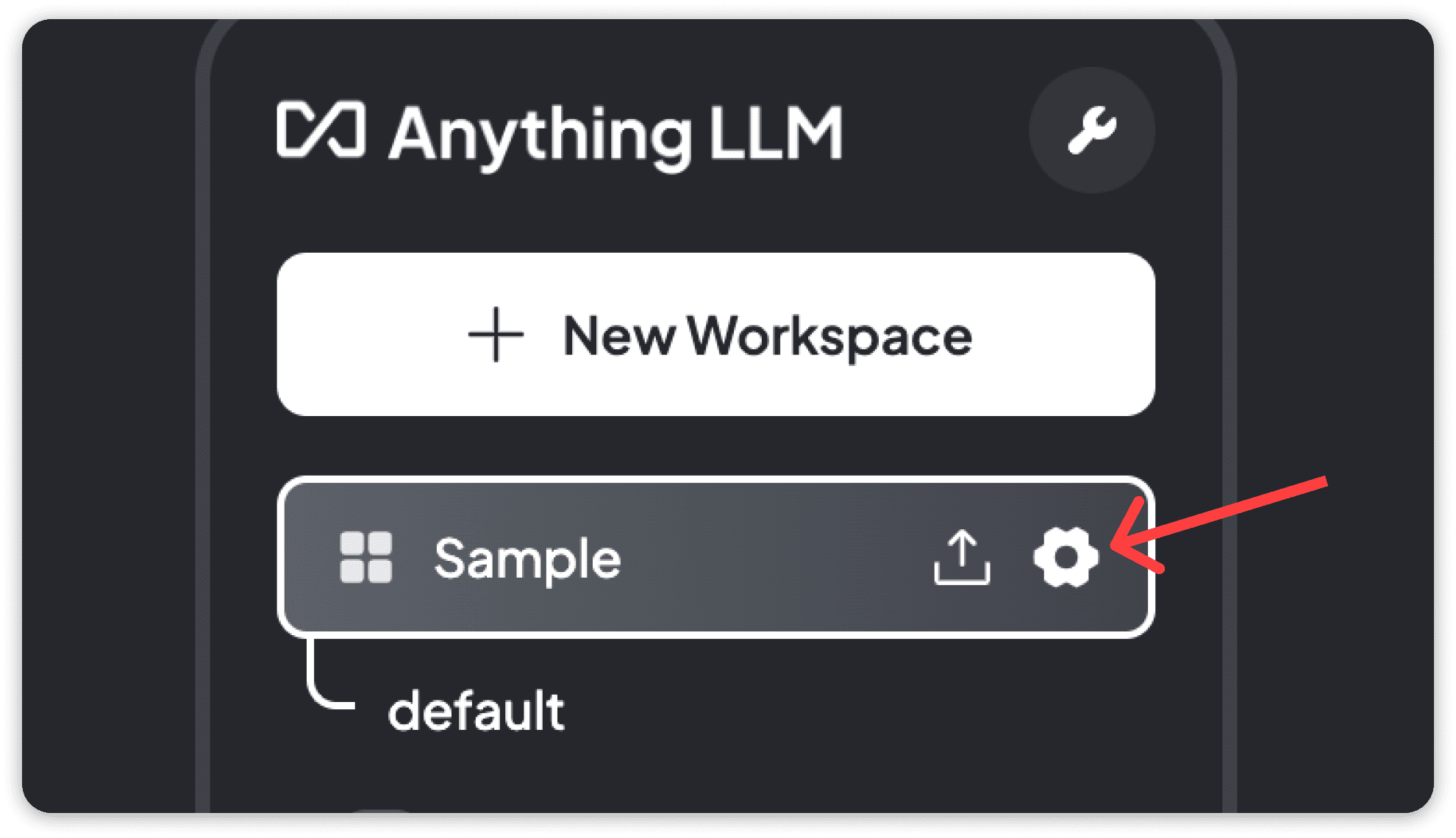
Use New Workspace to create a practice workspace, then open a conversation inside it. Drag workshop.txt into the chat or use the + attachment control. Confirm that the file appears in the attachment list.
The document guide explains that chat uploads are workspace- and thread-scoped. A file used in one conversation is not automatically available in a different conversation. If you want reusable workspace knowledge later, read the embedding guidance before assuming an attachment did that job. Attaching documents

5. Ask one question at a time
Start with this prompt:
Use only the attached workshop.txt.
What is the registration deadline? Include its date and time.
Also give the original sentence that supports your answer.
The expected answer is November 10, 2026 at 6:00 PM. Compare the supporting sentence with the file, rather than accepting a confident explanation.
Next ask, “List everything participants should bring.” Both a laptop and its charger should appear. Then ask about a missing fact:
How much does parking cost?
If the document does not say, answer "The document does not specify."
The notice says admission is free, but says nothing about parking. A free parking answer would be an error, even if it sounds reasonable.
For a document-focused setup, open the workspace gear and inspect Chat Settings → Query. New workspaces may start in Agent mode. Query mode is intended to answer from documents, but you should still check all three results. Mode settings

6. Know what a context warning means
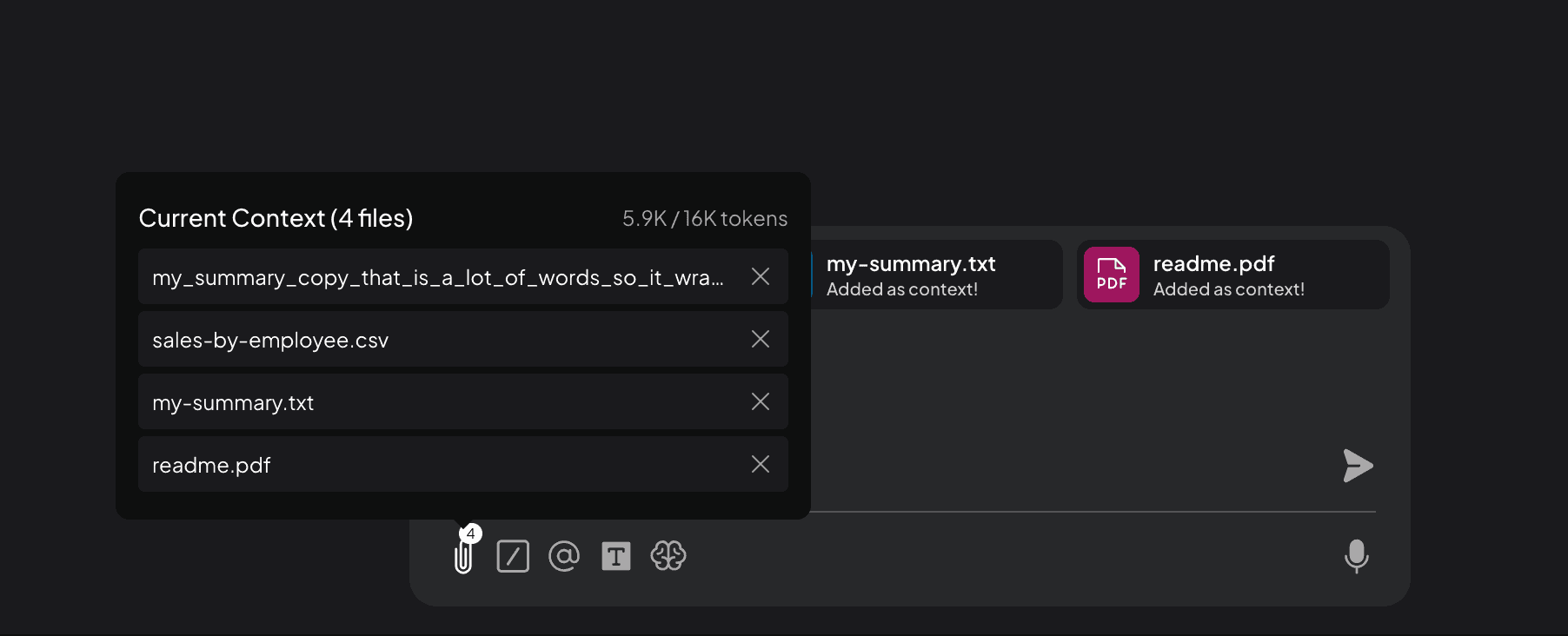
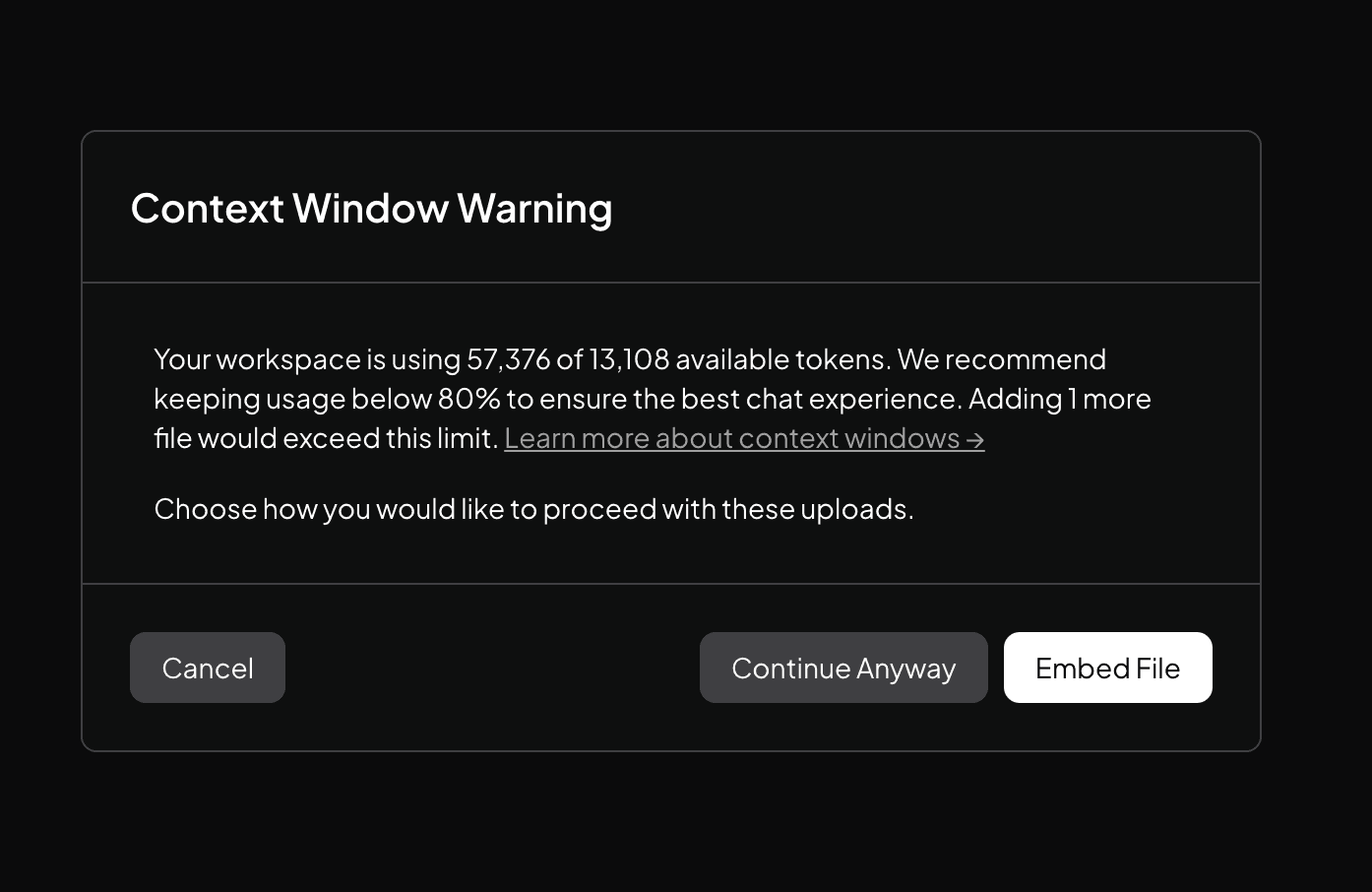
Our short notice is intended to fit comfortably in the selected model’s available context. If you later attach a large file and see Context Window Warning, reconsider its size before continuing.
The official guide says Continue Anyway can prune material to fit. Embed File takes a different route: it makes the document available through workspace retrieval. That is useful, but it does not mean the entire text will be read for every answer. Context and embedding

7. Keep and reopen a useful result
Copy the answer and its source sentence to a separate note if you want a portable record. This exercise does not enable file-writing tools, so do not assume the answer became a saved document automatically.
Close the app, return to the same conversation and check the attachment and replies. Then distinguish that from opening a new conversation. Reusing a file across conversations is a separate behavior to verify.
You are done when the deadline is correct, both packing-list items are present and the parking fee remains unknown. Only then would I replace this notice with a short document I actually use.
| Problem | First thing to check |
|---|---|
| No model response | Download completion and the active provider/model |
| The app cannot find the file | Attachments in this exact conversation |
| A plausible but invented answer | Request a source sentence and split the questions |
| Weak retrieval in another language | Attachment versus RAG, and the embedder’s language coverage |
The default embedder is documented as primarily English-trained. Success with one attached notice does not validate search across hundreds of Korean documents. That deserves a separate test with your own answerable examples. Embedder documentation
Continue with this tool
Sources & further reading
- https://github.com/Mintplex-Labs/anything-llm/releases/tag/v1.18.0
- https://github.com/Mintplex-Labs/anything-llm/blob/3e4f9411b67f2dd7fa9fc6f2b95dfacbda0633ba/README.md
- https://github.com/Mintplex-Labs/anythingllm-docs/blob/ac02889e2a1eec1953a590c7a053d424bd5eca86/pages/chatting-with-documents/introduction.mdx
- https://github.com/Mintplex-Labs/anythingllm-docs/blob/ac02889e2a1eec1953a590c7a053d424bd5eca86/pages/features/chat-modes.mdx
- https://github.com/Mintplex-Labs/anythingllm-docs/blob/ac02889e2a1eec1953a590c7a053d424bd5eca86/pages/installation-desktop/overview.mdx
- https://github.com/Mintplex-Labs/anythingllm-docs/blob/ac02889e2a1eec1953a590c7a053d424bd5eca86/pages/installation-desktop/system-requirements.mdx
- https://github.com/Mintplex-Labs/anythingllm-docs/blob/ac02889e2a1eec1953a590c7a053d424bd5eca86/pages/installation-desktop/windows.mdx
- https://github.com/Mintplex-Labs/anythingllm-docs/blob/ac02889e2a1eec1953a590c7a053d424bd5eca86/pages/setup/llm-configuration/local/built-in.mdx
- https://github.com/Mintplex-Labs/anythingllm-docs/blob/ac02889e2a1eec1953a590c7a053d424bd5eca86/pages/setup/embedder-configuration/local/built-in.mdx
- https://github.com/Mintplex-Labs/anythingllm-docs/blob/ac02889e2a1eec1953a590c7a053d424bd5eca86/pages/features/privacy-and-data-handling.mdx
- https://github.com/janhq/jan/blob/648e8da55438150ccfab78808fa97a7a8e458c9f/docs/src/pages/docs/desktop/quickstart.mdx
- https://github.com/Mintplex-Labs/anything-llm/blob/3e4f9411b67f2dd7fa9fc6f2b95dfacbda0633ba/LICENSE