Ollama: Documentation comparison
Explore local model execution, VS Code integration and documentation-based comparison for Ollama v0.40.6.
Last updated
Menus and supported features can change. Compare the source-check date below with your current app version.
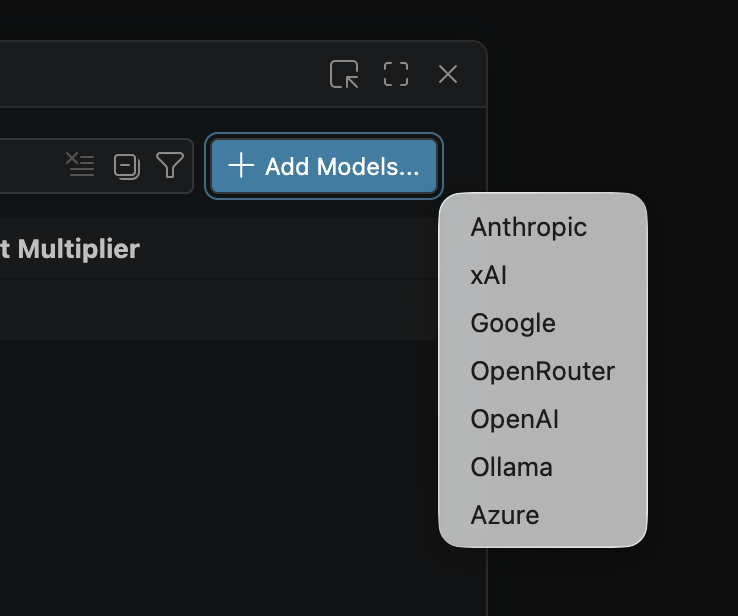
When deciding whether to begin with Ollama or llama.cpp, start by choosing one output you want to produce. Here, a fictional fruit-quantity list provides a common input for examining model execution and connection workflows. This is a documentation-based comparison, not a firsthand trial or a speed ranking.
Ollama is examined at v0.40.6, published on October 16, 2026 UTC. Sources were checked and this manuscript was revised on October 20, 2026. The comparison llama.cpp README is pinned to commit 1ba568c5ad5c6c718984bd2bf4e7c71485b706f9. Reading both on the same date does not establish that they ran on the same model or hardware. Ollama release · Pinned llama.cpp source
Separate the roles of the two tools
Ollama’s README describes running open models locally or in the cloud and connecting them to other software through REST APIs and language libraries. Its model-running examples and VS Code guide give readers a route into model management and editor integration. README · VS Code integration
llama.cpp is a C/C++ model inference project. Its README describes hardware backends, prebuilt and source-build routes, Docker, and examples using llama cli and llama serve. Ollama also lists llama.cpp as a supported backend, so this is not a comparison of entirely unrelated technologies. The useful question is where each documented workflow starts and how much of the execution setup you want to control. llama.cpp installation and execution · Ollama backends
Define a task using the same input
The following is an example input proposed for a future check. Neither tool was executed for this article. The scope is restricted to three supplied items, without personal information or external research, so the expected result can be checked by a person.
Summarize only this list as a two-column table (item, quantity), then give the total quantity. Do not add items.
apples: 3
pears: 4
oranges: 5
The expected output is a two-column text table containing apples 3, pears 4, and oranges 5 once each, followed by a total of 12. Since phrasing can vary, inspect item preservation and arithmetic rather than requiring identical prose. This is a checking criterion, not a quotation of an observed response. Receiving an answer and satisfying the request are separate observations.
Match the model conditions first. Without establishing the same weights, quantization, context length, prompt template, and hardware, do not attribute differences in speed or quality to the execution tool. The default examples in the Ollama quickstart and llama.cpp README use different models; running those examples side by side would not establish a fair performance ranking. Model-file equivalence was not verified for this article. Ollama local example · llama.cpp default example
Compare six documented dimensions
| Dimension | What the documentation establishes | What a same-input trial should record |
|---|---|---|
| Output | Ollama supplies conversation and REST API examples; llama.cpp supplies CLI and server examples. | Save the raw response and check all three items and the total of 12. |
| Time | Installation and response times were not measured here. | Separate initial download/setup time from response time after preparation. |
| Compatibility | Ollama documents macOS, Windows, Linux, and VS Code requirements; llama.cpp documents build and backend routes. | Record the actual OS, versions, model, file format, and connection used. |
| Friction | Ollama describes model discovery, authentication, and context-setting checks. llama.cpp requires attention to the chosen install/backend route. | Record manual setting changes and unresolved errors. |
| Automation | Ollama documents REST APIs and language libraries; llama.cpp documents CLI and server entry points. | Establish how to repeat a request, retain the response, and handle failure. |
| Audience | Editor/model-management guidance and engine/backend guidance offer different starting points. | Decide how much of the setup you want to manage directly. |
The functional basis of the table is the two READMEs and the Ollama VS Code guide. The right-hand column describes future observations, not completed measurements. Empty evidence is not replaced with estimated times or scores. Separating problems in the application, model, and extension is part of deciding whether a workflow fits repeated use. Ollama API and libraries · Integration requirements · llama.cpp CLI and server
What are the comparison record files for?
Keep the unchanged request in a user-created compare-input.txt, and copy actual answers into ollama-output.txt and llama-output.txt. These are suggested manual record filenames, not automatic export formats. Add a conditions note covering model names, weight provenance, quantization, context settings, and actual errors.
For a repeat check, reopen the input and establish that the request is identical, then inspect the three rows and total in each output file. If the input or model changes on one side, the same-condition comparison is incomplete. Attractive output alone cannot distinguish the effect of a model from the effect of its runtime. Unmeasured time and unsupported capabilities can remain explicitly unverified.
Include access terms and troubleshooting
Ollama’s program source uses the MIT license, but individual model licenses and cloud terms must be read separately. Its quickstart distinguishes key-free local requests from account/API-key cloud access. The collected sources did not establish a complete cloud price list or every model’s terms. With llama.cpp, likewise separate the program’s public availability from the conditions attached to downloaded models. Ollama access paths · llama.cpp model execution
For missing Ollama models in VS Code, the documented sequence checks the running application, ollama list, Ollama: Refresh Models, and Ollama: Diagnose Models plus the output channel. If unresolved, retain the error and selected model and leave the task incomplete. For llama.cpp, begin with the installation, build, and backend path actually chosen; this article does not promise fixes from detailed troubleshooting documents it did not inspect. Ollama troubleshooting · llama.cpp documentation starting points
Editorial assessment and comparison completion
My documentation-based assessment is that readers beginning with model management and VS Code Chat have a useful starting point in Ollama’s guides. Readers wanting to examine inference-engine builds and hardware backends more directly can begin with llama.cpp. This is not a claim that either is always faster or replaces the other.
A completed practical comparison needs the same input, verifiable model conditions, two readable outputs, human-checked items and arithmetic, recorded preparation/response times, and remaining errors. If conditions cannot be matched, describe the work as a documentation comparison only. That is the stage reached here: no actual outputs, processing times, performance scores, or firsthand screenshots have been invented.
Original BumbleV reading guide illustration; not a product screenshot or a result from our testing. Official release behind this illustration · CC BY 4.0 · 2026-10-20

Sources & further reading
- https://github.com/ollama/ollama/releases/tag/v0.40.6
- https://raw.githubusercontent.com/ollama/ollama/2476d5ead197abe04629651028f83d48dc75d2b2/README.md
- https://raw.githubusercontent.com/ollama/ollama/2476d5ead197abe04629651028f83d48dc75d2b2/docs/quickstart.mdx
- https://raw.githubusercontent.com/ollama/ollama/2476d5ead197abe04629651028f83d48dc75d2b2/docs/cli.mdx
- https://raw.githubusercontent.com/ollama/ollama/2476d5ead197abe04629651028f83d48dc75d2b2/docs/integrations/vscode.mdx
- https://raw.githubusercontent.com/ollama/ollama/2476d5ead197abe04629651028f83d48dc75d2b2/docs/faq.mdx
- https://raw.githubusercontent.com/ggml-org/llama.cpp/1ba568c5ad5c6c718984bd2bf4e7c71485b706f9/README.md
- https://api.github.com/repos/ollama/ollama