Karakeep: give the links you save a place to come back to
A documentation-based introduction to Karakeep v0.34.1, its AI tags, lists, clients, hosting choices and costs.
Last updated
Menus and supported features can change. Compare the source-check date below with your current app version.
Saving a link is easy. Remembering why you saved it can be harder. Karakeep gives web pages, notes, images and PDFs a shared home so you can come back to them through lists, tags and search. For this series, the useful starting point is small: collect three official documentation pages and find the one you need later.
I have read the official material; I have not installed Karakeep or generated tags with it. The screenshots are developer examples, not my test results. The separate tutorial explains the task and its expected checks.
A bookmark can hold more than a URL
Karakeep uses “bookmark” for several saved item types. A link can have fetched metadata and content; a text item can hold a short note; media items can include images and PDFs. Notes, highlights and attachments provide further context. What is actually available depends on the item and configuration. A saved URL does not prove that a readable page or complete offline copy was retrieved. Bookmark types and attachments
| Material | A useful first check |
|---|---|
| Web link | Does its saved URL and fetched title match the original page? |
| Short note | Does it include the information and next action you wanted to keep? |
| Image or PDF | Does the file open, and can you find the content you need? |
| Note or highlight on a page | Can you return to it with enough original context? |
These are checks to perform, not measured results. Pages requiring authentication and unsuccessful crawls can leave you with less content than you expected.
Tags help discovery; lists keep a deliberate selection
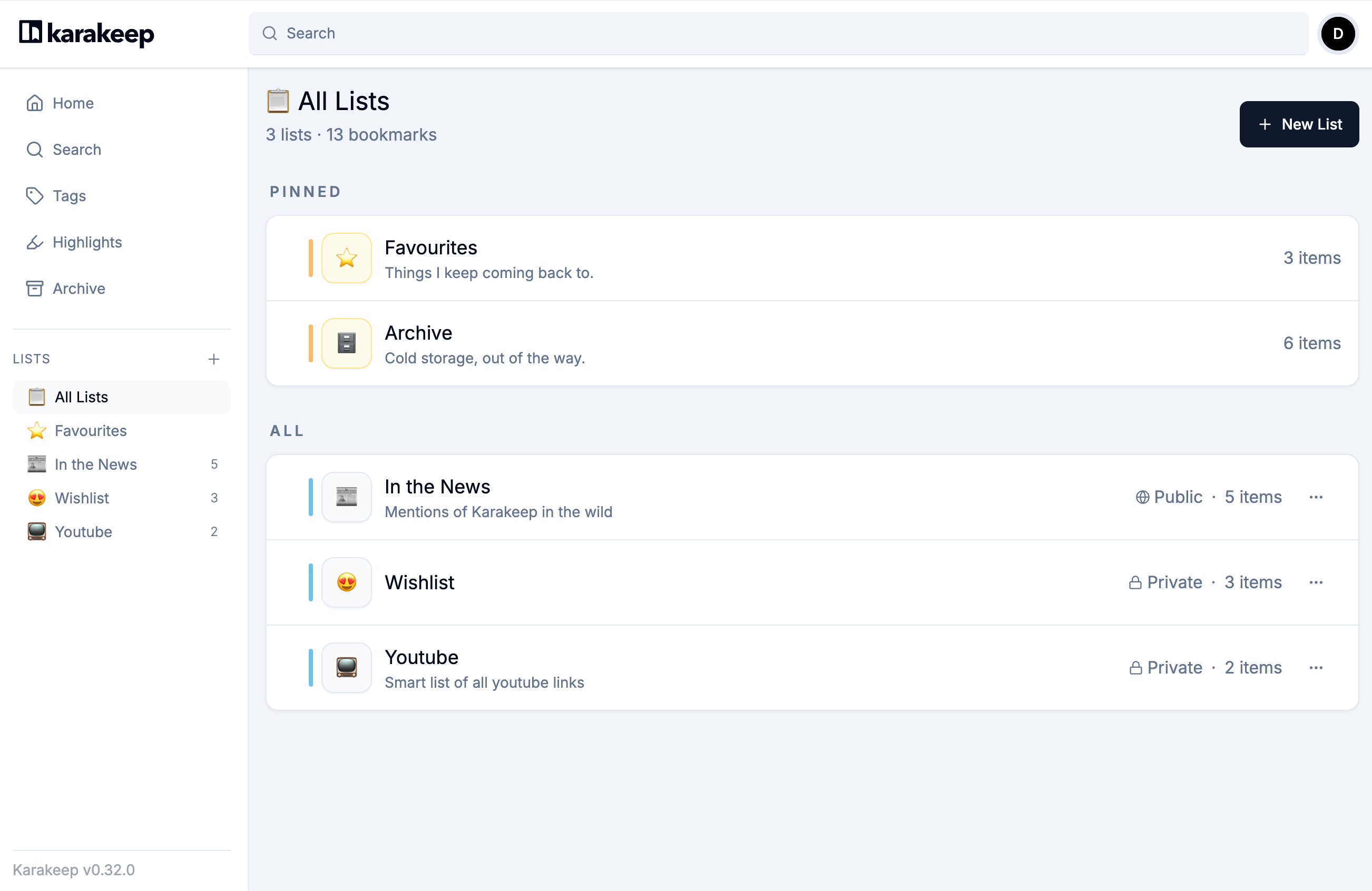
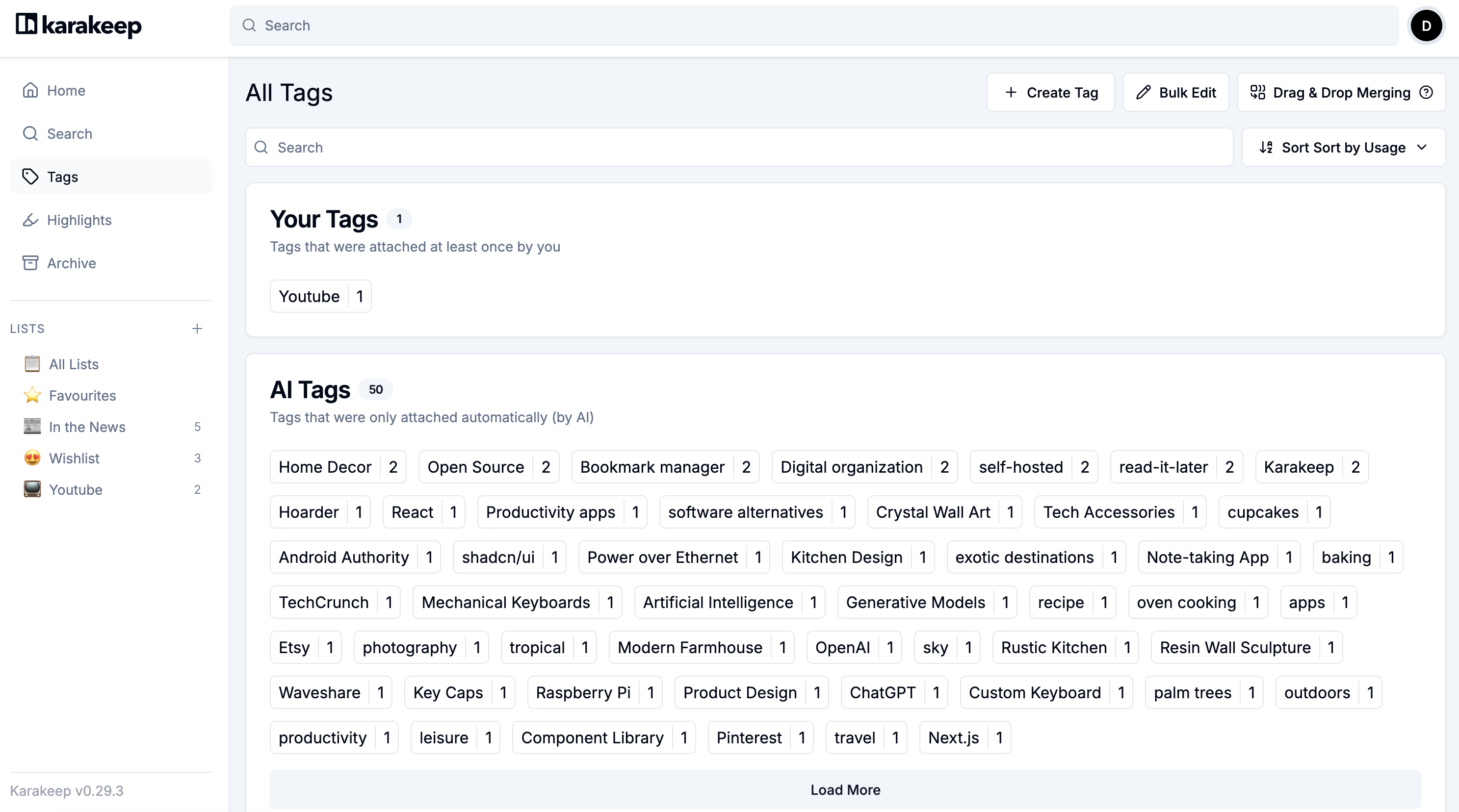
A tag is a lightweight label. One document might be relevant to installation, Docker and reference material at the same time. A list is a collection you choose, such as this week’s reading. One saved item can belong to multiple lists without saving a second copy of the bookmark. Tags · Lists
AI-generated labels may be broader or messier than the names you would choose. The official guidance suggests tags for broad discovery and lists for a clean, hand-picked set. I would start with one manual list and an exact search for its name. That creates a useful baseline before deciding whether AI classification helps.

The checked version is v0.34.1
The feature release v0.34.0 was published on October 17, 2026. It added automatic offline downloads of recent bookmarks and selected lists in the mobile app, along with improvements to mobile tag and list management. The release notes explain that mobile and extension updates pass through their respective stores, so a server release date is not proof that every store build is already available. Feature release
This article uses stable v0.34.1, published October 22, as its source baseline. It is a security update on top of v0.34.0, rather than another major AI feature launch. The related tutorial pins this maintenance version instead of pointing readers at the older feature build. v0.34.1 release
On October 23, 2026, the official GitHub API reported 29,917 stars and 1,592 forks. The v0.34.0 notes also attribute work to multiple contributors. GitHub API supplied these counts. These are dated observations of interest and public development activity. They are not a user count, a satisfaction score or a search-quality benchmark.
Where it runs, and what it costs
For self-hosting, the official installation guide uses Docker and Docker Compose. The running service is accessed through a browser. The project also links official iOS and Android apps and Chrome, Firefox and Safari extensions. Installing a mobile client should not be confused with creating the storage server it connects to. Official project · Docker installation
There is also a managed cloud offering. On the check date, its pricing page listed Free with 50 bookmarks and 100MB storage, and Pro at $4 per month or $40 per year with 50,000 bookmarks and 50GB. AI-powered tagging is explicitly listed under Pro; I have not assumed identical AI access on Free. These are the dollar amounts displayed by the official page; check the final payment terms before subscribing. Pricing
The self-hosted software is available under AGPL-3.0. That does not make hosting, storage, electricity or an optional external model API free. Local Ollama integration is another documented route, but still needs hardware capable of running the selected model. It is worth establishing the job you need before adding a new subscription or server.
AI tagging, summaries and agent access are separate choices
The configuration documentation says automatic tagging is skipped without a configured model provider. Automatic summarization has a separate setting and is off by default. Semantic search also involves embedding configuration. Do not treat a successfully saved bookmark as proof that all three AI-related functions are configured. Environment settings · AI providers
This is an application with verified AI features; I have not inferred that AI developed the application itself. There is also an official MCP server through which an agent can search, create, update or delete bookmarks. That integration is separate from automatic tagging and is unnecessary for the introductory task. MCP operations
Start by proving that you can find something again
Save three public documentation links, put them in a private manual list named reading-test, then retrieve one by its URL. Close the browser and repeat. If collecting material and rediscovering it is a recurring job, Karakeep has a concrete workflow to investigate. If you simply need a few familiar sites in a folder, browser bookmarks may already do enough. The Firefox comparison keeps the same small retrieval task in view.
More in this series
Sources & further reading
- https://github.com/karakeep-app/karakeep/blob/ebd122bb45b38d9dd45f7c6db55b5587bf6b1265/README.md
- https://github.com/karakeep-app/karakeep/blob/ebd122bb45b38d9dd45f7c6db55b5587bf6b1265/LICENSE
- https://github.com/karakeep-app/karakeep/releases/tag/v0.34.1
- https://github.com/karakeep-app/karakeep/releases/tag/v0.34.0
- https://karakeep.app/pricing/
- https://github.com/karakeep-app/karakeep/blob/ebd122bb45b38d9dd45f7c6db55b5587bf6b1265/docs/docs/02-installation/01-docker.md
- https://github.com/karakeep-app/karakeep/blob/ebd122bb45b38d9dd45f7c6db55b5587bf6b1265/docker/docker-compose.yml
- https://github.com/karakeep-app/karakeep/blob/ebd122bb45b38d9dd45f7c6db55b5587bf6b1265/docs/docs/03-configuration/02-different-ai-providers.md
- https://github.com/karakeep-app/karakeep/blob/ebd122bb45b38d9dd45f7c6db55b5587bf6b1265/docs/docs/03-configuration/01-environment-variables.md
- https://github.com/karakeep-app/karakeep/blob/ebd122bb45b38d9dd45f7c6db55b5587bf6b1265/docs/docs/04-using-karakeep/bookmarking.md
- https://github.com/karakeep-app/karakeep/blob/ebd122bb45b38d9dd45f7c6db55b5587bf6b1265/docs/docs/04-using-karakeep/lists.md
- https://github.com/karakeep-app/karakeep/blob/ebd122bb45b38d9dd45f7c6db55b5587bf6b1265/docs/docs/04-using-karakeep/tags.md
- https://github.com/karakeep-app/karakeep/blob/ebd122bb45b38d9dd45f7c6db55b5587bf6b1265/docs/docs/04-using-karakeep/search-query-language.md
- https://github.com/karakeep-app/karakeep/blob/ebd122bb45b38d9dd45f7c6db55b5587bf6b1265/docs/docs/05-integrations/03-mcp.md
- https://github.com/karakeep-app/karakeep/blob/ebd122bb45b38d9dd45f7c6db55b5587bf6b1265/apps/web/lib/i18n/locales/en/translation.json
- https://github.com/karakeep-app/karakeep/blob/ebd122bb45b38d9dd45f7c6db55b5587bf6b1265/apps/web/components/dashboard/lists/EditListModal.tsx
- https://github.com/karakeep-app/karakeep/blob/ebd122bb45b38d9dd45f7c6db55b5587bf6b1265/apps/web/components/dashboard/bookmarks/ManageListsModal.tsx
- https://github.com/karakeep-app/karakeep/blob/ebd122bb45b38d9dd45f7c6db55b5587bf6b1265/apps/web/components/dashboard/bookmarks/BookmarkOptions.tsx
- https://support.mozilla.org/en-US/kb/bookmarks-firefox
- https://api.github.com/repos/karakeep-app/karakeep