Karakeep or Firefox bookmarks: how much organization do you need?
Compare the documented storage, retrieval, setup, compatibility and automation paths using the same three public links.
Last updated
Menus and supported features can change. Compare the source-check date below with your current app version.
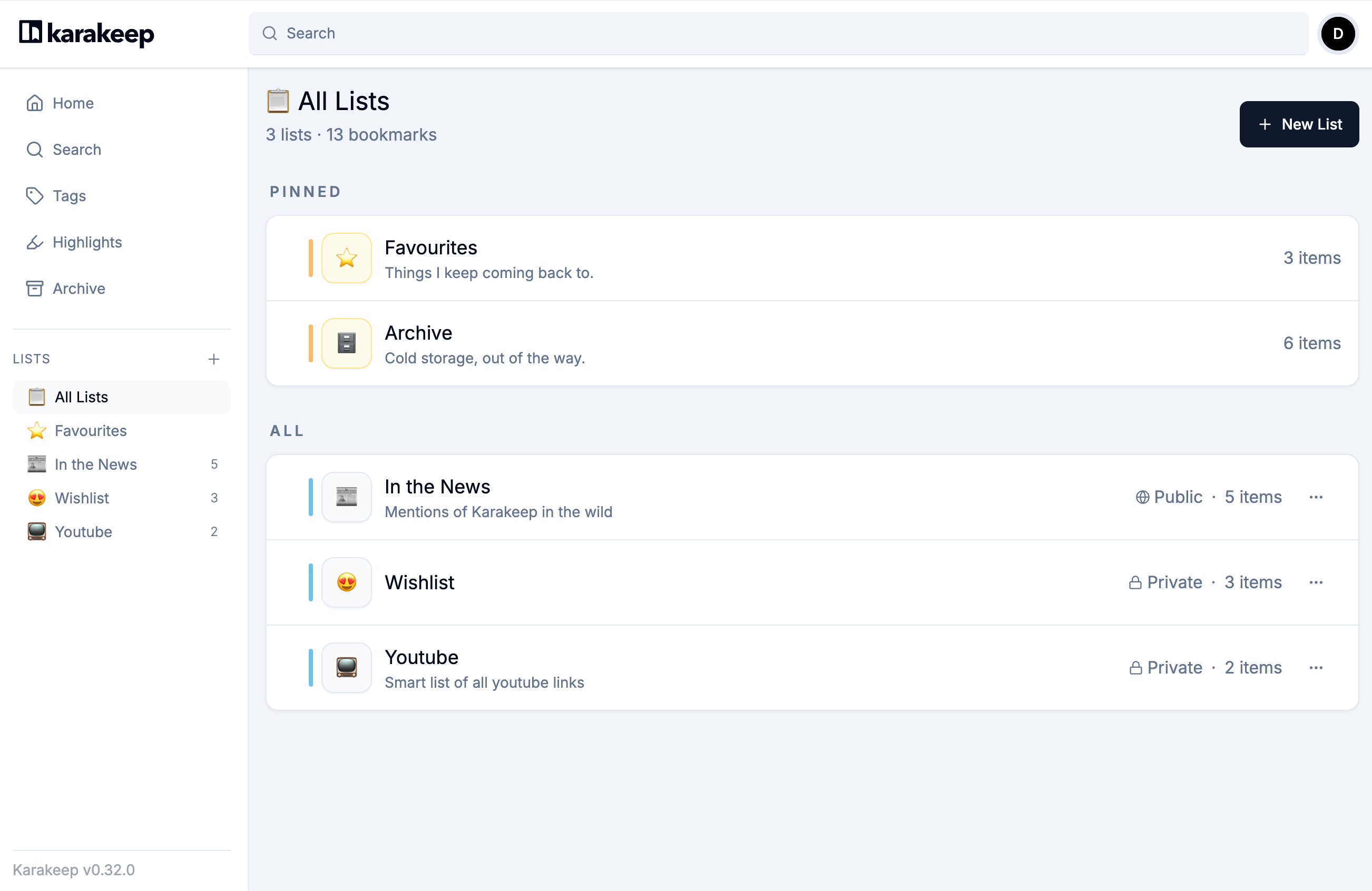
Do you need to run another service just to reopen a web page later? That is the useful question to ask before choosing Karakeep. Saving a familiar URL and rediscovering material through its content can lead to different requirements.
This is a documentation comparison between Karakeep v0.34.1 and Mozilla’s guide to Firefox’s built-in bookmarks. I have not added matched links to both applications or measured their speed or accuracy. No particular installed Firefox version or extension setup was tested.
Give both tools the same small job
The inputs are the public Karakeep Bookmarking, Lists and Tags documentation URLs. Put the three links in a collection named reading-test, then later find the Tags page and open its original URL. The tutorial supplies the exact addresses.
Matching the inputs matters. Three clearly titled public pages on one side and hundreds of authenticated pages on the other would mix product differences with input differences. Begin with public documents, then extend the exercise to the material you actually collect.
Built-in bookmarks already handle useful organization
Mozilla documents saving a page with the address-bar star, editing its name, location and tags, and organizing bookmarks through the Library. It also describes address-bar bookmark search. Folders and tags alone therefore do not establish a need for Karakeep. Firefox bookmark documentation
If you remember site names and mainly reopen a few links from folders, the existing browser is a simple starting point. There is no additional storage server or model provider to configure for that job. If you remember words from the content rather than a page title, or need notes and files alongside links, Karakeep’s broader saved-item model becomes more relevant.
Compare six practical questions
| Question | Documented Karakeep route | Documented Firefox bookmark route |
|---|---|---|
| Result | Links, text and media items organized through lists and tags | Saved page links organized by name, folder and tags |
| Time | Record server preparation, fetching, AI processing and corrections separately | Record saving, organization and retrieval separately |
| Compatibility | Check the web service and its official mobile and extension clients | Check the browser’s built-in bookmark and export paths |
| Friction | Service operation, fetch failures and unsuitable AI labels can add work | Inspect the effort of choosing names, folders and tags manually |
| Automation | Optional AI classification, rules, RSS, APIs and MCP | This comparison covers documented basic saving and management |
| Audience | People collecting several material types and repeatedly searching their content | People organizing familiar links with minimal setup |
There are no timing numbers in the table because no timings were measured. It does not establish faster retrieval, better accuracy or a percentage reduction in filing work. Karakeep scope · Search conditions

Judge AI labels by whether they help you return
Karakeep requires a configured model provider for automatic tagging. The useful question is whether its labels help you find something later, rather than how many labels appear. If similar terms or mixed languages create more cleanup, record that effort too. The official tag guidance recommends broad discovery through tags and deliberately selected collections through manual lists. Tags · Inference settings
Semantic search also involves an embedding model. Embeddings are numerical representations used to find related content; they are not the same setting as automatic tags. The provider guide warns that changing the embedding model or dimensions requires regenerating embeddings for the saved collection. Provider and embedding configuration
Retrieving one of three documents with an exact URL condition is a useful baseline. It does not establish performance on long Korean PDFs or a large semantic-search library. That needs a separate matched test with known target documents and recorded misses.
A URL, readable content and an archive are different results
A saved link is not the same thing as successfully fetched reader content or a complete offline archive. Karakeep documents configured archival features and attachments, but those should not be assumed to exist for every saved URL. If surviving changes to the original page matters, inspect the actual saved attachment or archive. Bookmark content and attachments
Ask the same practical question of your current workflow: do you need a link to reopen, or the contents preserved as well? This article has not verified lossless transfer of every note, attachment or archive between Firefox and Karakeep.
Separate the software price from operating costs
The self-hosted AGPL-3.0 software runs on infrastructure you provide. Hosting, storage and an optional external model API remain separate cost decisions. On the check date, the official cloud pricing page listed Free with 50 bookmarks and 100MB, and Pro at $4 monthly or $40 yearly. Those are the official page’s displayed dollar amounts. Pricing
MCP is another optional integration: it lets an agent search, create, update and delete bookmarks. Its presence does not make it necessary for a first three-link collection. This comparison confirms the documented operations; it does not connect an account or exercise those permissions. MCP operations
What would count as a completed comparison?
Save the same three URLs in both tools, organize them, close the browser and return. Check whether the intended document opens at the original URL, whether it is confused with another item, and how many names or labels you corrected. Record Karakeep’s setup and processing waits separately from later retrieval.
Completion means the three links are stored, the intended document can be found and opened, and the task still works after returning. If AI classification is enabled, add a separate observation of whether its labels helped. I would start with built-in bookmarks for a small familiar link set and investigate Karakeep when collecting and rediscovering mixed material is the recurring job.
More in this series
Sources & further reading
- https://github.com/karakeep-app/karakeep/blob/ebd122bb45b38d9dd45f7c6db55b5587bf6b1265/README.md
- https://github.com/karakeep-app/karakeep/blob/ebd122bb45b38d9dd45f7c6db55b5587bf6b1265/LICENSE
- https://github.com/karakeep-app/karakeep/releases/tag/v0.34.1
- https://github.com/karakeep-app/karakeep/releases/tag/v0.34.0
- https://karakeep.app/pricing/
- https://github.com/karakeep-app/karakeep/blob/ebd122bb45b38d9dd45f7c6db55b5587bf6b1265/docs/docs/02-installation/01-docker.md
- https://github.com/karakeep-app/karakeep/blob/ebd122bb45b38d9dd45f7c6db55b5587bf6b1265/docker/docker-compose.yml
- https://github.com/karakeep-app/karakeep/blob/ebd122bb45b38d9dd45f7c6db55b5587bf6b1265/docs/docs/03-configuration/02-different-ai-providers.md
- https://github.com/karakeep-app/karakeep/blob/ebd122bb45b38d9dd45f7c6db55b5587bf6b1265/docs/docs/03-configuration/01-environment-variables.md
- https://github.com/karakeep-app/karakeep/blob/ebd122bb45b38d9dd45f7c6db55b5587bf6b1265/docs/docs/04-using-karakeep/bookmarking.md
- https://github.com/karakeep-app/karakeep/blob/ebd122bb45b38d9dd45f7c6db55b5587bf6b1265/docs/docs/04-using-karakeep/lists.md
- https://github.com/karakeep-app/karakeep/blob/ebd122bb45b38d9dd45f7c6db55b5587bf6b1265/docs/docs/04-using-karakeep/tags.md
- https://github.com/karakeep-app/karakeep/blob/ebd122bb45b38d9dd45f7c6db55b5587bf6b1265/docs/docs/04-using-karakeep/search-query-language.md
- https://github.com/karakeep-app/karakeep/blob/ebd122bb45b38d9dd45f7c6db55b5587bf6b1265/docs/docs/05-integrations/03-mcp.md
- https://github.com/karakeep-app/karakeep/blob/ebd122bb45b38d9dd45f7c6db55b5587bf6b1265/apps/web/lib/i18n/locales/en/translation.json
- https://github.com/karakeep-app/karakeep/blob/ebd122bb45b38d9dd45f7c6db55b5587bf6b1265/apps/web/components/dashboard/lists/EditListModal.tsx
- https://github.com/karakeep-app/karakeep/blob/ebd122bb45b38d9dd45f7c6db55b5587bf6b1265/apps/web/components/dashboard/bookmarks/ManageListsModal.tsx
- https://github.com/karakeep-app/karakeep/blob/ebd122bb45b38d9dd45f7c6db55b5587bf6b1265/apps/web/components/dashboard/bookmarks/BookmarkOptions.tsx
- https://support.mozilla.org/en-US/kb/bookmarks-firefox
- https://api.github.com/repos/karakeep-app/karakeep