Gemini CLI: Documentation comparison
Gemini CLI v0.65.0 is an open-source AI agent that brings Gemini models directly into your terminal for code manipulation, file operations, and MCP extension.
Last updated
Menus and supported features can change. Compare the source-check date below with your current app version.
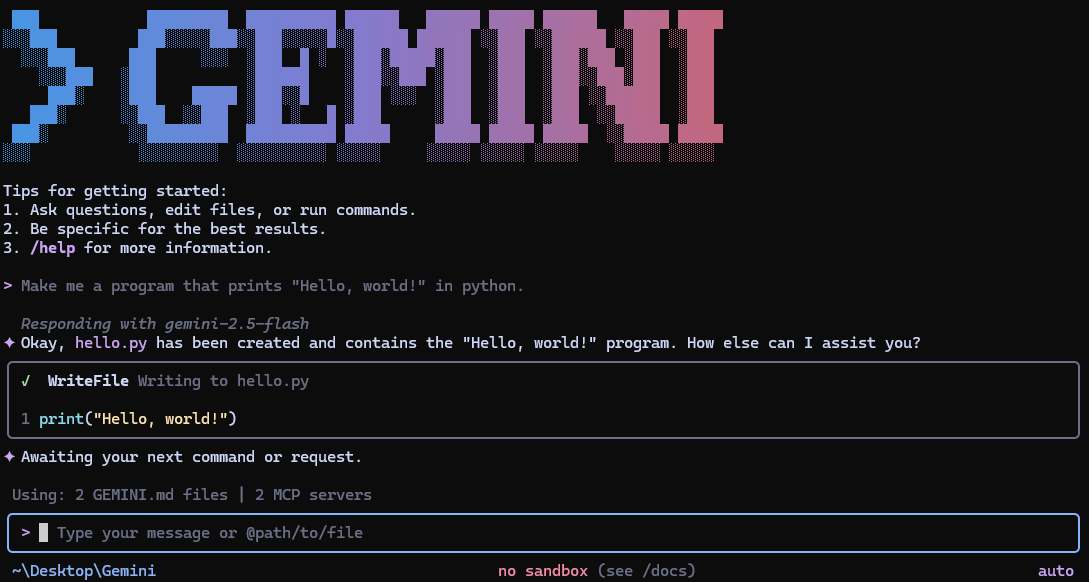
This comparison uses official documentation for Gemini CLI v0.65.0 and Aider. The selected Gemini CLI release was published on October 20, 2026 (UTC), and the documents were checked on October 21, 2026 D1. We have not run either product for this article; the workflow below is a proposed comparison, not a set of results.
Which differences are actually documented?
Gemini CLI’s README presents an open-source agent that brings Gemini into a terminal, with file tools, shell commands, Google Search grounding and MCP extensions F1, D2. It also describes Google sign-in and model access conditions. Those features provide the starting points for this comparison, rather than evidence of measured performance.
Aider’s README describes terminal pair programming, a map of the codebase and Git integration for tracking changes F6, F8, D3. Its description of repository mapping is the developer’s explanation of a feature. It is not our observation that Aider performed better on a large project. Both products use terminal workflows, but their feature lists do not prove that their interfaces or output formats are interchangeable.
Read the release changes within their stated scope
Gemini CLI can connect additional tools through MCP D2. The selected v0.65.0 release also includes a fix for read-only workspace settings in untrusted folders F2. Keep the scope of that change clear: a workspace-setting fix is not a guarantee that every source file is protected from writing during every run.
The release notes list changes to resumed sessions, directory-reference reading and extension loading D1. They explain why this is a meaningful release to inspect, but we have not measured the impact of those changes. The README also cautions that preview releases may contain regressions or outstanding issues F5. Check the installed version and release channel before trying to reproduce a documented workflow.
My editorial choice starts with the task
Based on the documentation, I would first consider Gemini CLI when the task is to ask a code-structure question from a script and receive JSON output. The README explicitly documents non-interactive execution and the JSON output flag F7. That is a documented integration route, not a claim that its responses are more accurate or faster.
If the work instead centers on code changes tracked through Git, I would also read Aider’s Git and repository-map explanations D3. That is an editorial choice criterion. Model availability, account conditions and the actual repository still need to be checked before adopting either product. We have no measured token-use, timing or extension-reliability comparison to report.
Compare output, time and compatibility
For output, check whether an explanation refers to real files and accurately describes module relationships. Gemini CLI documents JSON output; the fetched Aider README does not establish an identical JSON flag or schema F7, D3. A missing detail in the sources is a gap to investigate, rather than proof that the other product cannot support it.
Time is unmeasured here. Record it only during an actual equal-input run, alongside the chosen model and environment, before drawing a speed conclusion. For compatibility, check the operating system and terminal you will use, the model connection and whether downstream software can read the captured response. README feature lists alone do not establish full platform or output-format parity.
Use the same input and define completion first
Prepare the same repository commit and the same file scope for both tools. Record the application version, model and authentication route as well. The Aider documentation in this series is pinned to source commit 5dc9490bb35f9729ef2c95d00a19ccd30c26339c; this is a source reference, not a firsthand test record for an Aider release D3.
Use this exact shared example input in both products:
Explain the architecture of this codebase.On the Gemini CLI side, the documented -p and --output-format json options can be combined with shell redirection to capture architecture.json F7. That file is terminal output saved by the shell, not an application-native project file. On the Aider side, begin with its documented project-folder and model-connection workflow D3. Do not assume that the same Gemini CLI flags work in Aider.
The expected Gemini CLI result is JSON-formatted output with an explanation of the code structure. For completion, reopen the file, check JSON validity and compare its named paths and module roles with the real code. Check the working files for unexpected changes separately. Before calling the comparison complete, confirm that both responses addressed the same question and file scope. We have no actual response or elapsed-time record to publish.
Consider friction, automation and audience
For friction, I would inspect account setup and response handling first. Gemini CLI documents personal Google sign-in; Aider’s README provides model-specific key examples D2, D3. Access limits or authentication failures need to be resolved for the selected model route. If the task is simply to read one short file, opening it directly is another sensible baseline.
For automation, Gemini CLI explicitly documents non-interactive prompts and JSON output F7. Aider describes automatic Git commits and lint/test integration D3. These are documented capabilities, not equivalent automation benchmarks. For audience, my editorial assessment is to investigate Gemini CLI’s output workflow for scripted explanations, and Aider’s workflow for code changes managed with Git. Neither choice establishes a universal winner.
Keep application and model costs separate
Gemini CLI is an open-source application, while model access follows the chosen account or service route. The pinned README lists a personal Google account tier of 60 requests per minute and 1,000 requests per day F3. API-key and Vertex AI access have their own conditions D2. Verify the current terms for the account you will actually use.
Likewise, a model connection supported by Aider does not establish that the provider’s inference is free D3. This documentation comparison reports no measured cost per task. A useful completed trial would retain both responses, their environment details, verified file handling and observed usage, so that a later comparison can discuss actual results instead of filling gaps with assumptions.
Original BumbleV reading guide illustration; not a product screenshot or a result from our testing. Official release behind this illustration · CC BY 4.0 · 2026-10-21

Sources & further reading
- https://github.com/google-gemini/gemini-cli/releases/tag/v0.65.0
- https://raw.githubusercontent.com/google-gemini/gemini-cli/6006c14a4decfe4b891c6263ad6ad5992e404b5b/README.md
- https://raw.githubusercontent.com/Aider-AI/aider/5dc9490bb35f9729ef2c95d00a19ccd30c26339c/README.md
- https://api.github.com/repos/google-gemini/gemini-cli