Why does my AI character keep changing? Start with a reference sheet
What making app artwork, games and videos taught us about consistent AI characters: create a visual reference, reuse it in scene requests and reduce repeated corrections. Includes copyable prompts.
Last updated
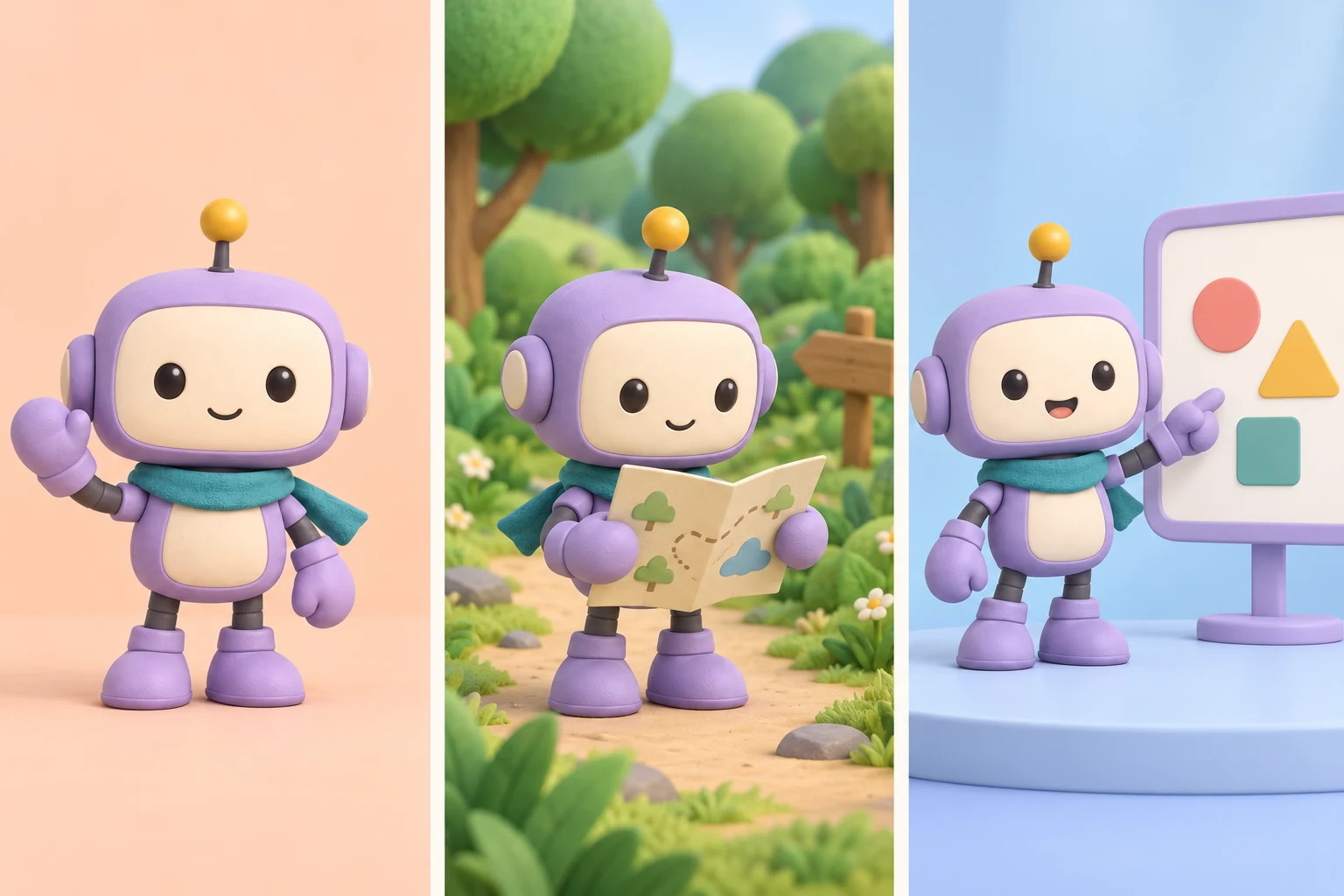
You like the first picture. Then you put the next scene beside it and something feels unfamiliar. The face has different proportions, the eyes have moved, or the artwork has drifted into another style. Each picture may look good on its own, yet the sequence feels disconnected.
Making artwork for apps, games and videos taught us that liking one image and recognizing the same character across several images are different problems. As scenes multiply, so does the work of describing decisions again and comparing new results with earlier ones.
A useful response is to settle the character’s appearance first and retain an image that later work can refer to. This article shares the method we took from that experience. The robot and prompts are new fictional examples for readers; they do not reveal private projects or reproduce our conversations.
The cover is an educational illustration generated as one image containing three scenes, with the reference sheet below supplied as an input. It is not an app screenshot, game capture or frame from a published video.
A reference sheet records what the character looks like
A character reference is a visual guide to appearance. Bringing different views and expressions together creates what artists often call a character sheet.
“A small, cute purple robot” leaves many decisions open. Round and square heads can both fit that description. Supplying an approved image and a short list of features to preserve gives the next request a more specific visual starting point.
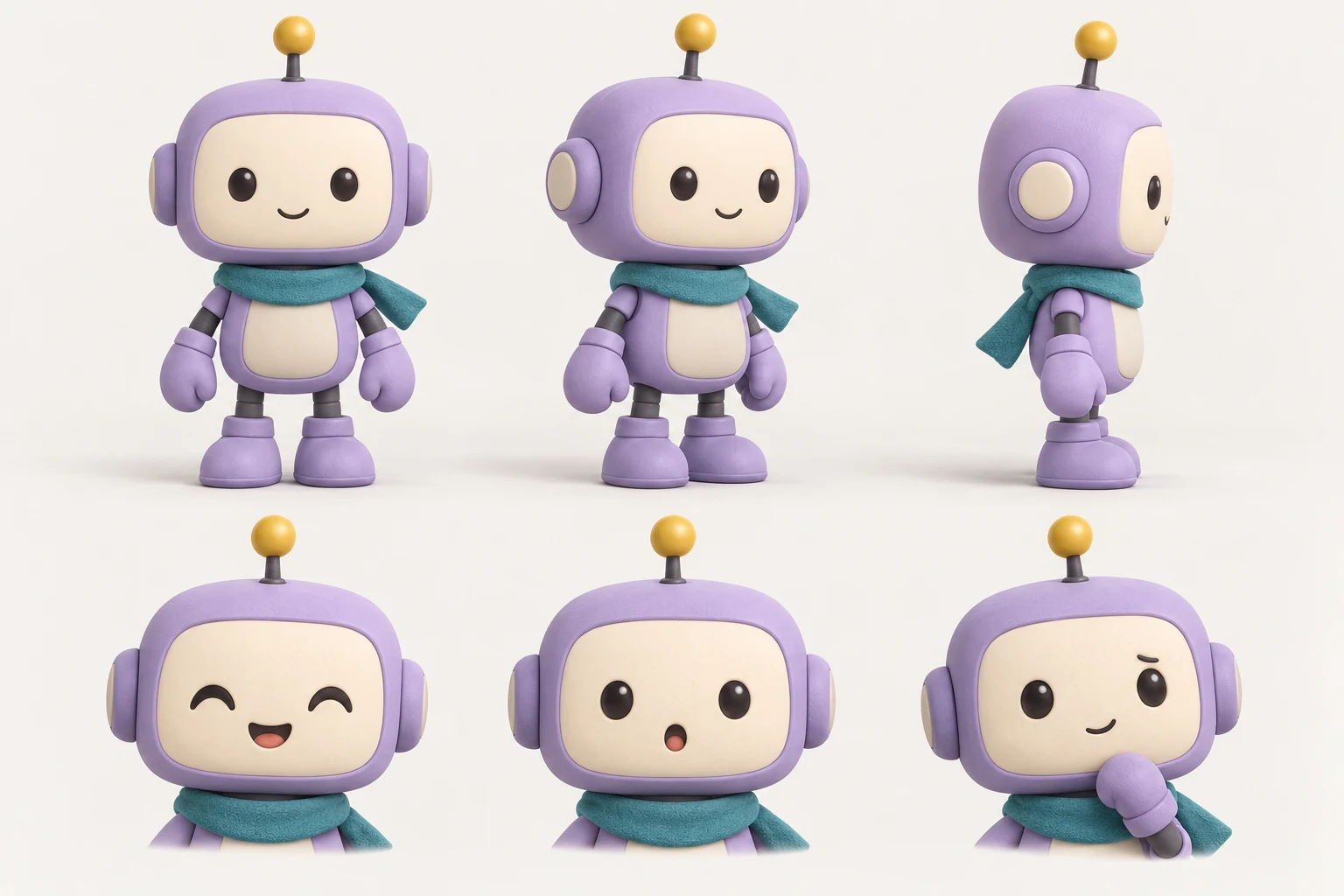
A reference does not guarantee identical results. OpenAI’s image generation documentation acknowledges that recurring characters can lose visual consistency across generations. Use the reference as a common basis for creation, comparison and correction.
Why consistency matters in apps, games and videos
A character helps connect separate screens or scenes. A familiar guide can make different app screens feel related. A game character needs to remain recognizable when its expression or direction changes. Video viewers need to follow who is appearing as the scene changes.
There is a production benefit too. Once appearance is settled, the next scene can be judged mainly on its action, emotion and setting. You spend less attention choosing the face again.
| What you are making | Establish first | What may change between scenes |
|---|---|---|
| An app guide | Face, palette, proportions and basic style | Expressions and poses for welcome, success and help screens |
| A game character | Appearance, clothing, viewpoint and scale | Actions, direction and appropriate expressions |
| A YouTube character | Face, clothing, distinctive props and style | Scripted actions, camera framing and location |
Separating appearance from scene direction also makes requests clearer. If a story needs different clothing, specify that change while naming the features that should carry through.
1. Choose the main design before expanding the sheet
You can start with one image. A front view showing the whole character, or a clear view of its face and clothing, is often enough to decide whether the design is right.
Keep the setting simple so lighting and elaborate poses do not hide its shape or colors. Check eye spacing, head-to-body proportions, clothing and defining accessories. If the character will appear small, inspect a reduced view as well.
Once you approve the design, add the views and expressions the project needs. A side view helps when the character turns; dialogue scenes may need several expressions. If the views disagree, correct them before adopting the sheet. Sharing a page does not automatically make the designs consistent.
Copyable example 1 · Create the character and reference sheet
If you already have an original character, attach it and ask for a sheet that preserves its appearance. Check your rights and permitted uses when supplying someone else’s artwork.
2. Give each input image a specific job
Several attachments can still be ambiguous. Say which image defines the character, which demonstrates the pose and which provides the setting.
| Input | Its role in the request |
|---|---|
| Approved character sheet | Defines face, body, palette and clothing |
| Pose photograph or sketch | Shows limb positions and body direction |
| Background or mood example | Guides setting, lighting or composition |
Limit the pose reference to the pose so its face and clothing do not become part of the character. If references conflict, say that the approved sheet takes priority for appearance.
Also, saving a reference file and giving an AI access to it are separate steps. In a new chat or another tool, attach the image again or connect it through a supported image input. A filename by itself does not deliver the picture.
3. Describe both what stays and what changes
For a new scene, supply the approved image and describe the action you need. Google’s image generation guide recommends including previous generated images when requesting other angles, with a pose reference for complex positions.
The transferable lesson from our work is to carry settled decisions into the next task. A current reference and a short appearance note are easier to use than a decision buried somewhere in a long conversation.
Copyable example 2 · Make the next scene
Keep the approved original as the main reference. If you pass only the latest derivative from one request to the next, small changes can become the next starting point. Add useful scenes or poses as supporting inputs while retaining the original design for comparison.
4. Supply the reference again when correcting a scene
If the face needs fixing but the background changes too, you have more to inspect. Attach both the approved reference and the current result. Name the visible difference and the parts that should remain.
Copyable example 3 · Bring appearance back to the reference
A local edit can affect nearby details, so inspect the result again. The request establishes the intended scope and gives you a basis for checking what actually changed.
How much repetitive work can this remove?
The main target is making the same design decisions again for each scene. Without a shared reference, each new picture can reopen questions about the face, colors and clothing. With one, you reuse decisions and inspect deviations.
Consider a hypothetical sequence of 8 scenes. Designing each character independently could mean deciding the same appearance details in 8 places. Approving a main design first concentrates those decisions in the reference. All 8 scenes still need review, but you have less reason to repeat the original description and preference choices from scratch.
| Work that tends to repeat | How the workflow changes |
|---|---|
| Describing face and clothing at length | Reuse the image and short preservation notes. |
| Searching again for the desired style | Compare new work against the shared reference. |
| Carrying accidental changes into later scenes | Return to the approved original. |
| Generating the character for every finished screen | Check whether an approved asset can be reused directly. |
| Finding the latest design among many results | Retain the reference version and input filenames. |
This example describes the work structure; it is not a measured saving from our production. Creating and reviewing a reference takes time too. Repeated appearances provide more opportunities to reuse that preparation than a single illustration does.
To measure the effect in your own work, record generation attempts per usable scene, correction time and the reasons appearance forced a remake. Compare similar scene difficulty under the same tool conditions.
Turning the images into app, game or video assets
For apps, keep character artwork separate from buttons and text. Save approved welcome, success and help illustrations as assets. Reusing the same file preserves that asset’s appearance without generating it again whenever a screen changes.
For games, a reference sheet still needs to become usable assets. Viewpoint, frame size and the point where feet meet the ground must support the intended movement. For precise animation, consider approved sprites or a 2D or 3D character with an animation rig. The reference itself is not a finished animation or 3D model.
For YouTube, approve the still scene before moving into video. Adding motion can introduce new changes to faces, clothing and hands. Review the finished video at its beginning, middle, ending and scene transitions. Check that captions and portrait cropping leave important features visible.
Character consistency and correct action require separate checks. The same face can appear alongside a hand that does not hold its prop correctly or an arm that connects unnaturally.
Leave a small package for the next task
Keep the approved sheet, a short list of defining features, usable expressions or poses, and final assets together. Give design revisions clear versions. Names such as character-reference-v1.png and character-reference-v2.png help explain which appearance a result should follow. These are example storage names, not commands that automatically make an AI read the files.
Before requesting another scene, check that the reference is actually attached, the changed action is clear and the intended display size is specified. Create the scene, compare it with the reference, then place the approved file into the app or video.
One lesson from making these materials is that a small visual guide can become the starting point for the next task. Carrying the character forward leaves more attention for what that character needs to show.
For a broader way to organize goals and acceptance checks, read our practical guide to asking AI to do the work.