Buzz: turn a recording into text and subtitle files
A beginner’s introduction to the open-source Buzz app, with real screens, local Whisper transcription, output formats and practical limits.
Last updated
Menus and supported features can change. Compare the source-check date below with your current app version.
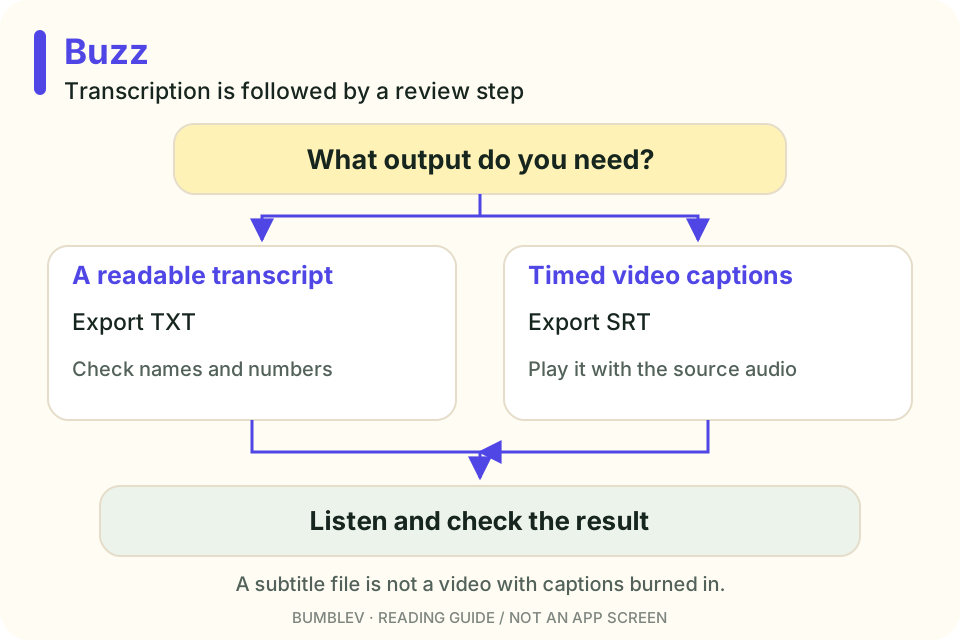
Recording something is only the start if you still need a readable transcript. Subtitles add another job: matching words to time. Buzz is a desktop app worth exploring for the first draft of that work.
I checked the official sources for v1.4.5, released August 23, 2026. I did not transcribe a recording for this article or measure accuracy. All interface images are credited upstream examples.
A screen around speech-recognition tools
Whisper is a speech-recognition model. Buzz supplies screens for choosing media, a task, a language and a model, then reviewing the result. You can examine that workflow without first learning a model’s command-line interface. Buzz overview
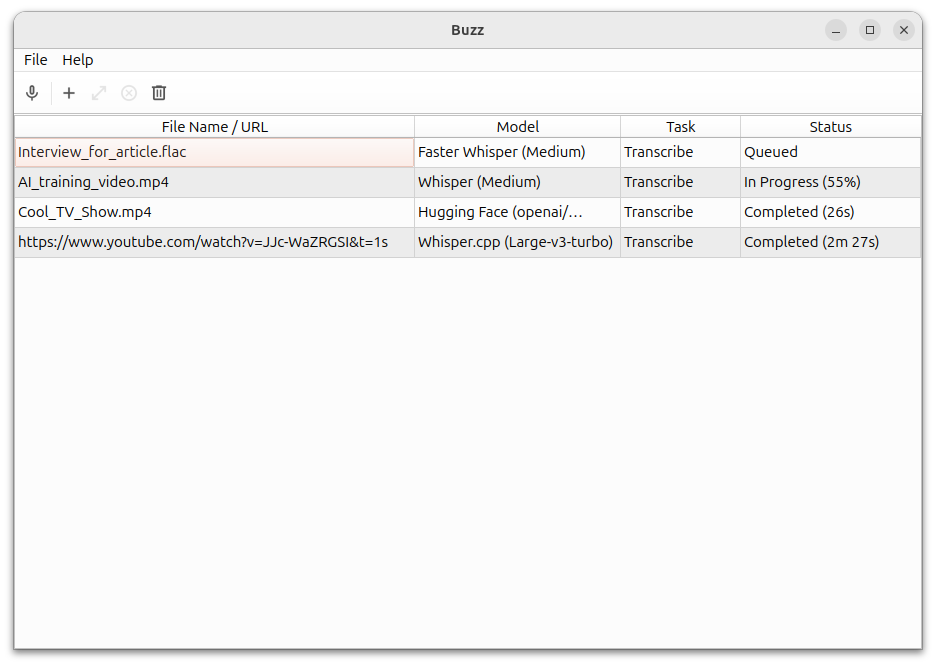

Buzz supports more than one backend, including Whisper and Whisper.cpp. For a first attempt, I would choose one suitable local model and a short recording I can check. A larger download is not a guarantee of error-free transcription.
Choose the output for the job
| Format | Useful for | What to check next |
|---|---|---|
| TXT | Notes, draft articles and searchable records | Words and numbers against the recording |
| SRT | Timed video subtitles | Playback sync and readable segment lengths |
| VTT | Timed captions for web workflows | Display in the intended player |
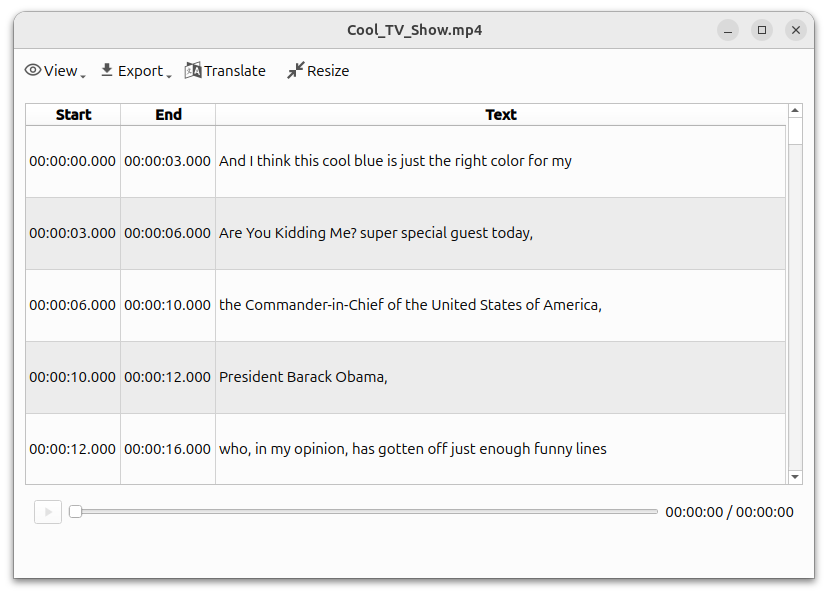
An SRT file is not a new MP4 with subtitles burned into it. It contains text and timing. Font, color and screen position still belong to the editor or player used for the final video. Import and export guide

Transcribing is different from translating
For Korean speech to Korean text, select Transcribe and Korean. The native Translate to English task serves a different purpose. Do not read the word “translate” as a promise to produce any target language without additional setup. Task and language settings
The import guide recommends selecting a known spoken language rather than relying on automatic detection. It also describes an Initial prompt for commonly misspelled terms. That gives recognition context; it is not a general instruction to rewrite the recording into whatever you want it to say. Import settings
One installation detail worth catching early
The GitHub Windows download for v1.4.5 consists of one EXE and two BIN files. Its release instructions say to download all three before running the installer. Downloading only the EXE is an easy way to get stuck. Release instructions
This release supplies separate Intel and Apple Silicon Mac DMGs. Later development documentation changes the support guidance, so match instructions to the version you actually download. Linux users also have documented Flatpak and Snap routes. Version-pinned installation guide
What I would expect from a local first draft
Buzz describes offline transcription, but also offers an external API backend and optional extensions. Our tutorial uses a local model and a local recording. The first model download needs internet access; external APIs and extensions have their own data paths and possible charges. Features · Backends
I would always check names, amounts and dates against the original. Those details can change the meaning more than a minor punctuation choice. For subtitles, I would also watch the beginning, middle and end with the recording, because accurate words can still appear at awkward times.
The application code is MIT-licensed. Its useful role is reducing first-pass typing while keeping the final check visible. The companion tutorial goes from a short self-recorded sample to TXT and SRT files that you can reopen and use elsewhere.
Transcription is not the same as meeting notes
Turning spoken words into text differs from extracting decisions and action items. Buzz lists extensions, but our local transcription exercise does not establish that every summary feature is included or configured.
Word-level timings are another separate choice. The guide explains that this can generate one subtitle per word, with Resize used to combine them later. Begin with ordinary segments if rapid word changes are not what you want.
Speaker-identification support also does not establish a speaker’s real identity. If attribution matters, listen and check it. That is another reason our first exercise uses one clear voice.
Continue with this tool
Sources & further reading
- https://github.com/chidiwilliams/buzz/releases/tag/v1.4.5
- https://github.com/chidiwilliams/buzz/blob/aaf98634cd354be207e00cc5aaa1bfbd9e19cf22/README.md
- https://github.com/chidiwilliams/buzz/blob/aaf98634cd354be207e00cc5aaa1bfbd9e19cf22/LICENSE
- https://github.com/chidiwilliams/buzz/blob/aaf98634cd354be207e00cc5aaa1bfbd9e19cf22/docs/docs/installation.md
- https://github.com/chidiwilliams/buzz/blob/aaf98634cd354be207e00cc5aaa1bfbd9e19cf22/docs/docs/usage/1_file_import.md
- https://github.com/chidiwilliams/buzz/blob/aaf98634cd354be207e00cc5aaa1bfbd9e19cf22/docs/docs/usage/2_live_recording.md
- https://github.com/chidiwilliams/buzz/blob/aaf98634cd354be207e00cc5aaa1bfbd9e19cf22/docs/docs/usage/4_edit_and_resize.md
- https://github.com/chidiwilliams/buzz/blob/aaf98634cd354be207e00cc5aaa1bfbd9e19cf22/docs/docs/usage/6_transcription_viewer.md
- https://github.com/chidiwilliams/buzz/blob/aaf98634cd354be207e00cc5aaa1bfbd9e19cf22/docs/docs/cli.md
- https://github.com/openai/whisper/blob/86098128c0b4f24f0e2aa2994de830614b474227/README.md