Buzz or Whisper directly: compare the whole transcription job
Compare Buzz’s interface with direct Whisper use, including a shared recording, output checks, correction time and automation needs.
Last updated
Menus and supported features can change. Compare the source-check date below with your current app version.
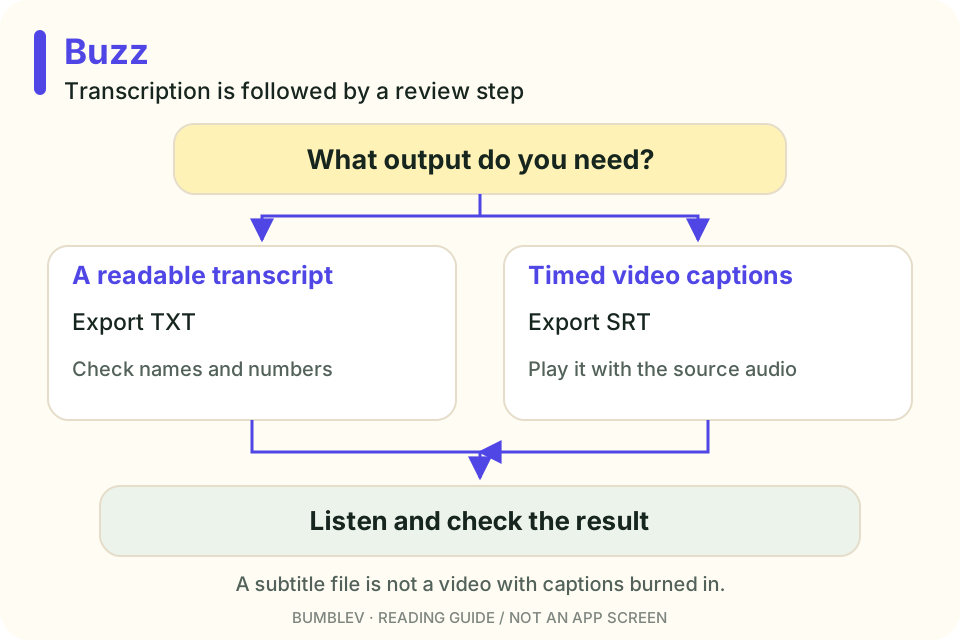
Before asking whether Buzz is more accurate than Whisper, separate the two roles. Whisper is a recognition model. Buzz is an application that can use speech-recognition backends. They are not simply two competing models.
This article uses Buzz v1.4.5 and the official Whisper README. I did not run a matched audio benchmark, so there are no measured speed or accuracy rankings here.
The first difference is how you work
Buzz offers import controls, task and language settings, a job list, a transcript viewer and exports. The Whisper repository documents installation and command-line/Python usage, with dependencies including FFmpeg. Buzz import · Whisper setup
| Part of the job | Buzz | Direct Whisper |
|---|---|---|
| Provide a file | Menu or + control | Command or code |
| Record settings | Note the selected engine, model and language | Keep the command or script |
| Review output | Timeline, playback and editing interface | Output files and appropriate review tools |
| Repeat jobs | CLI and watch-folder paths also exist | Call it from a script |
| First-time user | Inspect a recording through the interface | Suitable if environment setup is familiar |
Buzz has a CLI too, so it is not accurate to say it cannot be automated. Equally, a working command does not supply file management and failure recovery automatically. Buzz CLI
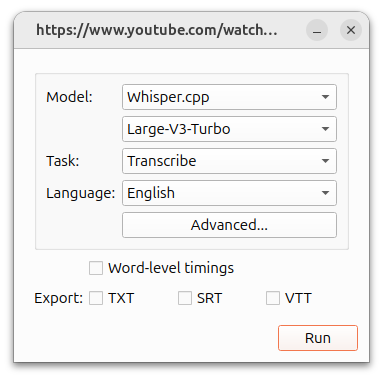

Use a matched recording
Use the tutorial’s fictional recording in both paths. It includes a date and time, Community Room B, a laptop and charger, 30,000 won and six snacks.
Match the model type/size, spoken language and Transcribe task where possible. Record any differences in backend or model. Do not compare a translated English output against a Korean transcription as though they were the same task.
| Check | Record |
|---|---|
| Recognition | Missing words and changed dates, places, amounts or counts |
| Time | Setup/download, inference and correction separately |
| Compatibility | Readable TXT and SRT import/timing |
| Friction | Steps from import through correction and saving |
| Automation | Repeated files, failures and original-media retention |
| Audience | Someone reviewing a few files or building a repeated pipeline |
Correction time belongs in the result. A slightly faster first pass is less useful if you repeatedly repair names and figures afterward. This is a proposed record sheet, not a benchmark we have completed.
Subtitle quality includes timing
Buzz’s viewer shows start/end times and text. Its Resize feature changes segmentation, with different options depending on word-level timing. Record those choices as part of any comparison. Editing and resize · Viewer
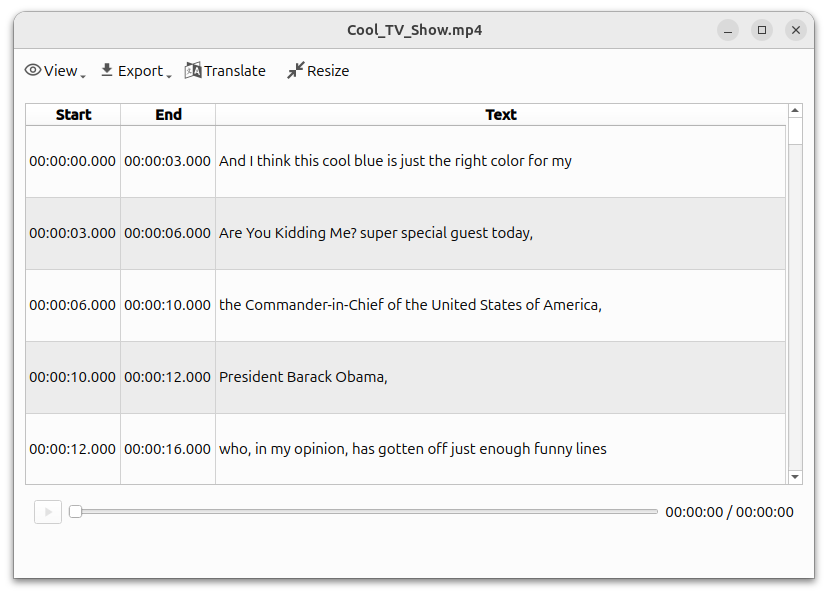

TXT suits reading; SRT carries timing. Neither automatically becomes a styled video. Reopening the output in the editor or player you use is part of checking compatibility.
Where I would begin
For one recording I want to inspect and correct immediately, I would look at the desktop interface first. For a workflow that already uses Python and keeps receiving files, I would inspect direct programmatic access as well. Buzz’s own CLI means there may be no reason to replace a familiar application.
Local models need an initial download and computer resources. Choosing Buzz’s external API backend introduces that provider’s costs and processing path. An MIT application license does not make every optional service free or offline. Supported backends
One recording is enough to start making the decision concrete. Check the names and numbers, export a caption file and see how much work remains before you can actually use it.
Keep a small answer key
Separate spelling choices from changed meaning. “Thirty thousand won” and “30,000 won” can be equivalent; “three thousand” is a different fact. A written answer key makes that distinction easier to apply.
Check omitted speech and the final subtitle too. After a clear single-speaker sample, you can add recordings with noise or overlapping voices. Changing the audio and every model setting together makes the cause of a difference harder to understand.
Continue with this tool
Sources & further reading
- https://github.com/chidiwilliams/buzz/releases/tag/v1.4.5
- https://github.com/chidiwilliams/buzz/blob/aaf98634cd354be207e00cc5aaa1bfbd9e19cf22/README.md
- https://github.com/chidiwilliams/buzz/blob/aaf98634cd354be207e00cc5aaa1bfbd9e19cf22/LICENSE
- https://github.com/chidiwilliams/buzz/blob/aaf98634cd354be207e00cc5aaa1bfbd9e19cf22/docs/docs/installation.md
- https://github.com/chidiwilliams/buzz/blob/aaf98634cd354be207e00cc5aaa1bfbd9e19cf22/docs/docs/usage/1_file_import.md
- https://github.com/chidiwilliams/buzz/blob/aaf98634cd354be207e00cc5aaa1bfbd9e19cf22/docs/docs/usage/2_live_recording.md
- https://github.com/chidiwilliams/buzz/blob/aaf98634cd354be207e00cc5aaa1bfbd9e19cf22/docs/docs/usage/4_edit_and_resize.md
- https://github.com/chidiwilliams/buzz/blob/aaf98634cd354be207e00cc5aaa1bfbd9e19cf22/docs/docs/usage/6_transcription_viewer.md
- https://github.com/chidiwilliams/buzz/blob/aaf98634cd354be207e00cc5aaa1bfbd9e19cf22/docs/docs/cli.md
- https://github.com/openai/whisper/blob/86098128c0b4f24f0e2aa2994de830614b474227/README.md