VectorCraft vs Illustrator: files, workflows and a fair comparison
Compare VectorCraft with Illustrator for one practical task. Documented differences, file limitations and checks for a future hands-on test.
Last updated
Menus and supported features can change. Compare the source-check date below with your current app version.
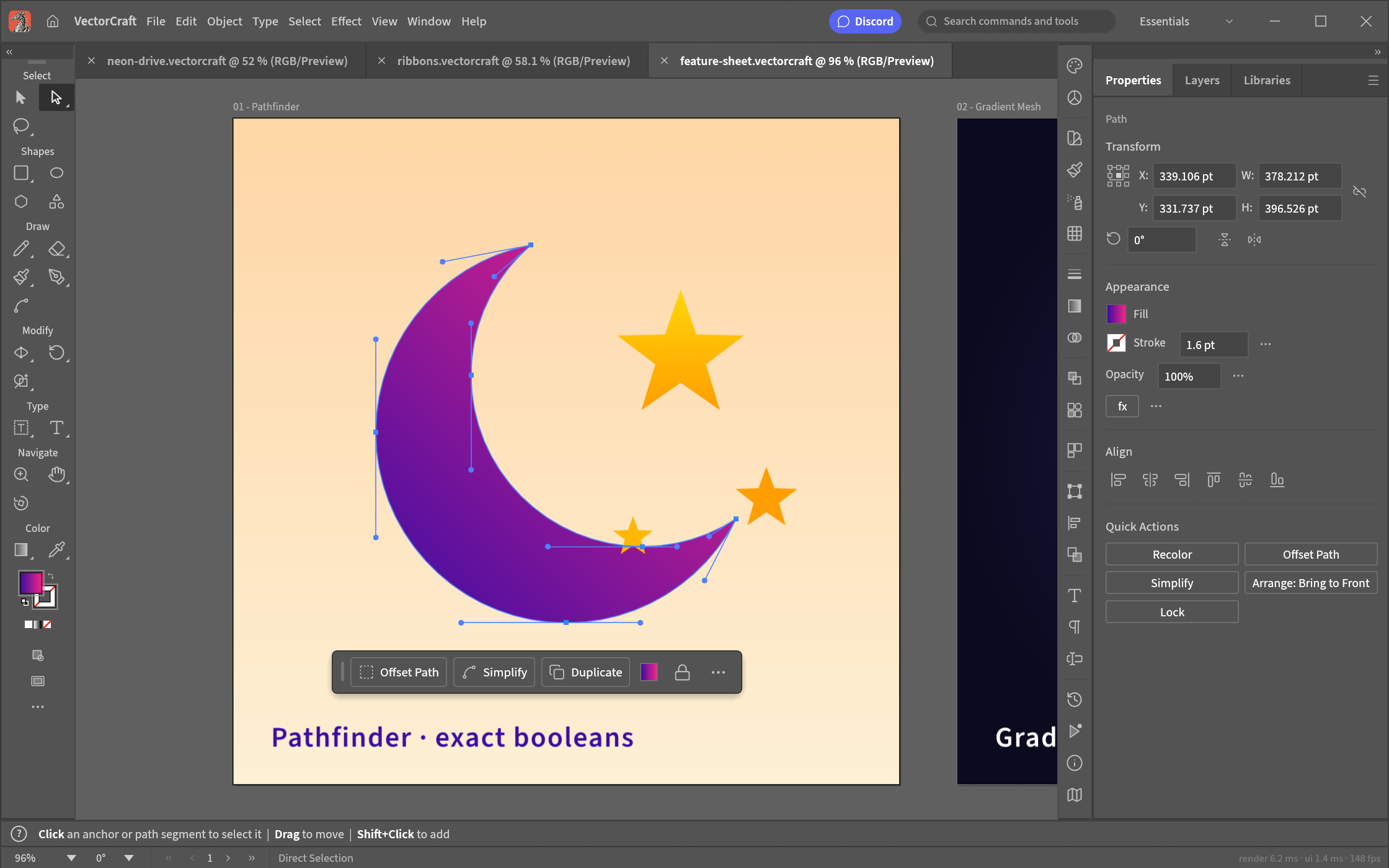
Is VectorCraft a useful option beside Illustrator? I would decide that around an actual job rather than the resemblance of the interface. For this comparison, the task is to build an app icon from simple shapes.
This is a comparison of public documentation. I have not installed both apps and measured them side by side. There is no verified winner, speed advantage or compatibility score in this article. The table separates what is documented from what still needs testing.
What changes in the workflow?
The native working document is .vectorcraft, while SVG and PDF provide exchange routes. That makes a new SVG a different starting point from inheriting a client’s .ai file. Command-based production is interesting, but I have not measured how much manual work it removes. A working export does not establish that Illustrator’s editable structure has been preserved.
| Question | VectorCraft | What to check against Illustrator |
|---|---|---|
| Development stage | alpha / in development | The required behaviour in the actual version used |
| Delivery model | Developer describes free, open-source, local work | Official product/plan terms and your workflow requirements |
| Automation | Documented command/agent-control paths | Manual correction needed after a repeated operation |
| Files and results | Supported routes have the limitations discussed below | Export the same SVG curves, clipping and gradients from both apps. |
An open-source release lets you inspect the code, but it does not remove time spent learning, checking exports or repairing incompatible files. I have not calculated total cost. Use the linked official baseline page for the relevant regional terms instead of assuming one price applies to everyone.
The file limitation that matters here
The README describes limitations in retaining Illustrator editing data. SVG support should not be read as full .ai compatibility. Fonts, letter spacing, curves, clipping and gradients need checking after a round trip. A file can look correct as a preview while losing the structure you need to make the next change.
How I would make the comparison fair
Use the same inputs in both tools: A simple icon made from a rectangle and a circle. Start without text or elaborate effects so the outline is easy to check.
Keep the output settings, computer, OS and app versions in the record. If one app cannot complete an operation, record where it stopped; do not quietly give only that app an easier input. Separate installation, editing, revision and export time. Errors and manual recovery are part of the workload, even when the final image or document looks good.
| Check | Matched task | Current result |
|---|---|---|
| Paths | Export the same SVG curves, clipping and gradients from both apps. | Not hands-on compared |
| Text | Use the same font and letter spacing, then inspect SVG/PDF layout. | Not hands-on compared |
| Illustrator exchange | Use a real .ai file and record lost editing data and the remaining editable range. | Not hands-on compared |
Agree on what counts as finished
An app icon needs to be recognisable on a phone and still look clean when enlarged in a presentation. VectorCraft is a vector editor for that sort of icon, logo or poster. Vector paths keep an editable outline rather than just a grid of pixels. I would begin with a circle and a rectangle, then look at what survives export before trying to move an existing Illustrator job.
A PNG is a pixel preview; it does not preserve editable curve handles. Keep the native vector document for revision and a separate SVG for exchange. For the SVG, check font dependencies, gradients and clipping in the recipient’s actual app. Save a separate working copy before an important combine/subtract operation so there is a clear version to return to.
Producing a delivery file is only one part of completion. Reopening the editable version and making one small change checks whether the next revision remains possible. Keep the first output and the revised one so the difference can be inspected. A source-format round trip also needs a test in the app where the file will actually be received.
Where I would start, and where I would pause
Creating a new SVG can start with a small shape exercise. Continuing a client’s Illustrator document needs a real-file test first. Check both the visual result and whether one anchor point can still be edited after reopening; those are two different completion criteria.
When delivering the same icon at several sizes, distinguish document coordinates from exported image dimensions. Outer padding changes how the icon sits in a real interface. Establish a recognisable small outline first, and specify the editable document and the delivery file separately when exploring command-based production.
The review can be updated with a hands-on result once there is a record of the installed version, source files, matched settings and failures as well as successes. For now, these are practical comparison criteria based on the checked documents, not observations from a completed benchmark.
Introduction · Task tutorial · Comparison: documented differences
Sources & further reading
- https://getartcraft.com/apps/vectorcraft
- https://github.com/storytold/vectorcraft/blob/main/README.md
- https://www.adobe.com/products/illustrator.html
- https://github.com/storytold/vectorcraft/blob/a06717777828867557d759c674283304f63c04ae/README.md
- https://github.com/storytold/vectorcraft/blob/a06717777828867557d759c674283304f63c04ae/crates/ui-egui/src/menus.rs