SoundCraft: what it does and what to check first
Good background music can still make a short explanation unusable if it hides the words.
Last updated
Menus and supported features can change. Compare the source-check date below with your current app version.
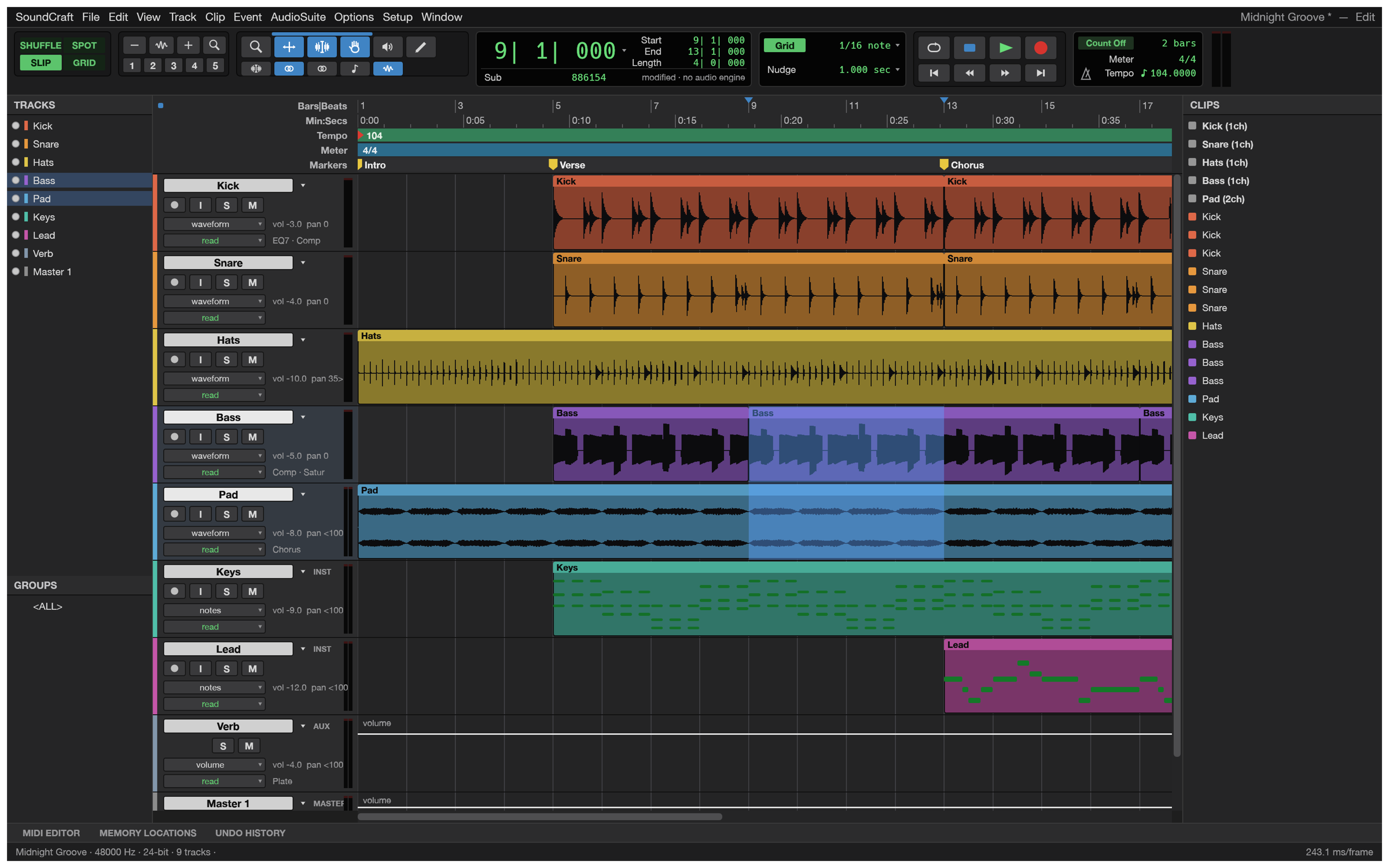
Good background music can still make a short explanation unusable if it hides the words. SoundCraft is a multitrack audio editor and mixer. I would begin with an existing voice recording and music on separate tracks. That keeps the first test focused on placement, volume and the exported mix, rather than mixing in recording-device configuration problems.
The checked material describes pre-alpha / in development. I have read the public documentation; I have not installed and run this app for a hands-on review.
A look at the screen
| Where to look | What it does |
|---|---|
| Edit | Trim clips and arrange the voice/music timing. |
| Mix | Adjust track faders, pan and meters. |
| Bounce Mix | Produce the single audio file for listening. |
What the documentation describes
- Use Edit and Mix views to arrange audio clips and mix multiple tracks.
- The documentation describes MIDI editing and automation of volume, pan and plug-in parameters; pan places sound across left and right channels.
- Built-in functions and CLAP/VST3/Audio Units plug-in hosting are described.
What interests me beside Pro Tools
Editing prerecorded files is a different goal from continuing a studio session with the same hardware and plug-ins. The documented plug-in hosting is worth inspecting with the actual plug-in you use, including its saved state. A mix that sounds right does not establish that your existing Pro Tools session can be imported and resumed.
The developer describes free, open-source, local work. Open source means the code is available to inspect. I have not measured a speed or total-cost advantage. For Pro Tools, check the official product and plan information for the terms that apply in your region.
The limitation I would check first
This is documented as pre-alpha. The README lists audio-interface/buffer selection, controller MIDI recording and AAF/OMF session exchange as missing. If studio hardware, recording or an existing session is central to your work, check those gaps before treating this as a replacement. The guide below uses already-recorded files.
A small first task
For the first exercise, let’s balance a voice recording with background music. Prepare: A 30-second voice WAV and music you have permission to use. Place them on separate tracks and keep the original audio files.
Check the official app page and release downloads for a build matching your operating system and CPU. If there is no suitable installer or the app does not start, read Get started/Quick start and known issues in the official README. Record the app version and OS when you try the task.
The separate tutorial gives the menu sequence and an expected result. It is a documentation-based exercise, not a claim that I completed it. AI-assisted development, an app’s built-in AI features and an agent operating existing functions need to be distinguished when judging an automation claim.
Keep the working file and the delivery file
Keep the session with its source audio for changing voice and music independently. A bounced mix combines them into one listening file, so changing only the music later is harder if that is all you saved. Reopen the session and inspect track levels and any plug-in settings before making another version.
If the result differs
For distortion, check excessive peaks and clipping at the master and identify the offending track. Do not raise voice and music together just because both appear quiet. This test does not exercise device/buffer selection or controller MIDI recording. Inspect exported start points and interruptions outside the editor; plug-in settings also need a reopen test if used.
What I would verify before a bigger job
- Compare loudness, clipping and duration for the same voice/music mix.
- Record available input, output and buffer controls for the same interface.
- Check loading, saved state and playback for the plug-ins actually needed.
A small mix from existing recordings is a useful first exercise. Hardware recording and AAF/OMF interchange are different goals, with documented missing features. Successful playback of one file also does not establish that every plug-in loads, saves its state and plays correctly.
Include the listening device and player in a comparison record. A meter reading and speech intelligibility are related but different checks. If you replace the music, record the new input rather than treating it as the same experiment. Begin with placement and levels before adding effects, so their influence stays identifiable.
Introduction · Task tutorial · Comparison: documented differences
Sources & further reading
- https://getartcraft.com/apps/soundcraft
- https://github.com/storytold/soundcraft/blob/main/README.md
- https://www.avid.com/pro-tools
- https://github.com/storytold/soundcraft/blob/c0cb99340891d306e216582db465f3594b89dc1d/README.md
- https://github.com/storytold/soundcraft/blob/c0cb99340891d306e216582db465f3594b89dc1d/crates/engine/catalog/menus.txt